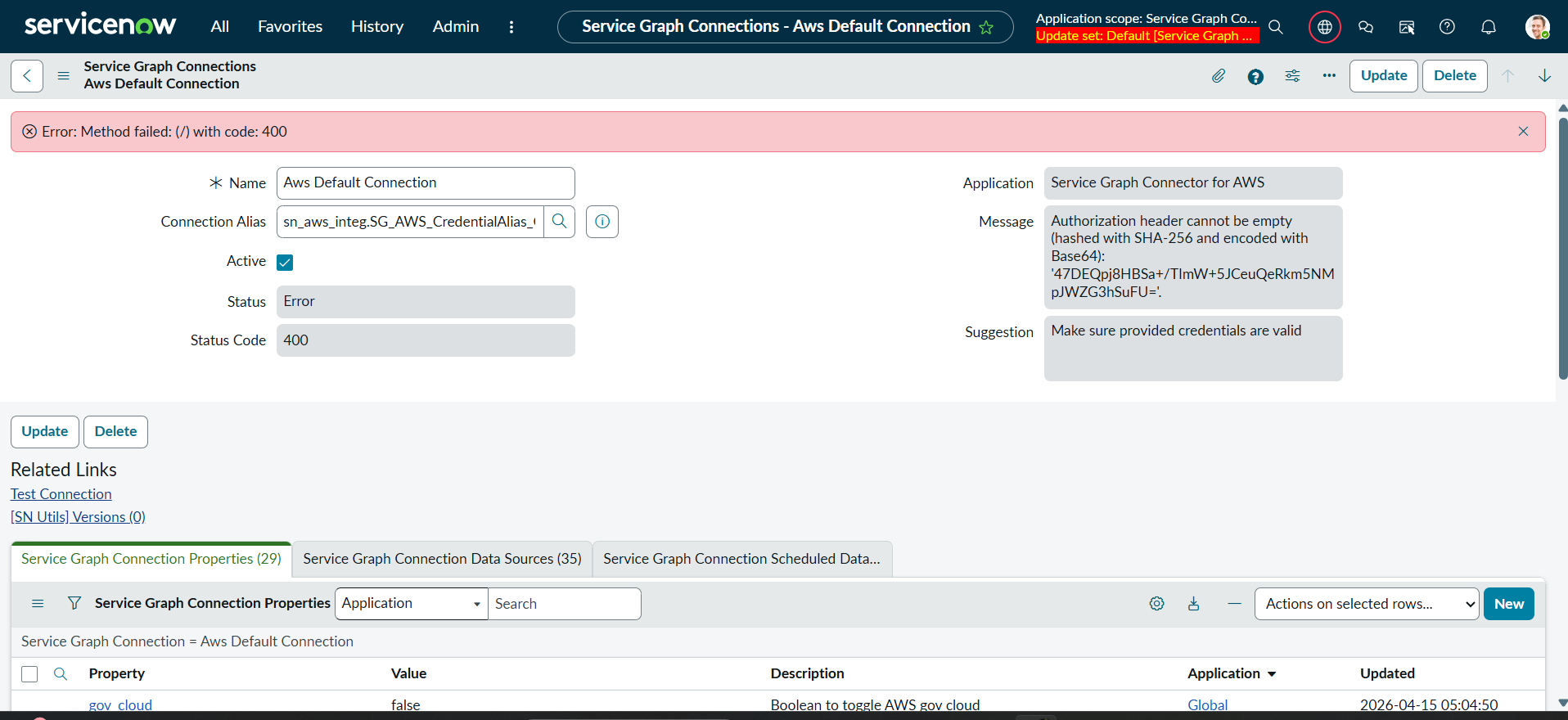
I have the 400 error while integrating aws with servicenow.

- Mark as New
- Bookmark
- Subscribe
- Mute
- Subscribe to RSS Feed
- Permalink
- Report Inappropriate Content
04-15-2026 05:56 AM
I want to integrate aws with servicenow through service graph connector for aws.But,that shows 400 error while test the connection with the message "Authorization header cannot be empty (hashed with SHA-256 and encoded with Base64): '47DEQpj8HBSa+/TImW+5JCeuQeRkm5NMpJWZG3hSuFU='."
- Mark as New
- Bookmark
- Subscribe
- Mute
- Subscribe to RSS Feed
- Permalink
- Report Inappropriate Content
04-20-2026 03:38 AM
That error isn’t random — it usually means the request reaching AWS is missing a valid Authorization header, so the signature being generated is basically for an empty value. In simple terms, ServiceNow is not properly signing the request with your AWS credentials.
The fix is to recheck your AWS credential configuration in the Service Graph Connector setup:
- Make sure you’ve entered a valid Access Key ID and Secret Access Key (no extra spaces, no expired/rotated keys)
- Confirm the credential type is set for AWS (SigV4 signing) — this is important because AWS requires signed requests
- Verify the region matches where your AWS resources exist (e.g., us-east-1, ap-south-1)
- Check that the IAM user/role has required permissions (like ReadOnlyAccess or the specific policies needed for Service Graph)
Also, if you’re using a Connection & Credential alias, open it and ensure:
- It’s correctly mapped to the AWS credential
- No fields are left blank
- Test connection is using that alias
This specific hash (47DEQpj8...) is actually what you get when the system tries to sign an empty payload/header, so the root cause is almost always missing or misconfigured credentials/signing, not networking.
In short: fix the AWS credential + signing setup (SigV4) and the 400 error will go away.
- Mark as New
- Bookmark
- Subscribe
- Mute
- Subscribe to RSS Feed
- Permalink
- Report Inappropriate Content
3 weeks ago
The issue is acknowledged by ServiceNow. please see this
https://support.servicenow.com/kb?id=kb_article_view&sysparm_article=KB3068310