Task: Create iTunes Discovery Pattern (Part 2)

- Mark as New
- Bookmark
- Subscribe
- Mute
- Subscribe to RSS Feed
- Permalink
- Report Inappropriate Content
06-04-2025 12:37 PM
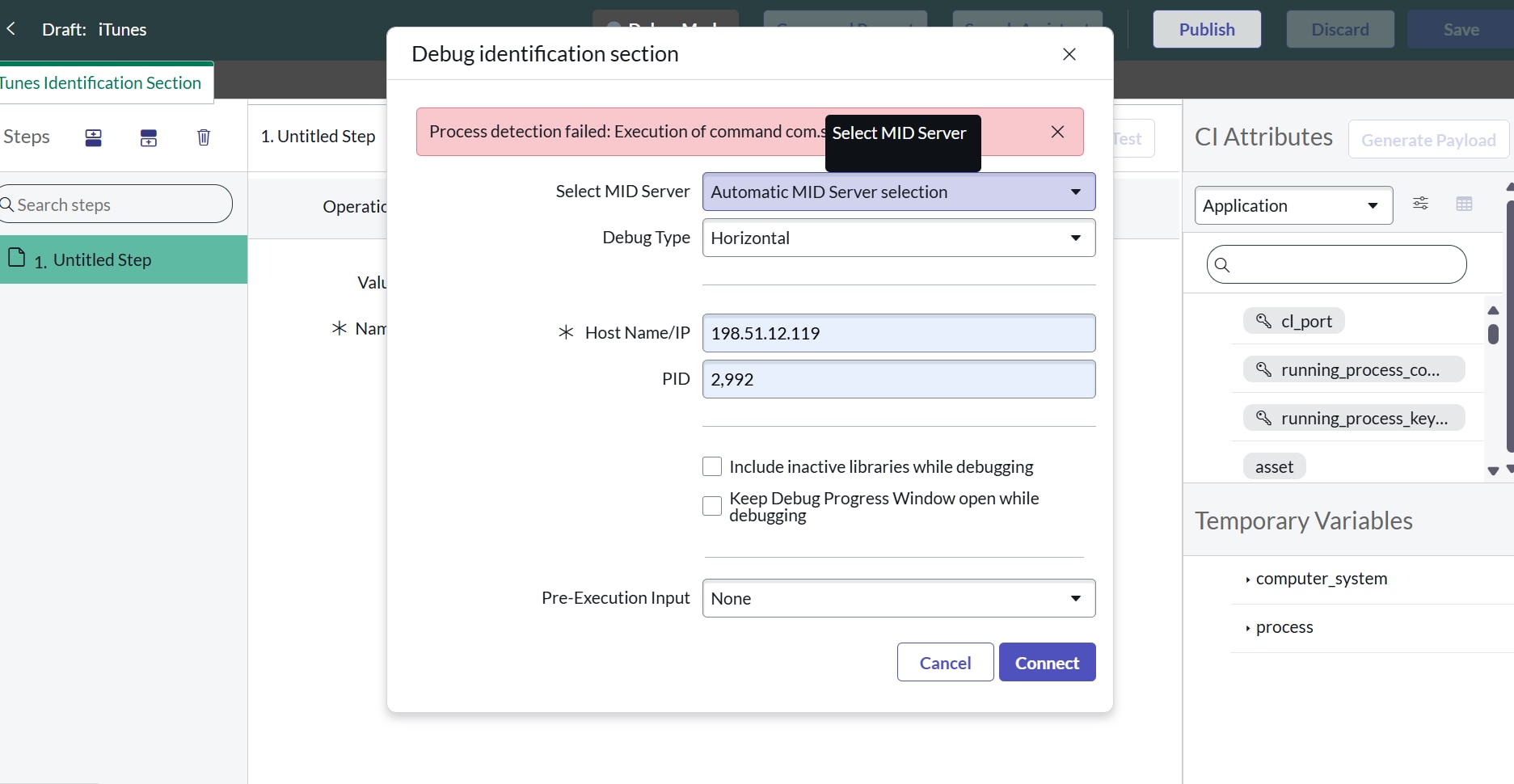
Hello upon trying to start this task, upon turning on Debug mode I get an error.
- Mark as New
- Bookmark
- Subscribe
- Mute
- Subscribe to RSS Feed
- Permalink
- Report Inappropriate Content
07-12-2025 10:39 AM
Hello @MatthewM1018976 ,
Facing same issue can you please let me know if you have any suggestions to get this fixed. Thanks in advance.


- Mark as New
- Bookmark
- Subscribe
- Mute
- Subscribe to RSS Feed
- Permalink
- Report Inappropriate Content
08-20-2025 09:52 PM - edited 08-20-2025 09:56 PM
HI @MatthewM1018976 check below link
https://www.discoveryadmin.com/get-started/discovery-fundamentals-training
https://youtu.be/N5IyUVRzqEg?si=aPzBqWpBWDuVPBUR
if my answer helps you mark helpful and accept solution
- Mark as New
- Bookmark
- Subscribe
- Mute
- Subscribe to RSS Feed
- Permalink
- Report Inappropriate Content
08-27-2025 03:50 PM
Hello, you need to take out the comma in the PID
- Mark as New
- Bookmark
- Subscribe
- Mute
- Subscribe to RSS Feed
- Permalink
- Report Inappropriate Content
03-25-2026 07:54 AM
This needs to be the top comment- thank you so much 🙏
- Mark as New
- Bookmark
- Subscribe
- Mute
- Subscribe to RSS Feed
- Permalink
- Report Inappropriate Content
04-23-2026 02:42 AM
Hello everyone,
Today, I encountered the same issue, and the solution that worked for me was:
- Completing the entire task, even though I was unable to run it in Debug mode.
- Running a Quick Discovery on 192.168.16.11 using the Auto-select MID Server method.
Once the Quick Discovery was complete, I was able to validate the task.
I hope this helps others who are going through the lab.
Best regards,
Matt