Configuring a new article template

- Mark as New
- Bookmark
- Subscribe
- Mute
- Subscribe to RSS Feed
- Permalink
- Report Inappropriate Content
07-17-2026 10:27 AM
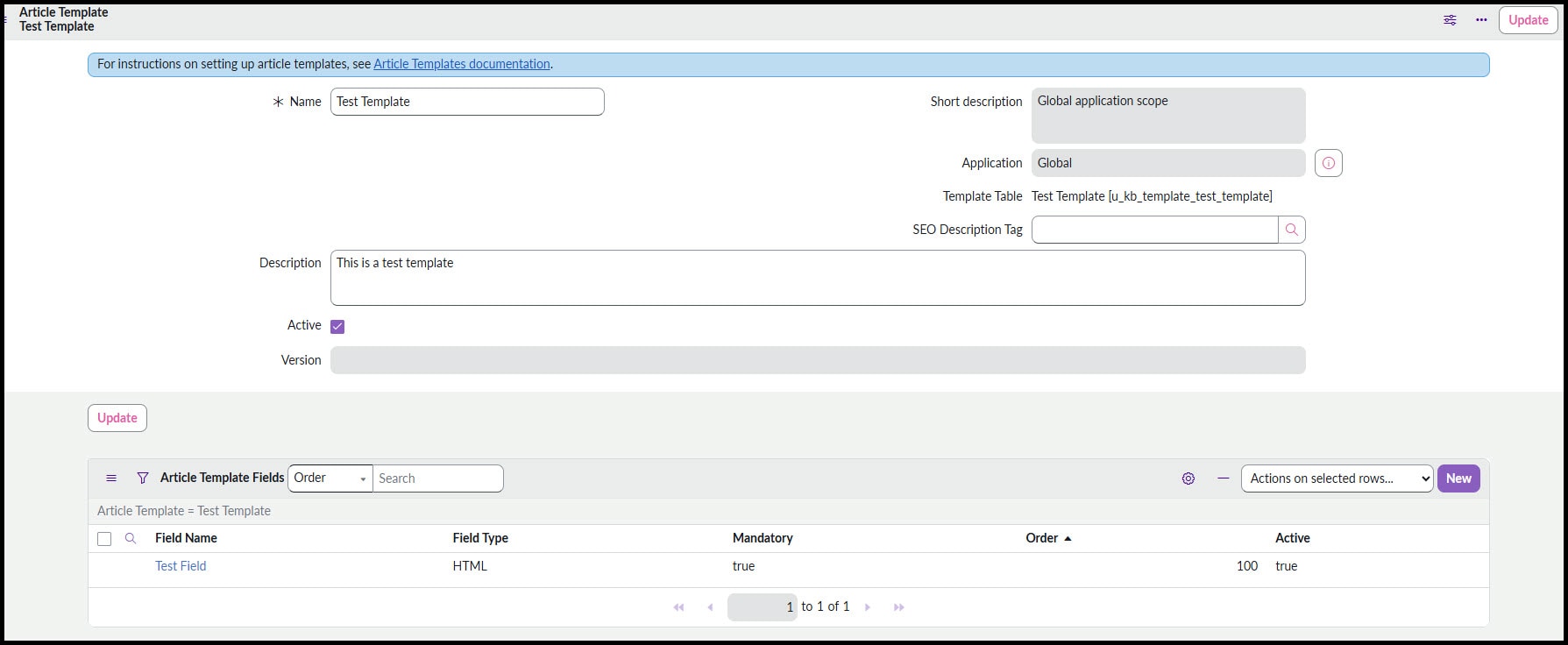
I am working on configuring Knowledge Center workspace and one of the issues I'm running into is with a new article template. I've created the new template, and when I attempt to create a new article from it, the left hand details section does not populate. I've researched for several hours but can't seem to find a resolution.
Here's what a prebuilt template looks like:

And here is my new template. I've tried clicking and selecting Personalize Form but there are no fields available.

I'm not sure what I'm missing, has anyone else ran into this and/or know how to resolve this? Thank you in advance.

- Mark as New
- Bookmark
- Subscribe
- Mute
- Subscribe to RSS Feed
- Permalink
- Report Inappropriate Content
07-18-2026 12:08 AM
Hi @sarahcrille
Refer:
Create an article template and use it to create a knowledge article
Regards
Tanushree Maiti
ServiceNow Technical Architect
LinkedIn: https://www.linkedin.com/in/tanushreemaiti
- Mark as New
- Bookmark
- Subscribe
- Mute
- Subscribe to RSS Feed
- Permalink
- Report Inappropriate Content
07-20-2026 07:59 AM
Thank you for your response, I've previously read those articles and have attempted to update the form layout (See screenshot "Config Layout") however, once I save that layout and attempt to create a new article from it, the fields still do not show up. (See Test Template2.jpg)
- Mark as New
- Bookmark
- Subscribe
- Mute
- Subscribe to RSS Feed
- Permalink
- Report Inappropriate Content
07-20-2026 09:05 AM
Hi @sarahcrille
AS per shared KB Article, did you add those field in the form layout to reflect those fields after applying the template.
Check this : Made kowledge article template with fields, but not present after submitting template in new article
Regards
Tanushree Maiti
ServiceNow Technical Architect
LinkedIn: https://www.linkedin.com/in/tanushreemaiti