How to Enable Watch List Add/Remove Functionality on ESC Incident Ticket Page?

- Mark as New
- Bookmark
- Subscribe
- Mute
- Subscribe to RSS Feed
- Permalink
- Report Inappropriate Content
2 weeks ago
Hi Team,
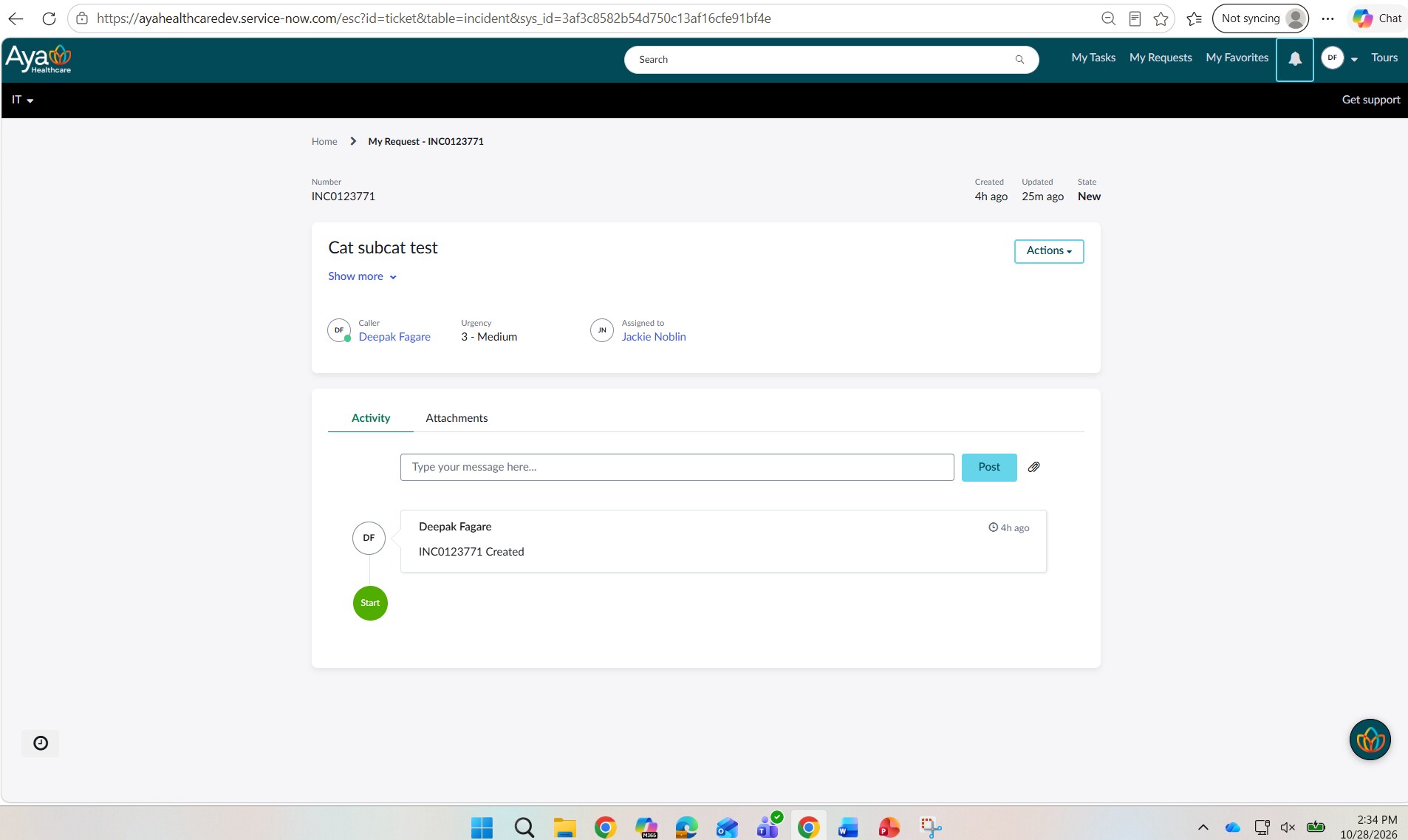
I have a requirement to allow end users to manage the Watch List on Incident tickets within Employee Service Center (ESC).
Specifically, on the standard ESC ticket page.
I need users to be able to:
- View current Watch List members
- Add users to the Watch List
- Remove users from the Watch List
- Update the Watch List after the Incident has been created
Ideally, I would like to leverage any existing OOB Employee Center functionality rather than building a custom widget from scratch.
My questions are:
- Does ESC provide any out-of-the-box Watch List component for Incident tickets?
- Which widget/page component controls Watch List functionality on the standard ESC ticket page?
- Has anyone successfully exposed the Incident watch_list field on the ESC ticket experience?
- What is the recommended approach: extending the Ticket Fields widget, adding a custom widget, or reusing an existing OOB widget?
Any guidance, examples, or best practices would be greatly appreciated.
Thank you


- Mark as New
- Bookmark
- Subscribe
- Mute
- Subscribe to RSS Feed
- Permalink
- Report Inappropriate Content
2 weeks ago
Hello @DeepakF,
Please refer to the link below:
On Employe Service Portal(ESC)on standard ticket p... - ServiceNow Community
If it is helpful, please mark it as helpful and accept the correct solution by referring to this solution in the future it will be helpful to them.
Thanks & Regards,
Abbas Shaik
- Mark as New
- Bookmark
- Subscribe
- Mute
- Subscribe to RSS Feed
- Permalink
- Report Inappropriate Content
2 weeks ago
I am looking for Incident table watch list option on ESC.

- Mark as New
- Bookmark
- Subscribe
- Mute
- Subscribe to RSS Feed
- Permalink
- Report Inappropriate Content
2 weeks ago


- Mark as New
- Bookmark
- Subscribe
- Mute
- Subscribe to RSS Feed
- Permalink
- Report Inappropriate Content
2 weeks ago
Hi @DeepakF ,
You can explore the following approaches to implement Watch List functionality in Employee Service Center (ESC).
Approach 1: Add the Watch List Field to the Ticket Page
You can explore adding the Watch List field to the ticket page configuration to allow users to manage it through the existing ticket experience.
Reference: Adding Watch List to Standard Ticket Configuration in ServiceNow
Approach 2: Display Incidents Being Watched Using the Simple List Widget
If your requirement also includes displaying incidents that the logged-in user is watching on the portal homepage, you can use the out-of-the-box Simple List widget.
Implementation:
Navigate to Service Portal Configuration → Designer and open the Service Portal homepage.
Search for the Simple List widget and drag it onto the page.
Open the widget's configuration and set the table to Incident [incident].
Set the filter to:
active=true^watch_listLIKEjavascript:gs.getUserID()
Configure the display fields, such as Number, Short Description, and Assigned To.
Configure the destination page so users can open the corresponding incident.
Save the configuration and update the widget title to My Watch List if desired.
Official ServiceNow reference: KB0760364 – How to Add "My Watch List" Incidents on the Service Portal Homepage
If you find this response helpful, I would appreciate it if you could mark it as helpful and accept it as the solution.
Regards,
Sandesh Powar
ServiceNow Rising Star
