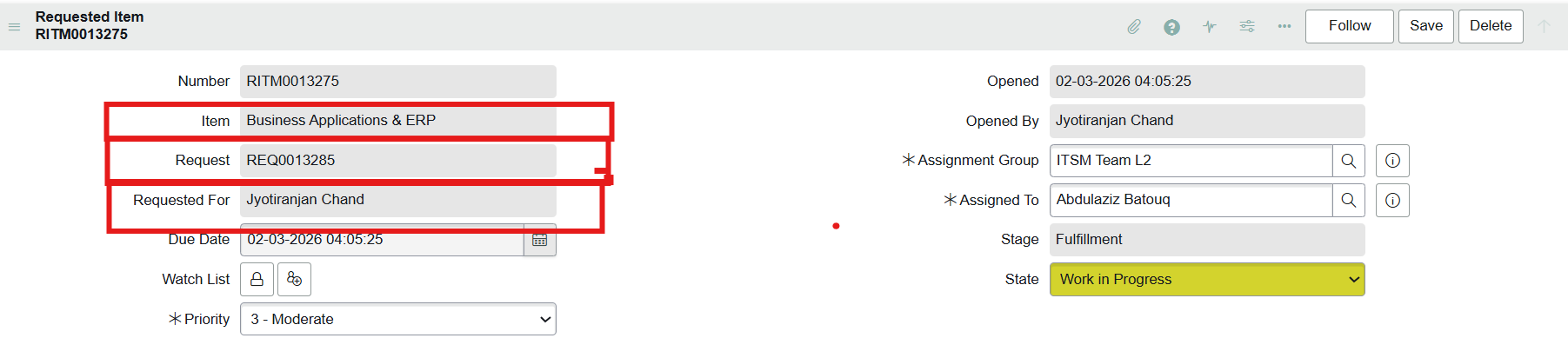
How to make Requested For, Request Number, and Item Name read-only but still keep the Info (ⓘ) icon

- Mark as New
- Bookmark
- Subscribe
- Mute
- Subscribe to RSS Feed
- Permalink
- Report Inappropriate Content
03-05-2026 12:11 AM
Hi everyone,
I'm working on the Requested Item form (sc_req_item) and I need to make the following fields read-only:
Requested For
Request (REQ Number)
Item (Catalog Item)
The requirement is that users should not be able to modify these fields, but we still want the Info (ⓘ) icon to remain visible so users can open the referenced record and check its details.
Currently I tried using a Client Script (onLoad) like this:
function onLoad() {

    g_form.setReadOnly('cat_item', true);
    g_form.setReadOnly('request', true);
    g_form.setReadOnly('requested_for', true);

}
However, when the field is disabled the ⓘ info icon disappears, which prevents users from viewing the referenced record.
I also verified the dictionary attributes for the reference field and they include:
ref_contributions=show_related_linkMy question:
What is the best practice to:
Make these fields read-only on the RITM form
Prevent users from editing them
Still keep the ⓘ info icon visible so users can open the referenced record?
- Mark as New
- Bookmark
- Subscribe
- Mute
- Subscribe to RSS Feed
- Permalink
- Report Inappropriate Content
03-05-2026 07:48 AM
Hi @JyotiranjanC566,
It's possible - try following the instructions here https://www.servicenow.com/docs/r/platform-administration/c_ReferenceIcon.html
After a little digging, this original post (Reference Field Icon when Field is Read Only) pointed me in the right direction for how to achieve this and I was able to get it to work in my PDI.

☕ Powered by caffeine, curiosity, and more failed attempts than I'd like to admit