Remove 'duplicate' RITM from an Approval Report

- Mark as New
- Bookmark
- Subscribe
- Mute
- Subscribe to RSS Feed
- Permalink
- Report Inappropriate Content
09-21-2026 09:17 AM - edited 09-21-2026 09:21 AM
Good afternoon,
We have many catalog items with multiple approvers.
How can I filter out a report so that it only shows one approver per RITM even if the RITM has multiple approvers?
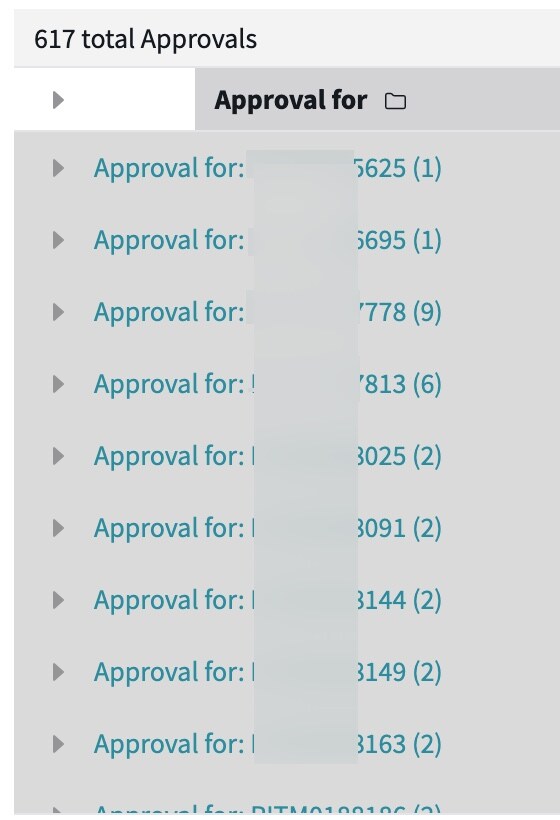
In the attachment there are RITMs showing approval for 9; approval for 6 - only want to show one per RITM
Thank you in advance,
Rachel


- Mark as New
- Bookmark
- Subscribe
- Mute
- Subscribe to RSS Feed
- Permalink
- Report Inappropriate Content
09-21-2026 10:58 AM
Hi @rconstantino ,
Its difficult get this in the list view since these are individual rows however you can build a pivot table as below so that it would display one row for one RITM and shows all the approvals by state.
I have configured this on the platform analytics, you can also do the same configuration on the reports

Hope it helps
- Mark as New
- Bookmark
- Subscribe
- Mute
- Subscribe to RSS Feed
- Permalink
- Report Inappropriate Content
09-21-2026 10:57 PM
Hi @rconstantino ,
Hope this answered your question if so,

- Mark as New
- Bookmark
- Subscribe
- Mute
- Subscribe to RSS Feed
- Permalink
- Report Inappropriate Content
09-21-2026 11:06 AM - edited 09-21-2026 11:07 AM
My suggestion would be -
1. Create a Database view.
2. Under View table, add following 2 records.
TABLE: sc_req_item |ORDER: 100| VARIABLE PREFIX : rtm | WHERE CLAUSE -- empty
TABLE: sysapproval_approver |ORDER: 200|VARIABLE PREFIX: app| WHERE CLAUSE: app_sysapproval=rtm_sys_id

3. In related Link -> click on Try Now
4. Using gear icon, add a column Number and place it after Approver column.
You will get your result.
- Mark as New
- Bookmark
- Subscribe
- Mute
- Subscribe to RSS Feed
- Permalink
- Report Inappropriate Content
09-22-2026 09:49 AM
Thank you for the info on creating the database view - this needs to work from the RITM table and not the REQ table - is that possible?
