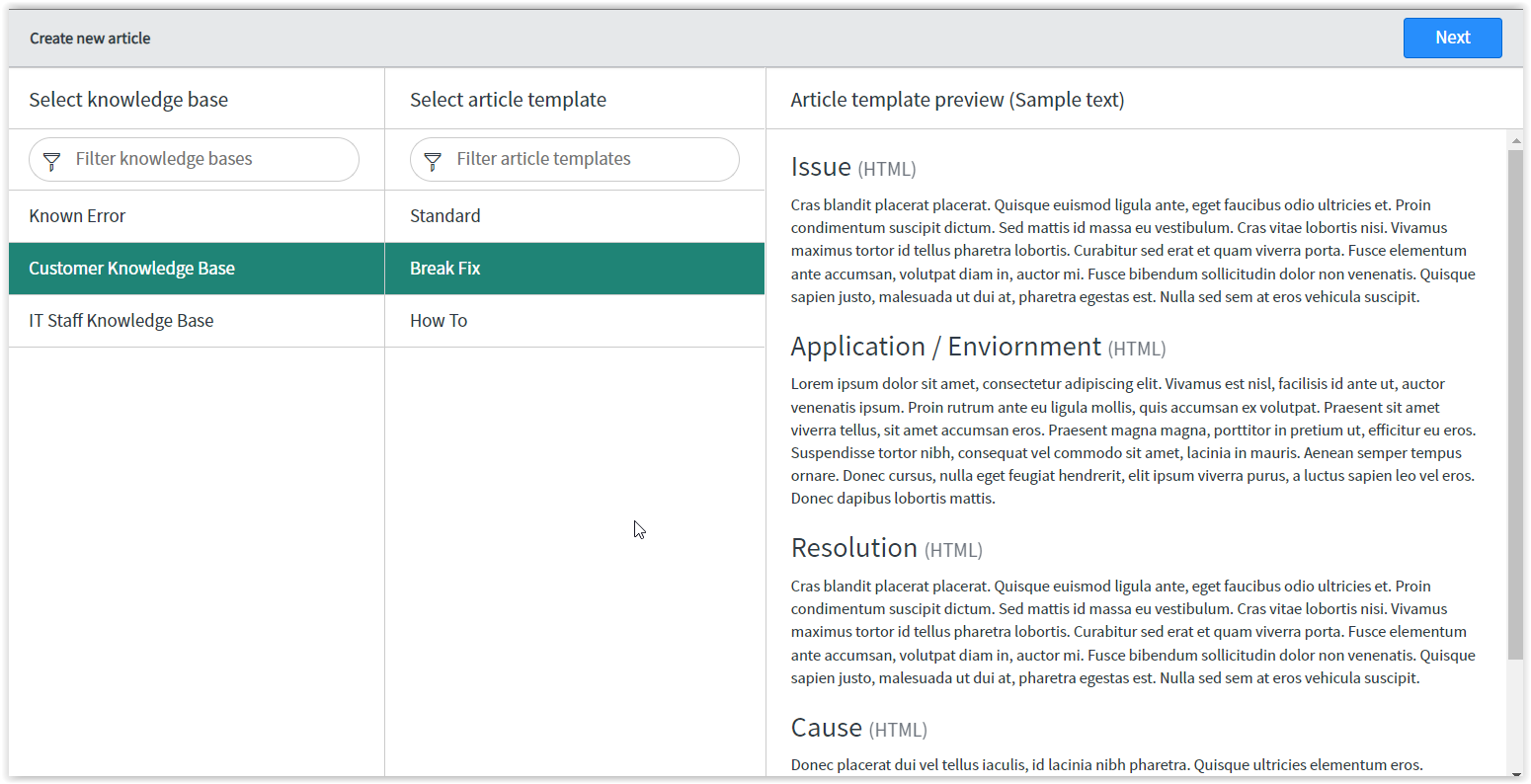
Article Preview Template (Sample Text) Posting as a different language

- Mark as New
- Bookmark
- Subscribe
- Mute
- Subscribe to RSS Feed
- Permalink
- Report Inappropriate Content
04-13-2022 12:14 PM
I am currently creating new Article Templates. I am testing the first one out. When I go to create a new KB article I select Create New->select the knowledge base->select the template an Article Template Preview (Sample Text) appears but not in English. I can't figure out how to change the language or how to remove the Article template preview in general. 
- Labels:
-
Knowledge Management


- Mark as New
- Bookmark
- Subscribe
- Mute
- Subscribe to RSS Feed
- Permalink
- Report Inappropriate Content
04-13-2022 12:23 PM
I think it defaults to Latin. That's how ours sets up too. I am not sure if you can change it, but that font is just considered a placeholder.
- Mark as New
- Bookmark
- Subscribe
- Mute
- Subscribe to RSS Feed
- Permalink
- Report Inappropriate Content
04-13-2022 02:53 PM
I've wondered the same thing! Thanks for asking the question.

- Mark as New
- Bookmark
- Subscribe
- Mute
- Subscribe to RSS Feed
- Permalink
- Report Inappropriate Content
04-13-2022 02:53 PM
This is not a straight forward thing to change unless you are a system admin. Seems like is should be a system property but yet it's buried in a script.
This answer provided by sameeralikhan Sr. Technical Engineer at ServiceNow in this community post explains it and is copied below for convenience.
The 'lorem ipsum' text is a common universal placeholder used to demonstrate the visual form of a document or a typeface without relying on meaningful content.
This derives from the following UI page:
https://instance_name.service-now.com/nav_to.do?uri=sys_ui_page.do?sys_id=610e172a87032300420e5cdac5cb0b07
If you want to change the default verbiage, you will need to make the change in the UI Page Client script.
- Mark as New
- Bookmark
- Subscribe
- Mute
- Subscribe to RSS Feed
- Permalink
- Report Inappropriate Content
01-30-2026 05:41 AM
The community link you posted is archived so any updates or suggestions are appreciated.
"This answer provided by sameeralikhan Sr. Technical Engineer at ServiceNow in this community post explains"