Create a Checklist in Service Operations Workspace

- Mark as New
- Bookmark
- Subscribe
- Mute
- Subscribe to RSS Feed
- Permalink
- Report Inappropriate Content
06-10-2025 04:18 AM
Dear All,
I am trying to add checklist to change_task table in ServiceNow. I was able to add it in the Native view with Form layout > Checklist (Formatter).

However, i want the same in-Service Operations Workspace.
I am referring to this Blog - However this seems to be outdated, and the Workspace is totally changed in 3 years.
Does anyone have any latest solution for this ?


- Mark as New
- Bookmark
- Subscribe
- Mute
- Subscribe to RSS Feed
- Permalink
- Report Inappropriate Content
06-10-2025 04:25 AM
Hi @ameybhaisar ,
You can use this solution using a BR :
Auto generate Checklists — ServiceNow Elite
Note: Make sure you have selected SOW View which configuring it.
Sandeep Dutta
Please mark the answer correct & Helpful, if i could help you.

- Mark as New
- Bookmark
- Subscribe
- Mute
- Subscribe to RSS Feed
- Permalink
- Report Inappropriate Content
06-10-2025 04:43 AM
did you check how it's possibly implemented in HR Agent workspace for HR cases?
If my response helped please mark it correct and close the thread so that it benefits future readers.
Ankur
✨ Certified Technical Architect || ✨ 10x ServiceNow MVP || ✨ ServiceNow Community Leader
- Mark as New
- Bookmark
- Subscribe
- Mute
- Subscribe to RSS Feed
- Permalink
- Report Inappropriate Content
01-18-2026 06:04 PM
May I humbly recommend you consider ChecklistPRO, the #4 rated application in the ServiceNow application store, as an alternative to the out-of-the-box Checklists - https://checklistproapp.com/
It is a paid application. Price based on the number of active users, calculator here - https://checklistproapp.com/pricing/
You build our no-code checklist using an in-app HTML editor and a bulleted list, then make a "Checklist Configuration" record to determine which table to put this checklist on and under what conditions should it be created, who can edit it, etc.
One, no-code configuration, and it works across all ServiceNow UIs: Classic Jelly-based UI16 Forms, AngularJS-based Employee Center and Service Portal, and web-component-based Workspace UIs.
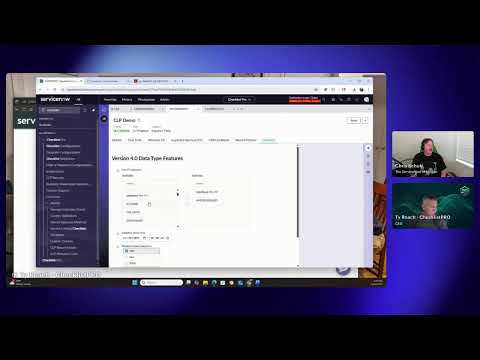
Here's short (3 minute) video of some of the latest features - https://www.youtube.com/watch?v=puBkh8Iyp_4
There's a nice variety of Checklist Item data types including:
- checkbox (of course)
- Date
- Datetime
- Choice (you define your own custom choice options)
- Pure HTML record
- Journal entry
- List (of reference fields)
- Multiple Choice (same as above except you can pick more than one option)
- Number
- Reference (to any servicenow table)
You can even generate your checklists from fillable PDFs, and save the checklist info back into the fillable PDF...or just save any checklist into PDF format (if you want).
Besides being able to put a checklist on ANY ServiceNow table (not just Task tables), you can also put your checklist items on Catalog Item requests.
Then there's the ITSM License cost saving aspects of ChecklistPRO.
Want an alternative to OOB Approvals? ChecklistPRO gives you that. Anyone (even without ServiceNow roles) can be a Checklist Approver.
Want an alternative to Fulfillers because you have some groups that only want to complete work in workflows and don't care about root-cause Incident assessments, CMDB updates, SLA generation and other ITSM task related work that really require being an ITIL fulfiller? Use our Checklist Assignment record instead.
Checklist Approvals and Checklist Assignments can be added to you workflows as ITSM Cost saving alternatives in both legacy Workflow as well as Flow Designer. It's really no different...just drag our Checklist Record into your flow and then groups/people without ServiceNow roles can do work or approve things withou t incurring ServiceNow ITSM license fees.
It's all legit too - ServiceNow has awarded us Deal Registrations as we've helped customers reapply those ITSM License Cost savings back into other areas of the platform.
ChecklistPRO is really one of the best kept secrets in the ServiceNow ecosystem...but not for long.
We've done 2 LinkedIn Live events with Chris Schuh, the ServiceNow Magician, on his "Chris Checks Out..." show:
- 1st episode (40m) -https://www.youtube.com/watch?v=XOp529qk3bs&list=PLXSiMS2bzDny3rCx3LcrEqjzdN4sMTxre&index=1
- 2nd episode (30min) - https://www.youtube.com/watch?v=vjaCPEBgC6U&list=PLe6c-b7dnG2Lv2LtV95hvyLPRWDUdiH7b&index=2



- Mark as New
- Bookmark
- Subscribe
- Mute
- Subscribe to RSS Feed
- Permalink
- Report Inappropriate Content
06-04-2026 11:32 AM
Ive been in a few sessions with the SOW product team and they said checklists would be available in Australia. Ive looked and haven't seen anything. Has anyone else?

