- Mark as New
- Bookmark
- Subscribe
- Mute
- Subscribe to RSS Feed
- Permalink
- Report Inappropriate Content
05-16-2023 12:36 PM
Hi there,
I am trying to create a dashboard where it has a right and left
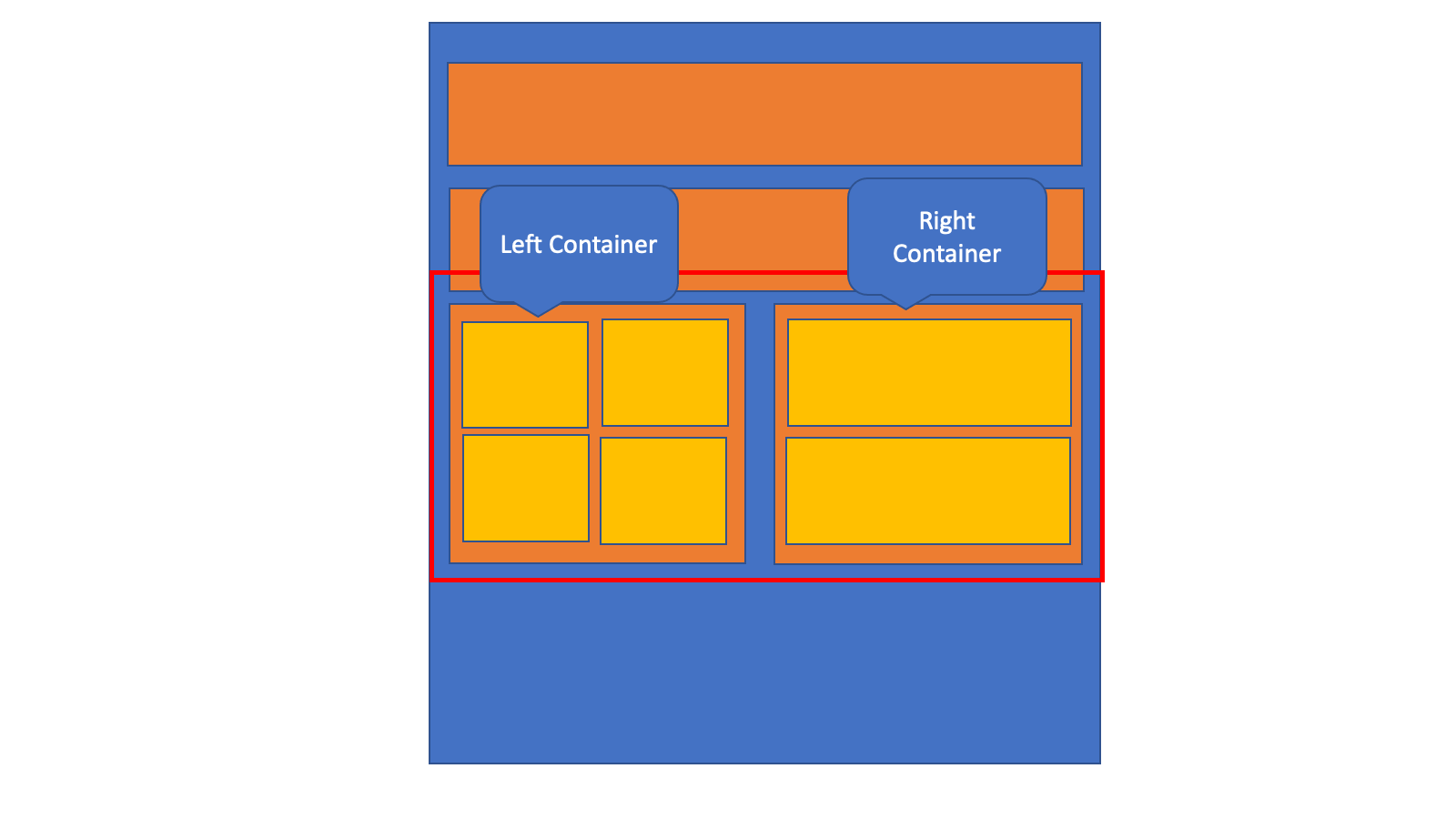
So a container on the left with container 4 single score metrics and the container on the right will be a line chart
I have the left container created grid 2 columns by two rows to incorporate the four metrics. However when I try and add a container right container it either adds it to the top of the bottom. How do I get it to be right and left.
Something like the attached.
Thanks
--Brian
Solved! Go to Solution.
- Mark as New
- Bookmark
- Subscribe
- Mute
- Subscribe to RSS Feed
- Permalink
- Report Inappropriate Content
05-19-2023 05:38 AM
You can do it with below setup.

Main Container: Container 1(Grid)

Container 2(Grid)

Container 3(Grid):

ServiceNow Community Rising Star 2022/2023

- Mark as New
- Bookmark
- Subscribe
- Mute
- Subscribe to RSS Feed
- Permalink
- Report Inappropriate Content
05-16-2023 12:52 PM
I think you need to approach it as Row 1 & Row 2 with a bunch of CSS space between the metrics to make it look like left and right.
- Mark as New
- Bookmark
- Subscribe
- Mute
- Subscribe to RSS Feed
- Permalink
- Report Inappropriate Content
05-19-2023 05:38 AM
You can do it with below setup.
Main Container: Container 1(Grid)
Container 2(Grid)
Container 3(Grid):
ServiceNow Community Rising Star 2022/2023