- Post History
- Subscribe to RSS Feed
- Mark as New
- Mark as Read
- Bookmark
- Subscribe
- Printer Friendly Page
- Report Inappropriate Content
on 05-25-2022 11:54 AM
The Requirement
Today we were presented the challenge of:
"We want an MS Teams notification sent to every member of an assignment group whenever a new incident is assigned to that group"
I will probably write a separate post about the investigation into that but during the investigation into it I discovered something I thought was really cool.
Sending a MS Team message from a script
ServiceNow has an API for firing teams messages that can be called form a custom flow action, business rule, wherever you like!
The Script include is called MSTeamsOutboundMessages but unfortunately its locked down. But looking into some other scipts I found that MSTeamsOutboundMessages().sendDirectMessage() takes three arguments:
- sys_id of the user who should receive the teams message
- the string "adaptiveCard"
- a JSON which is what tells teams what to display. The JSON is part of "Adaptive Cards" which you can read all about here https://adaptivecards.io/. There is even a GUI designer for creating cards found here https://adaptivecards.io/designer/
Here is an example:
var inc_number = "INC007"
var send_to = '00004934db486850e2bd49a239961949'
var priority = "P1"
var SD = "Short Description"
var record_id = "000024e1be38d906da0a798bd4bcbe9"

var card =
{
    "type": "AdaptiveCard",
    "body": [
        {
            "type": "TextBlock",
            "size": "Large",
            "weight": "Bolder",
            "text": "Incident has been assinged to your queue.\n ",
            "wrap": true
        },
        {
            "type": "TextBlock",
            "size": "Medium",
            "weight": "Bolder",
            "text": priority + " " + inc_number,
            "wrap": true
        },
        {
            "type": "TextBlock",
            "text": SD,
            "wrap": true
        },
        {
            "type": "ActionSet",
            "actions": [
                {
                    "type": "Action.OpenUrl",
                    "title": "View Ticket details",
                    "url": "https://xxxx.service-now.com/nav_to.do?uri=%2Fincident.do%3Fsys_id%3D" + record_id
                }
            ]
        }
    ],
    "$schema": "http://adaptivecards.io/schemas/adaptive-card.json",
    "version": "1.3"
}

var outBoundMessage = new MSTeamsOutboundMessages();
var response = outBoundMessage.sendDirectMessage(send_to, MSTeamsConstants.OUTBOUND_MESSAGE_TYPE.ADAPTIVE_CARD, card2);
We can create a card that looks like

Doing something useful with that information
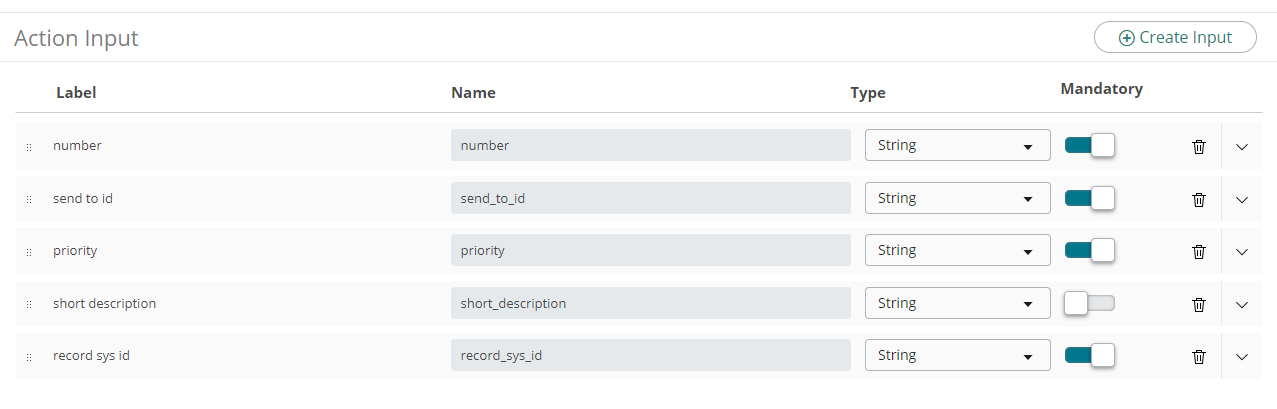
Now we know how to send cards we can create a custom Flow Action
Inputs

Then we add a scripted step
We need to add our input values


And our script
(function execute(inputs, outputs) {
var card =
{
    "type": "AdaptiveCard",
    "body": [
        {
            "type": "TextBlock",
            "size": "Large",
            "weight": "Bolder",
            "text": "Incident has been assigned to your queue.\n ",
            "wrap": true
        },
        {
            "type": "TextBlock",
            "size": "Medium",
            "weight": "Bolder",
            "text": inputs.number + " \n " + inputs.priority,
            "wrap": true
        },
        {
            "type": "TextBlock",
            "text": inputs.short_description,
            "wrap": true
        },
        {
            "type": "ActionSet",
            "actions": [
                {
                    "type": "Action.OpenUrl",
                    "title": "View Ticket details",
                    "url": "https://xxxxx.service-now.com/nav_to.do?uri=%2Fincident.do%3Fsys_id%3D" + inputs.record_id
                }
            ]
        }
    ],
    "$schema": "http://adaptivecards.io/schemas/adaptive-card.json",
    "version": "1.3"
}

var outBoundMessage = new MSTeamsOutboundMessages();
var response = outBoundMessage.sendDirectMessage(inputs.user_id, MSTeamsConstants.OUTBOUND_MESSAGE_TYPE.ADAPTIVE_CARD, card);

})(inputs, outputs);
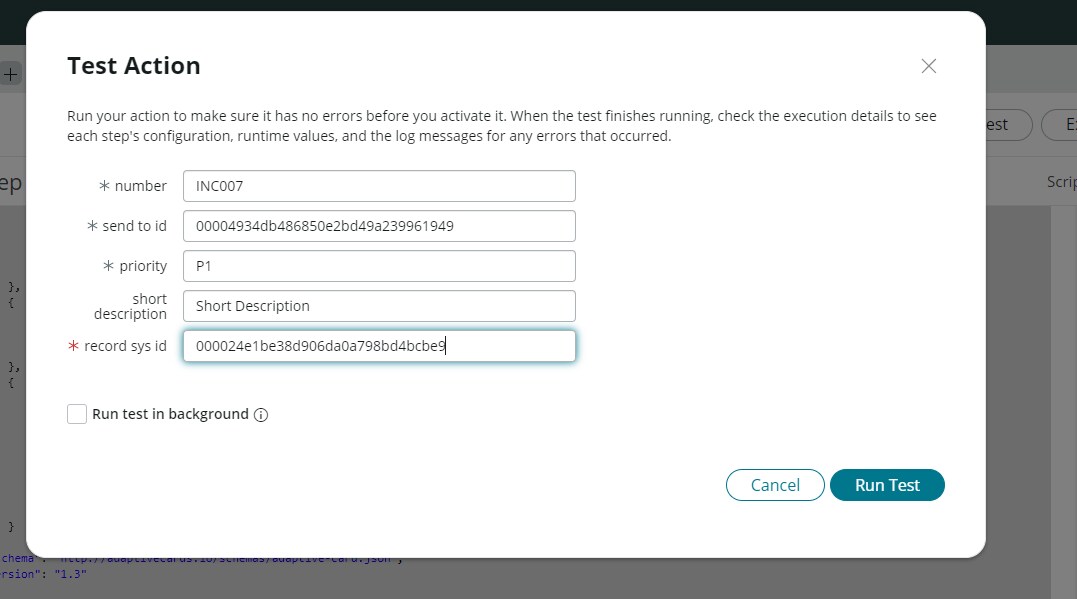
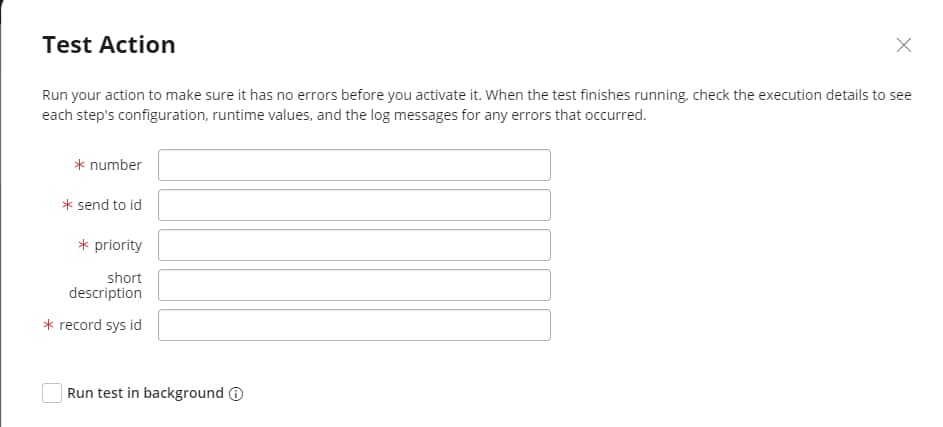
Then we can test using


An providing the the user in the "send to id" field has their account linked to MS Teams they should get a card

- 17,308 Views
- Mark as Read
- Mark as New
- Bookmark
- Permalink
- Report Inappropriate Content
Good Afternoon,
I'm giving this a go as its a great idea but I'm getting an error in flow designer:

var outBoundMessage = new MSTeamsOutboundMessages();
var response = outBoundMessage.sendDirectMessage(inputs.caller, MSTeamsConstants.OUTBOUND_MESSAGE_TYPE.ADAPTIVE_CARD, card)
Any ideas?
Kind Regards
Ashley
- Mark as Read
- Mark as New
- Bookmark
- Permalink
- Report Inappropriate Content
Managed to resolve it, I created the Flow in the Global Scope instead of the "Microsoft Integrations - Core" Scope... doh
Now just to figure out how to get the response back
Kind Regards
Ashley
- Mark as Read
- Mark as New
- Bookmark
- Permalink
- Report Inappropriate Content
Here we are sending it to a single user using "inputs.caller" and hardcoded sysId.
How can we send to all members of the assignment group?
- Mark as Read
- Mark as New
- Bookmark
- Permalink
- Report Inappropriate Content
@Suraj Ranabhat - if you create a flow action to create the card that takes a sys_id of an input.
The have a flow that loops through all the users of a group and calls that action for each user on every iteration
- Mark as Read
- Mark as New
- Bookmark
- Permalink
- Report Inappropriate Content
Is there a specific plugin that needs to be installed to find the "MSTeamsOutboundMessages" script include? I don't appear to have it in my instance.
- Mark as Read
- Mark as New
- Bookmark
- Permalink
- Report Inappropriate Content
Hi @jnpetersen
That script include is part of the "Microsoft Integrations - Core" plugin.
If open the plugin, scroll to the bottom and open the related list "Installed Files", a quick search in the Display Name field will find it for you.
Hope it helps
Kind Regards
Ashley
- Mark as Read
- Mark as New
- Bookmark
- Permalink
- Report Inappropriate Content
Could anyone please help me to understand where to write this above script and some background of it. Actually we have implemented Out of the box MS Teams Servicenow integration and now we need to show more info on Adaptive card when Approval is requested. can someone please help on this issue.
- Mark as Read
- Mark as New
- Bookmark
- Permalink
- Report Inappropriate Content
Is it possible to do this from the task table so all assignments are sent this way? We have a similar requirement for when a ticket is assigned from any record type to the assigned_to.
- Mark as Read
- Mark as New
- Bookmark
- Permalink
- Report Inappropriate Content