- Post History
- Subscribe to RSS Feed
- Mark as New
- Mark as Read
- Bookmark
- Subscribe
- Printer Friendly Page
- Report Inappropriate Content
on 08-28-2021 08:22 AM
I see many Community questions regarding cross scope access. This article is focus on how to access Global apps from the Scoped apps. I am going to introduce two use cases below:
Sync Incident state with CSM state (Use Case 1)
Create Incident from Case by clicking from " Create Incident" UI action, When Incident state is moved to "Resolved" with Resolution code that should map to Case state field along with the resolution code.
1) Pick Up "Customer Service" as app scope from Application Picker
2) Create an incident from Customer Service Case by clicking " Create Incident" UI action.

2) Ensure An Incident is created

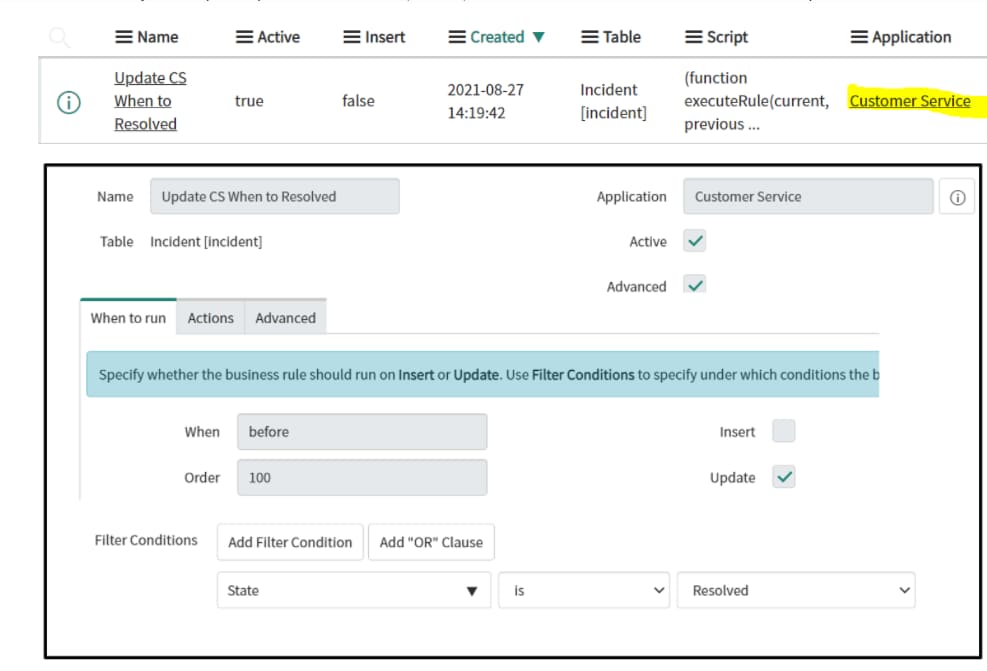
3) Create Business Rule on a incident table under "Customer Service" scope


Test Use Case Steps
1) Open created an incident record and change "State" to "Resolved". Filled the required fields like "Resolution Code"

2) Click "Save" and the INFO message will be displayed

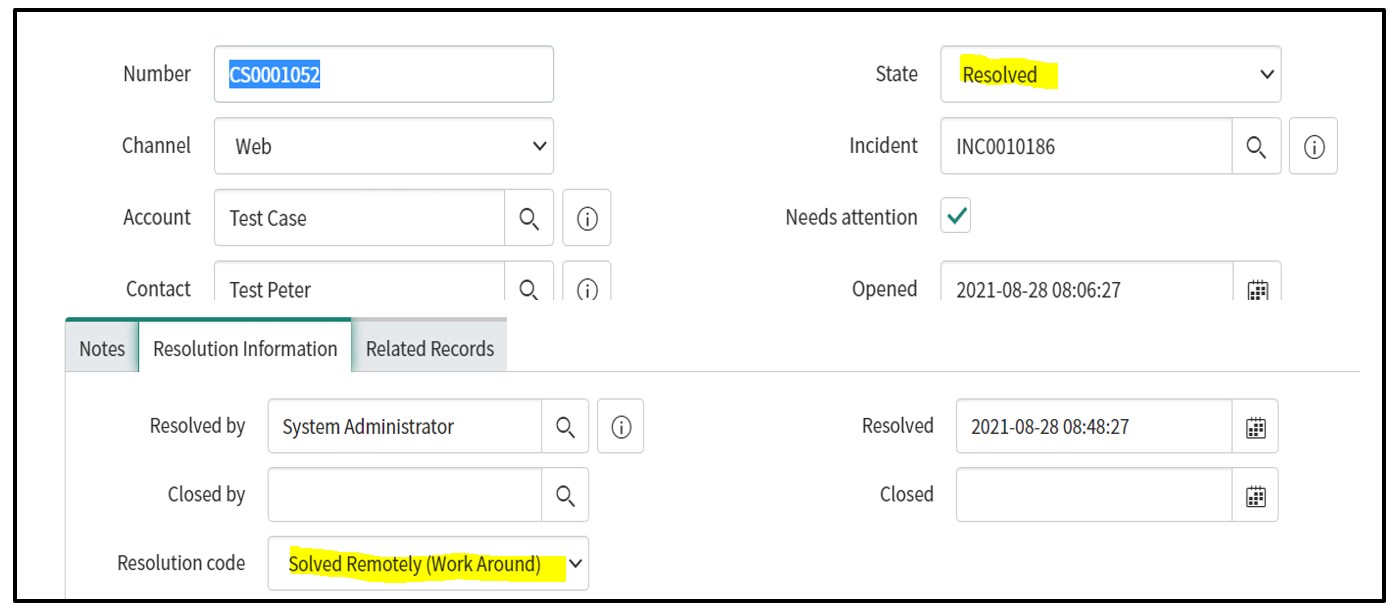
3) Verified Case State Value by opening the related a case. You will see both "State" and "Resolution Code" are updated

Access Incident from HR Case (Use Case 2)
Coming Nest Week
- 1,388 Views