- Post History
- Subscribe to RSS Feed
- Mark as New
- Mark as Read
- Bookmark
- Subscribe
- Printer Friendly Page
- Report Inappropriate Content
on 11-03-2020 03:37 AM
How to get list of issues from Jira
Step 1: Setup API token in Jira via url = https://id.atlassian.com/manage-profile/security/api-tokens
API token will be in below format
nU4uEFXlSDgyOZsyqfrGEDBX
Step 2: Create basic auth profile with user name as email address password from step 1

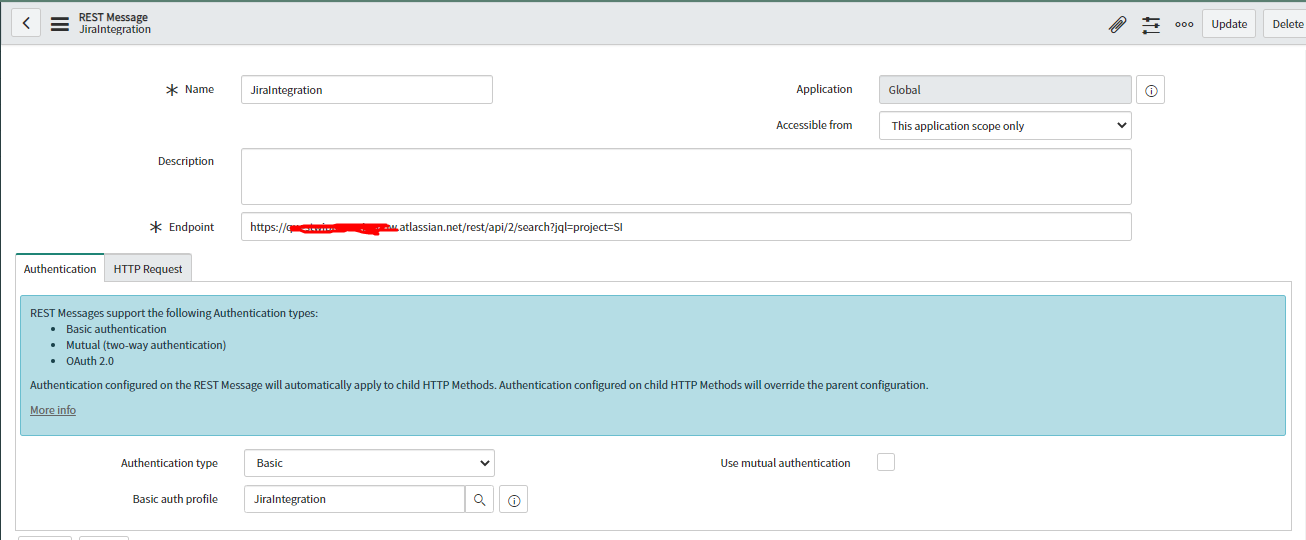
Step 3: Create a REST API in ServiceNow with following details

Name = Jira integration
Endpoint = https://<ID>.atlassian.net/rest/api/2/search?jql=project=<ProjectName>
Authentication type = Basic
Basic auth profile = reference to profile
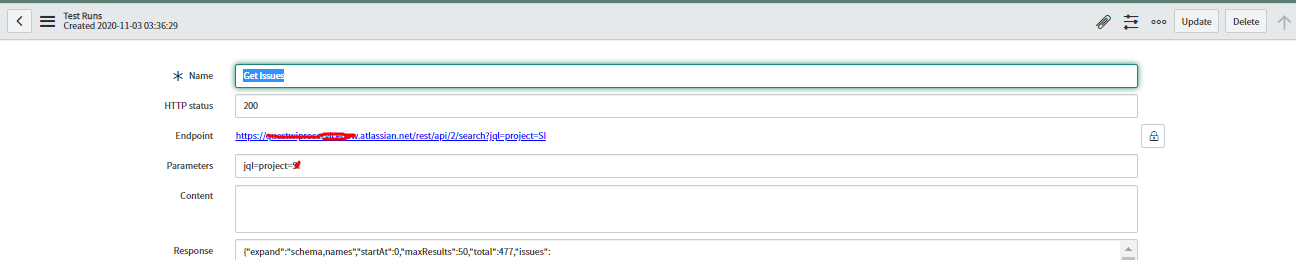
Step 4 : Create HTTP method with below details
Name = Get Issues
End point = https://<ID>.atlassian.net/rest/api/2/search?jql=project=<ProjectName> (same as the end point from REST Message)
Authentication type = inherit from parent

Step 5 : Test API
Click on test button, output would look like below.

- 4,096 Views