- Post History
- Subscribe to RSS Feed
- Mark as New
- Mark as Read
- Bookmark
- Subscribe
- Printer Friendly Page
- Report Inappropriate Content
on 02-05-2022 08:48 AM
Rome early release is available for PDI now. The Rome release includes new features and improvements built on the Now Platform®. I am very excited to read through Rome release note, especially new features and new products and like to share my knowledge with you.
Rome Release Timeline

Upgrade your PDI to San Diego - Easy Way to upgrade your PDI to San Diego release version
The Conversational Interfaces Home application makes it easy for you to quickly get started and work towards achieving positive outcomes with your implementation to support your users with virtual and live agents through the chat channels they prefer by deflecting the more common, easier to resolve user issues, to a 24/7-available Virtual Agent bot.
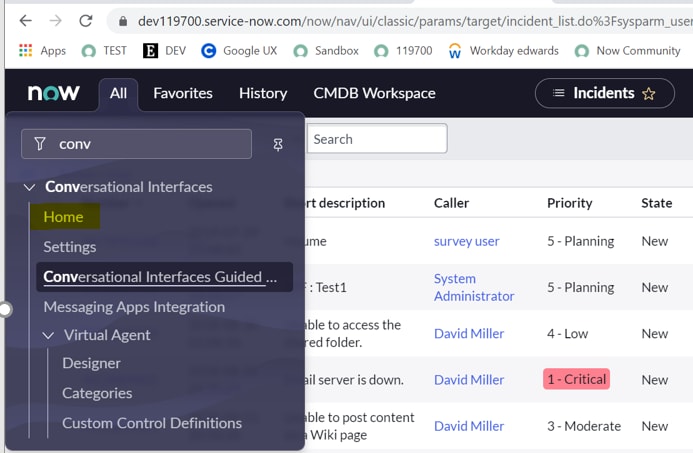
Open "Conversational Interfaces" by clicking "Home".

If you haven't Installed Virtual agent yet, the following a interface will be displayed. You need to install it by clicking "Get Virtual Agent Plugin" or Go backend -Home-->Plugins to install

You shall see "Conversation Interfaces" below if you have already installed "Virtual Agent"

Click "View more plugins" to review any plugin you prefer

I am going to install HR Virtual Agent by clicking "Get HR plugin"

You will see all HR active topics by clicking "Try you bot"


Reference
Conversational Interfaces Home
I will be greatly appreciate you could mark the response as helpful article if you think you have learned from this post.
- 1,254 Views