- Post History
- Subscribe to RSS Feed
- Mark as New
- Mark as Read
- Bookmark
- Subscribe
- Printer Friendly Page
- Report Inappropriate Content
on 11-30-2020 09:44 PM

On the one hand, the roles and groups concept of ServiceNow is very powerful; on the other hand, however, you can get into configuration misery very quickly when losing the overview of how a user got to a certain role.
And unfortunately, ServiceNow does not offer a suitable tool to see at a glance all role inheritances - be it by direct role assignment or indirectly via a group membership.
And so I decided to develop a suitable tool by myself. The basis is the User Role Inheritance API from ServiceNow, which returns all required information in a single response (see https://docs.servicenow.com/csh?version=latest&topicname=user-role-inheritance-api), for example:
{
  "result": {
    "user_name": "abel.tuter",
    "from_group": [
      "[Azure Operators]/sn_azure.operator",
      "[Azure Operators]/sn_azure.operator/sn_azure.user"
    ],
    "from_role": [
      "/snc_internal",
      "/cloud_user",
      "/cloud_user/pa_viewer",
      "/cloud_user/sn_azure.user",
      "/cloud_user/aws_user"
    ]
  }
}
Each line corresponds to an inheritance path, and if you overlay all paths, you get a tree-like data structure, which can be visualized in different ways.
I decided to take a CSS-based approach - enriched with some JQuery-based features:
- Individual branches can be expanded and collapsed.
- When clicking on a role:
-
- all leafs in the tree with the same name are highlighted and
- in a popup dialog you will be presented with the number of all occurrences with the same name and a link to open the role in a separate browser tab.

All rendering logic is implemented in the UI Macro “role_inheritance_map”, which is embedded in two different ways:
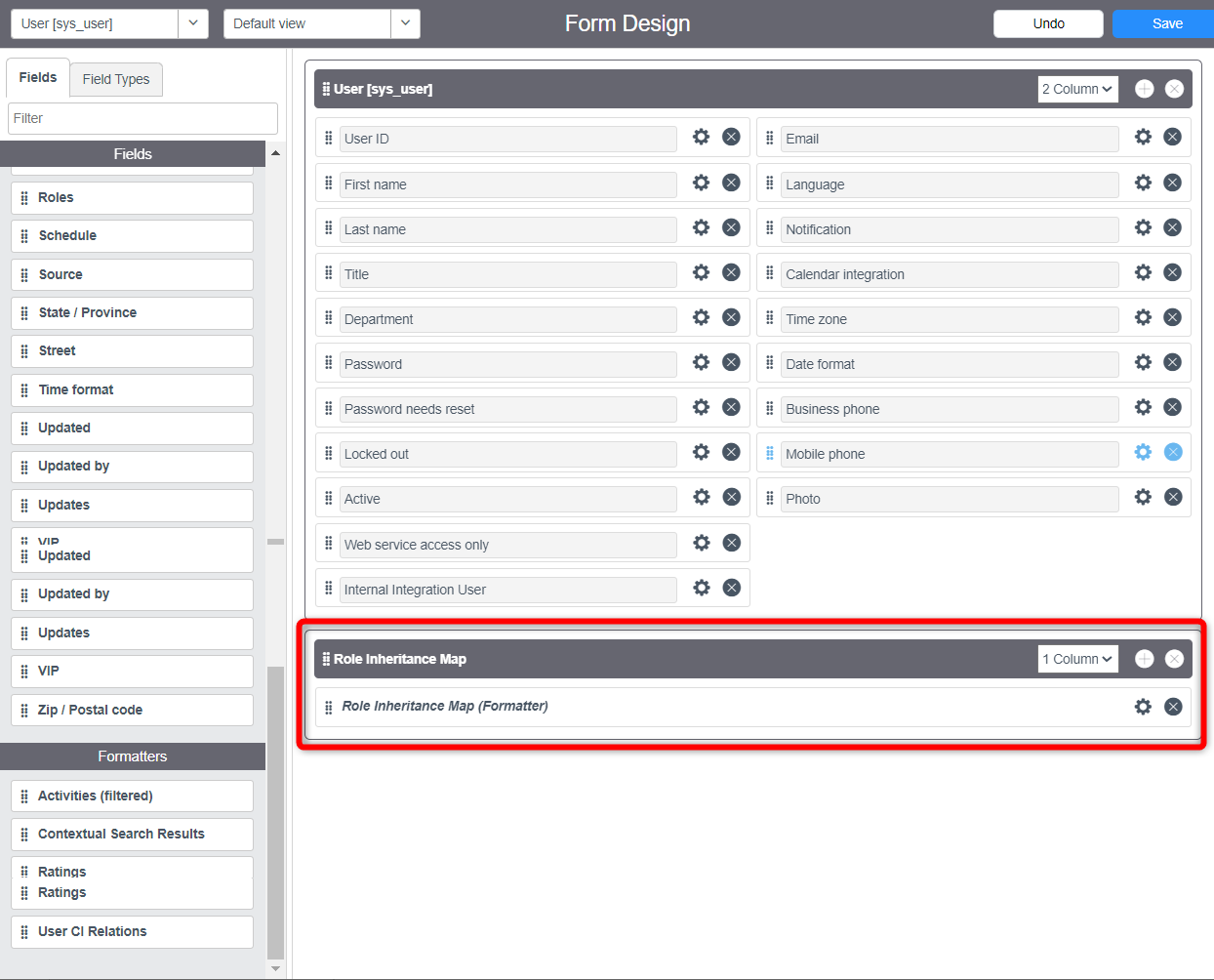
- In a UI Formatter "Role Inheritance Map" that can be placed on a sys_user form.
Note: You have to build the UI Formatter into the form by yourself (for more information, see create a formatter and insert a formatter). - In a UI Page which is opened by the two UI Actions "Role Inheritance Map" (one for table sys_user and one for table sys_user_has_role)
Note: That UI Actions are enabled by default and may have to be disabled by yourself if you decide to use the UI Formatter instead.


The regarding UpdateSet with all the configuration artifacts can be downloaded from Share: https://developer.servicenow.com/connect.do#!/share/contents/4067296_visualize_users_role_inheritanc...
- 15,128 Views

- Mark as Read
- Mark as New
- Bookmark
- Permalink
- Report Inappropriate Content
Hi Maik, the macro works fine in the form. But the UI page does not have the expand / collapse buttons nor the colors. By the way, we are on San Diego patch 10 hotfix 1, but it does not work in Utah either.
- Mark as Read
- Mark as New
- Bookmark
- Permalink
- Report Inappropriate Content
Hello @rafael_merces
You can just go to the REST API Explorer and select Namespace as "global" and API Name as "user_role_inheritance". Just paste the SyS_id of the user in the column "user_sysid" and hit on "Send". You get the response with the details.
https://www.servicenow.com/docs/csh?topicname=user-role-inheritance-api.html&version=latest