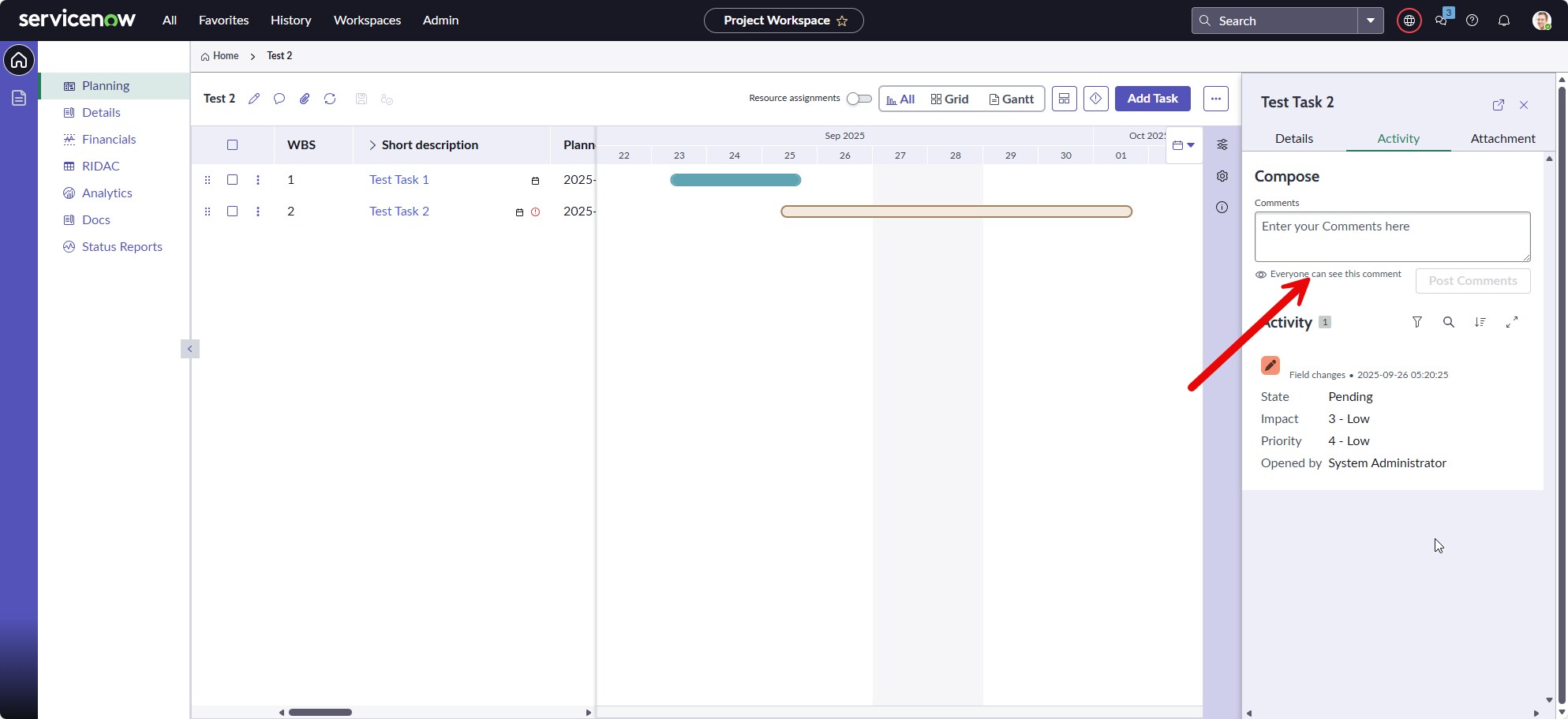
Add Work Notes to Project Workspace Preview Pane

- Mark as New
- Bookmark
- Subscribe
- Mute
- Subscribe to RSS Feed
- Permalink
- Report Inappropriate Content
01-08-2026 07:35 AM
I'm looking for a way to add the Work Notes field to the new Project Workspace preview pane. Is this something that is configurable or is it something that would have to be done programmatically? Any recommendations on how to do this?
Please see the attachment for a better reference.
Thank you.
- Mark as New
- Bookmark
- Subscribe
- Mute
- Subscribe to RSS Feed
- Permalink
- Report Inappropriate Content
01-09-2026 09:51 AM
I figured out how to add the work notes. Now I'd like to enable the stacked view, but I cannot find the setting yet.
To add the work notes I went to ServiceNow Studio > Project Workspace > User Interface > Workspace > Project Workspace > Planning > Planning default > Body > Main > SN Task Planner 1 > details_panel_content > prjUIBSliderViewport.
On the right, under Sub-pages I clicked Edit Content.
Then clicked projectTask default.
Then went to Body > Main > Container 2 > Tabs 1 > Activity > default-slot.
Then I duplicated Activity Stream Compose 1. The new one is called Activity Stream Compose 2.
In Fields definition I changes comments to work_notes and made the label Work notes.
Under Display I set the Title to Work notes.