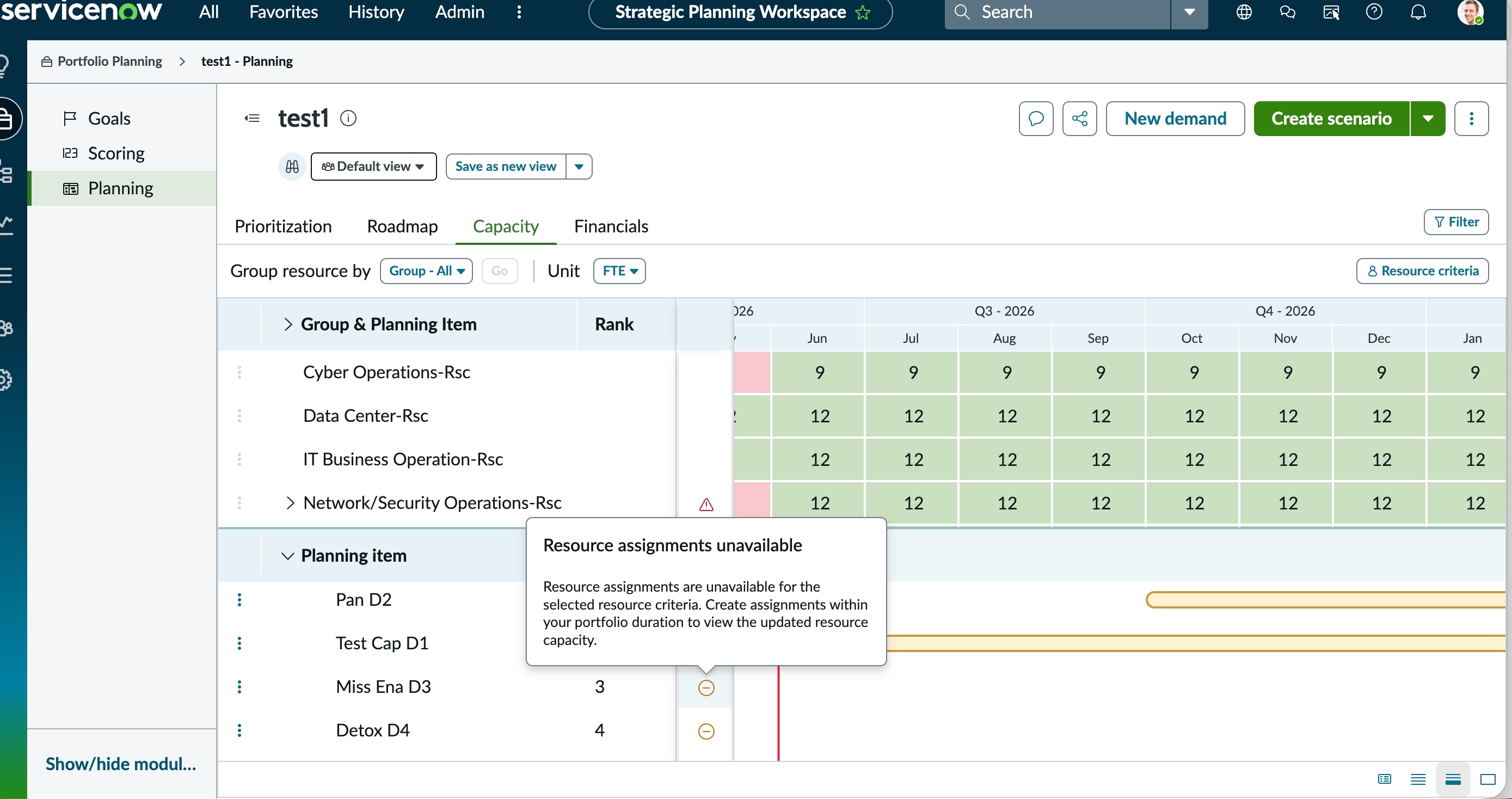
SPW Planning item error

- Mark as New
- Bookmark
- Subscribe
- Mute
- Subscribe to RSS Feed
- Permalink
- Report Inappropriate Content
06-03-2026 04:49 PM
I created 5 demands across multiple portfolios and advanced each to Approved state. From each demand, I created resource assignments at the group level and approved all of them. I then opened the Strategic Planning Workspace, created a portfolio plan scoped to Demand and Project planning item types, and added all 5 demands as planning items. After setting up the portfolio plan, I configured the resource criteria by selecting the applicable resource groups and ran the Generate Resource Capacity scheduled job. Despite completing all these steps, the Capacity tab in SPW still shows the Resource assignments unavailable error when clicking on demand bars, and some groups are showing "Capacity details unavailable" when clicking individual group cells. My demand dates and resource assignment dates are aligned and within the scope. Please review the attached screenshot.
FYI Employee profile is generate/populated correctly
I ran the scheduled job Generate resource capacity as well
What am I missing? Please help

- Mark as New
- Bookmark
- Subscribe
- Mute
- Subscribe to RSS Feed
- Permalink
- Report Inappropriate Content
06-03-2026 08:57 PM
Hi @CoolP ,
Validate these points:
1. The issue occurs because the user selected for the resource assignment does not have an associated employee profile record.
2. Resource assignments require an Approved status to calculate capacity correctly . Check the status.
Regards
Tanushree Maiti
ServiceNow Technical Architect
LinkedIn: https://www.linkedin.com/in/tanushreemaiti
- Mark as New
- Bookmark
- Subscribe
- Mute
- Subscribe to RSS Feed
- Permalink
- Report Inappropriate Content
06-04-2026 11:59 AM
Thank you Tanushree this was super helpful!