Assessment Simulator Task 3 – Add and Post Comment Validation Issue

- Mark as New
- Bookmark
- Subscribe
- Mute
- Subscribe to RSS Feed
- Permalink
- Report Inappropriate Content
06-28-2026 08:48 AM
I'm facing an issue with Assessment Simulator Task 3. I created the incident, added the required customer-visible comment, clicked Post, and confirmed the comment appears in the Activities section. However, the task still fails with the message "Did you add and post a comment?" even after trying in a new instance.
Could you please help?
- Mark as New
- Bookmark
- Subscribe
- Mute
- Subscribe to RSS Feed
- Permalink
- Report Inappropriate Content
06-28-2026 09:45 AM
Hello
Check If you're adding it in work notes or additional comments.

- Mark as New
- Bookmark
- Subscribe
- Mute
- Subscribe to RSS Feed
- Permalink
- Report Inappropriate Content
06-28-2026 10:01 AM
Hi @srilekha090
Ensure you have impersonated using Platform user.
Ensure You are right-clicking the header and select Save before adding any comments.
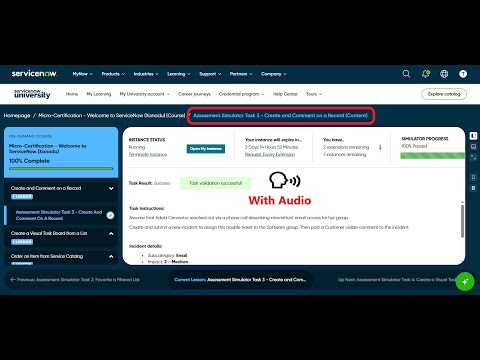
Check these videos, validate your implemented steps:
refer: https://www.youtube.com/watch?v=AgqQ-LWodxQ
https://www.youtube.com/watch?v=PFmFFaqaoxc
Regards
Tanushree Maiti
ServiceNow Technical Architect
LinkedIn: https://www.linkedin.com/in/tanushreemaiti

- Mark as New
- Bookmark
- Subscribe
- Mute
- Subscribe to RSS Feed
- Permalink
- Report Inappropriate Content
06-28-2026 10:21 AM
- Mark as New
- Bookmark
- Subscribe
- Mute
- Subscribe to RSS Feed
- Permalink
- Report Inappropriate Content
06-28-2026 07:33 PM
Hi @srilekha090
What is validation result .. same?
Regards
Tanushree Maiti
ServiceNow Technical Architect
LinkedIn: https://www.linkedin.com/in/tanushreemaiti


