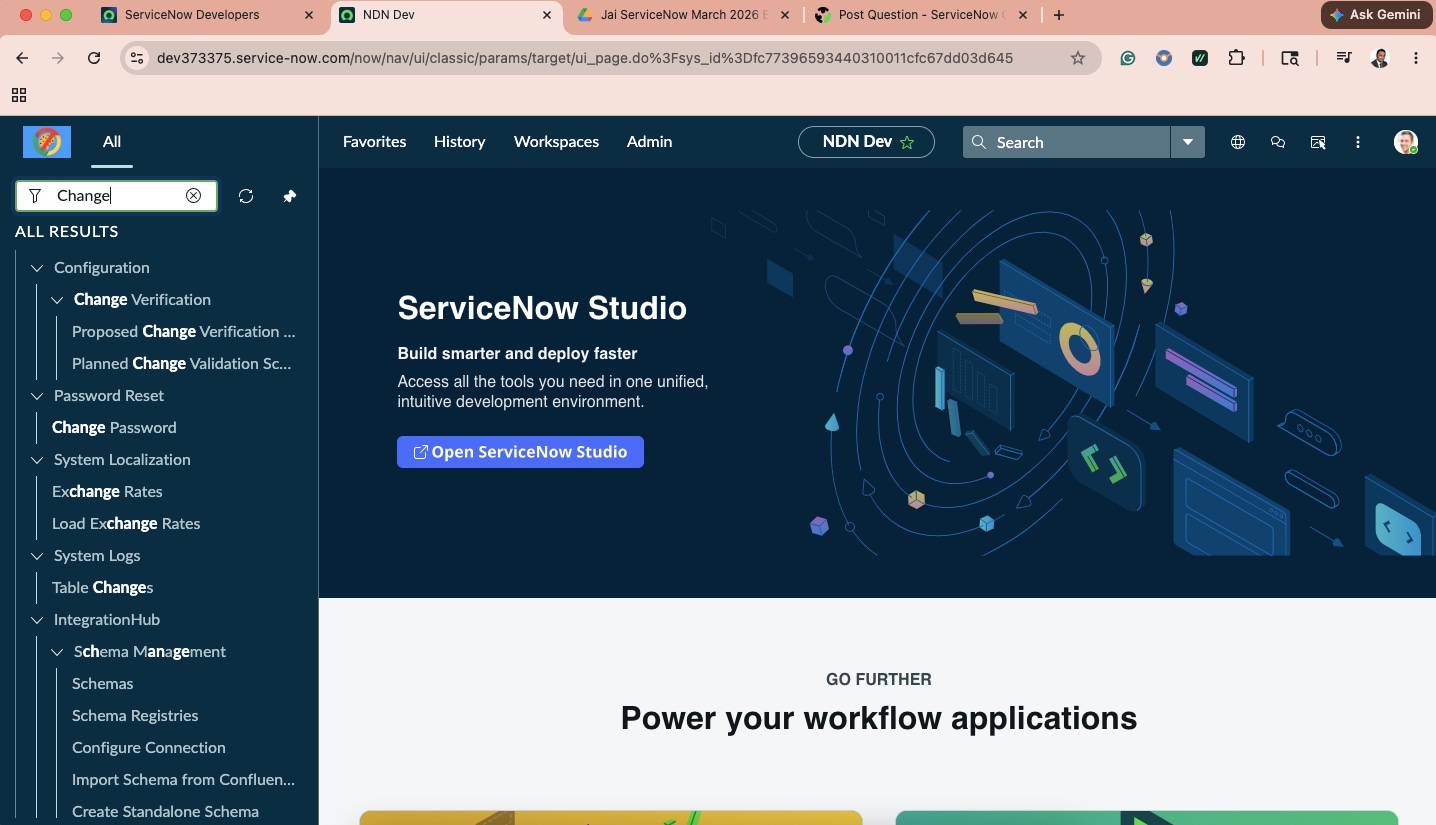
Change Managmenet no visible in "All" menu - Australia Instance

- Mark as New
- Bookmark
- Subscribe
- Mute
- Subscribe to RSS Feed
- Permalink
- Report Inappropriate Content
05-12-2026 09:09 PM
Hi Everyone,
I'm not able to see the "Change" option under All menu for change managemet activities while using Australia Instance.
However, If i search as "Change_request.list", the change requests page opens. Is there any way to add the "Change" option to All menu?
Regards,
Arun


- Mark as New
- Bookmark
- Subscribe
- Mute
- Subscribe to RSS Feed
- Permalink
- Report Inappropriate Content
05-13-2026 02:53 AM
It is common issue in the Australia release. It’s better to release this in instance and take a new one.
Regards
Dr Atul G. - Learn N Grow Together ServiceNow Techno - Functional Trainer
LinkedIn: https://www.linkedin.com/in/dratulgrover
YouTube: https://www.youtube.com/@LearnNGrowTogetherwithAtulG
******************************************************************************************

- Mark as New
- Bookmark
- Subscribe
- Mute
- Subscribe to RSS Feed
- Permalink
- Report Inappropriate Content
05-13-2026 02:57 AM
did you clear instance cache using cache.do and then logout and login again to check?
I am in Australia vendor instance and I could see that as Admin
Check by going to this URL for Application menu if it's disabled
https://instanceName.service-now.com/nav_to.do?uri=sys_app_application.do?sys_id=deecb70ec611228700bafda6dde05102

💡 If my response helped, please mark it as correct ✅ and close the thread 🔒— this helps future readers find the solution faster! 🙏
Ankur
✨ Certified Technical Architect || ✨ 10x ServiceNow MVP || ✨ ServiceNow Community Leader

- Mark as New
- Bookmark
- Subscribe
- Mute
- Subscribe to RSS Feed
- Permalink
- Report Inappropriate Content
05-13-2026 05:33 AM
Hi @ArunKumarM47123 ,
1. Search for "Modules" in the Filter Navigator, look for the "Change" module, and verify it is set to "Active=true" and has the correct roles
2. If everything is fine, then Repair Change management plugin (com.snc.change_management)
3. In navigator , type cache.do and try
4 If nothing works out, then only you can request for new instance .
Regards
Tanushree Maiti
ServiceNow Technical Architect
LinkedIn: https://www.linkedin.com/in/tanushreemaiti