LDAP Lab – Unable to Connect

- Mark as New
- Bookmark
- Subscribe
- Mute
- Subscribe to RSS Feed
- Permalink
- Report Inappropriate Content
02-21-2026 09:33 AM
Hello everyone,
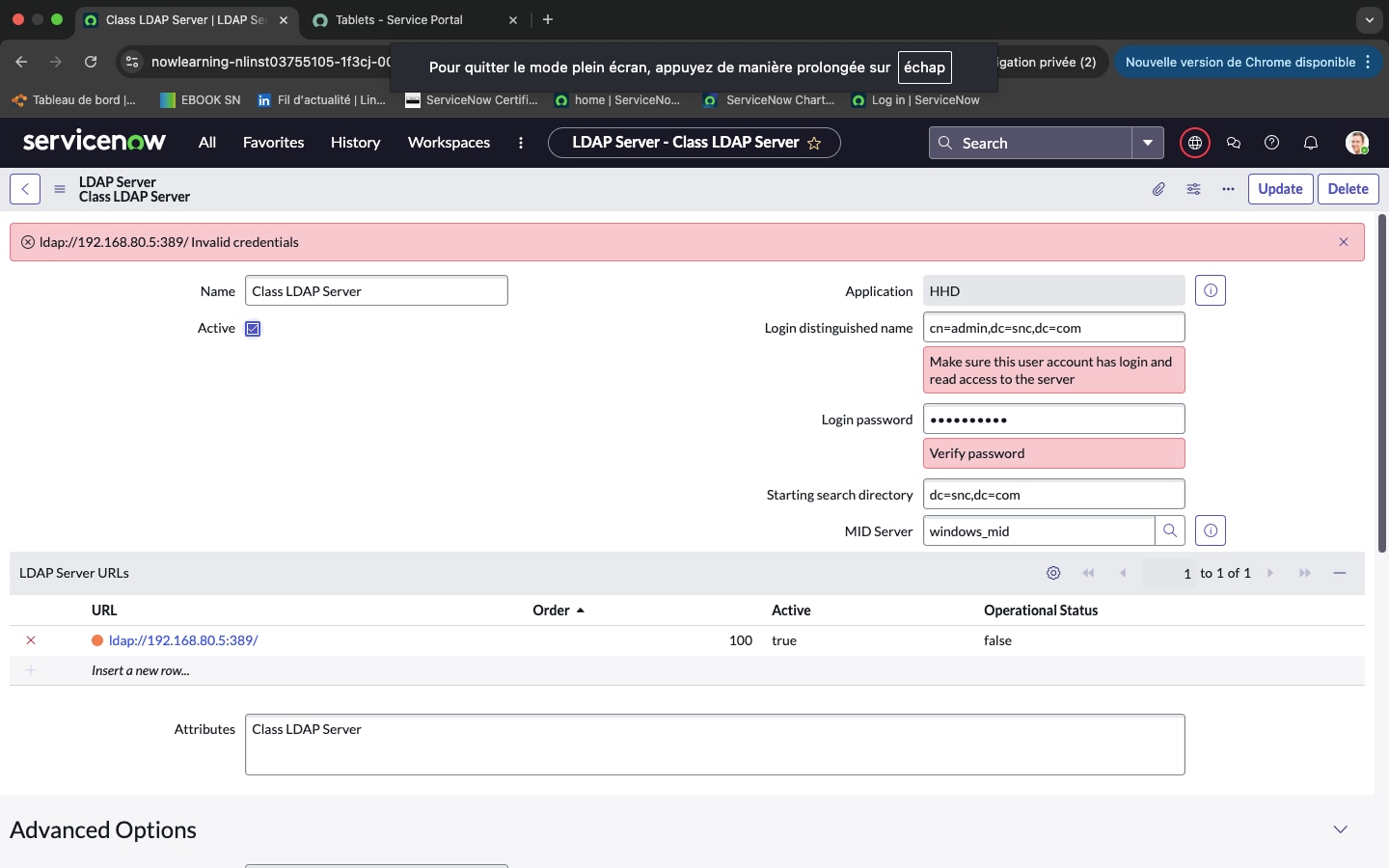
I’m currently working on the LDAP integration lab for my CSA training and I’m facing a persistent issue connecting to the LDAP server.
I followed the lab guide exactly as instructed, but the LDAP connection does not work
What happens:
When I click Test Connection, it fails.
When I click Browse, I get: "Error connecting to server."
The LDAP server shows an orange indicator.
I retyped the DN and password manually (no extra spaces).
I restarted the LDAP Listener multiple times.
I ended and restarted the entire lab environment.
I waited several minutes before configuring LDAP.
I even retried the lab the next day.
The MID Server is working correctly, so it seems the LDAP backend server (192.168.80.5) may not be reachable.
Has anyone experienced this issue before?
Is it possible that the lab environment LDAP server is not running?
Any help would be greatly appreciated.
Thank you.

- Mark as New
- Bookmark
- Subscribe
- Mute
- Subscribe to RSS Feed
- Permalink
- Report Inappropriate Content
02-21-2026 09:03 PM
Hi @ghillessb ,
It seems to a known issue. Please log a case with the Now Learning and they will assist you.
Ref: Solved: SNPI - LDAP server error - ServiceNow Community
Regards
Tanushree Maiti
ServiceNow Technical Architect
LinkedIn: https://www.linkedin.com/in/tanushreemaiti
- Mark as New
- Bookmark
- Subscribe
- Mute
- Subscribe to RSS Feed
- Permalink
- Report Inappropriate Content
02-22-2026 05:37 AM
I already did a case for it. You alrealdy have this issue ?