- Post History
- Subscribe to RSS Feed
- Mark as New
- Mark as Read
- Bookmark
- Subscribe
- Printer Friendly Page
- Report Inappropriate Content
on 07-27-2022 09:48 AM
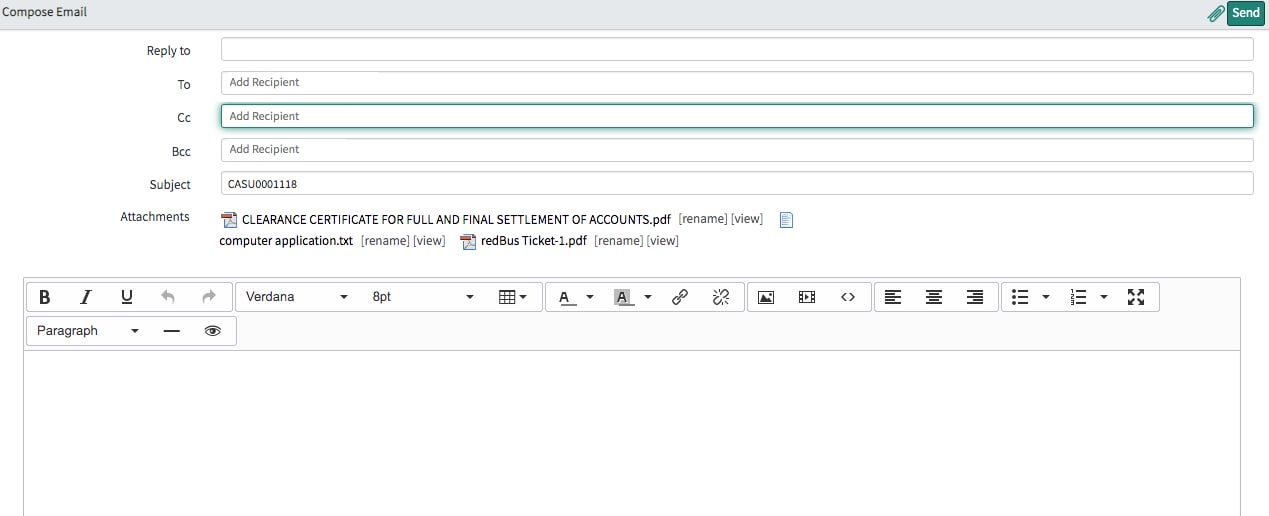
To add all the attachments in the Email Client Template please follow the below procedure:
Create a Business Rule on the sys_email table with conditions before insert.
Script :
var att = new GlideRecord('sys_attachment');
att.addQuery('table_sys_id', current.instance);
att.query();
if (att.next()) {
GlideSysAttachment.copy('<Record Table Name>', current.instance, 'sys_email', current.sys_id);
}
/*Record Table Name- Source Table name. eg:- Suppose Email template is on the Incident table then we have to mention incident as the source table*/
Please the attached screenshot to know the output.
Please mark this article helpful if it helps you.