- Mark as New
- Bookmark
- Subscribe
- Mute
- Subscribe to RSS Feed
- Permalink
- Report Inappropriate Content
06-29-2023 04:32 AM


- Mark as New
- Bookmark
- Subscribe
- Mute
- Subscribe to RSS Feed
- Permalink
- Report Inappropriate Content
06-29-2023 07:31 AM
Hi @Abinash10
Currently, out of box there is no way to disable the 'Add Card' button.
refer: https://support.servicenow.com/kb?id=kb_article_view&sysparm_article=KB0717253
please hit the Thumb Icon and mark solution as Correct if it helped !!
Regards,
Ravi Chandra.
- Mark as New
- Bookmark
- Subscribe
- Mute
- Subscribe to RSS Feed
- Permalink
- Report Inappropriate Content
06-29-2023 08:42 PM
Hello @Abinash10
Any feedback on my reply?
Help others to find a correct solution by marking the appropriate response as correct answer and helpful!!
Regards,
Ravi Chandra.
- Mark as New
- Bookmark
- Subscribe
- Mute
- Subscribe to RSS Feed
- Permalink
- Report Inappropriate Content
06-29-2023 08:42 PM
Hello @Abinash10
Any feedback on my reply?
Help others to find a correct solution by marking the appropriate response as correct answer and helpful!!
Regards,
Ravi Chandra.
- Mark as New
- Bookmark
- Subscribe
- Mute
- Subscribe to RSS Feed
- Permalink
- Report Inappropriate Content
03-27-2024 07:41 AM
Hi Abinash10, I hope you are well.
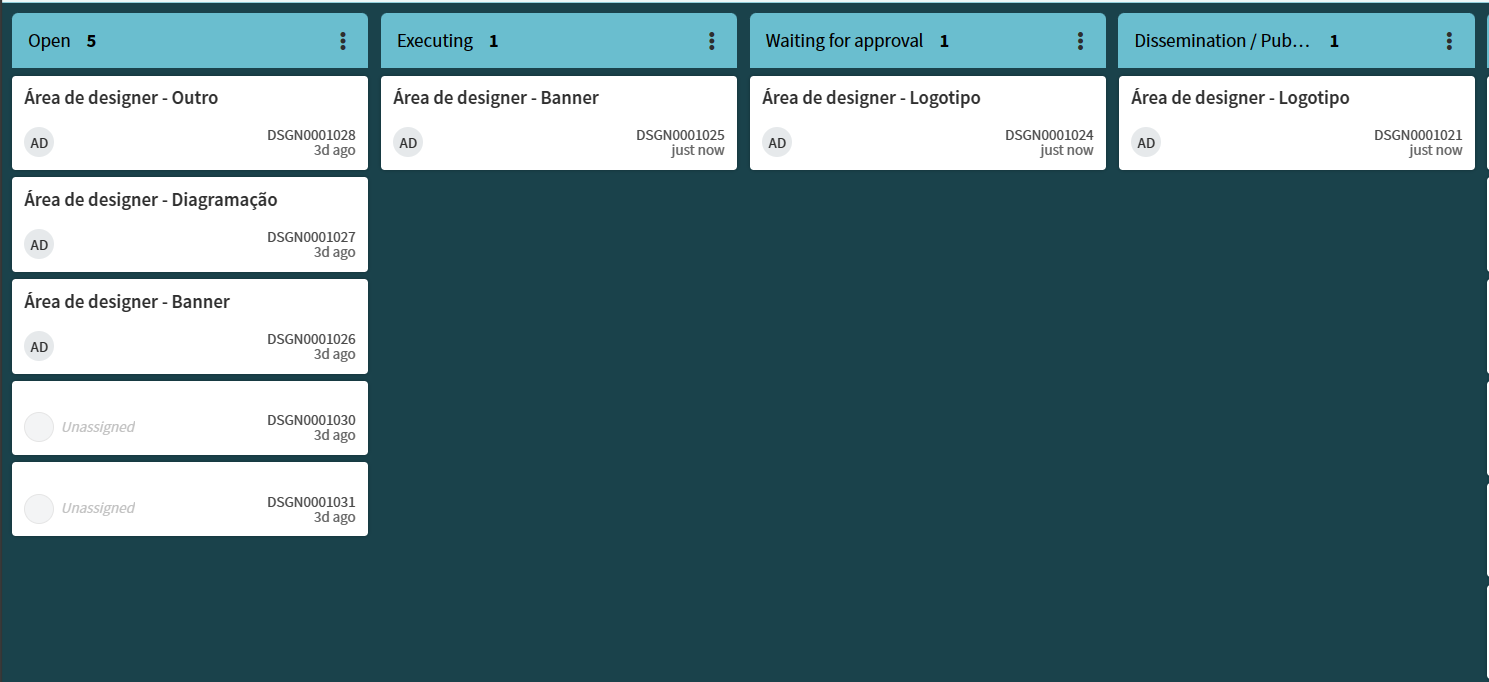
I had the same problem. My customer used the visual task board (guided) on the incident table. New records were created in the table, but not through the catalog item. In doing so, the catalog item variables were not populated.
To solve the problem, I chose the ACL from the table (type create) and included the following script:
var url = gs.action.getGlideURI();
if(url.indexOf('vtb.do') == - 1 ){
answer = true;
}
The script examines the url, if it does not find 'vtb.do' it gives access to create a record in the table. This way, the add card button will not be available.
Mark Correct if this solves your problem and also mark Helpful if you find my answer valid based on impact.
- Mark as New
- Bookmark
- Subscribe
- Mute
- Subscribe to RSS Feed
- Permalink
- Report Inappropriate Content
02-19-2026 10:29 AM
I created a new business rule on the task table before insert and abort action so that when the user tries to submit the new task, it displays a message with a link to create a new sctask. The user must fill out the information again and hopefully that discourages future attempts to create tasks with the "add card" button. This only applies to Flexible boards.