작업 공간의 전략 계획 항목 마일스톤 오류
포트폴리오 계획 로드맵이나 자유 형식 로드맵의 계획 수립 항목 마일스톤이 작업 공간에서 전략 계획 오류 상태가 될 수 있는 시나리오에 대해 알아봅니다.
기존 계획 수립 항목의 일정을 조정할 때 항목 마일스톤이 항목의 승인된 시작 또는 종료 날짜에서 벗어날 수 있습니다.
로드맵에서 계획 수립 항목의 일정을 조정할 때 해당 마일스톤의 기한은 변경되지 않습니다. 따라서 마일스톤의 기한이 항목의 날짜 범위를 벗어나면 범위를 벗어난 마일스톤의 표시기가 숨겨지고 오류 상태로 이동합니다. 여전히 항목의 날짜 범위 내에 있는 마일스톤의 표시기는 표시됩니다.
항목의 일정과 동기화되지 않은 마일스톤은 측면 패널의 마일스톤 탭에서 볼 수 있습니다. 측면 패널에서 마일스톤의 기한을 편집하고 조정하여 계획 변경을 반영할 수 있습니다. 로드맵 항목 마일스톤 업데이트 문서를 참조하십시오.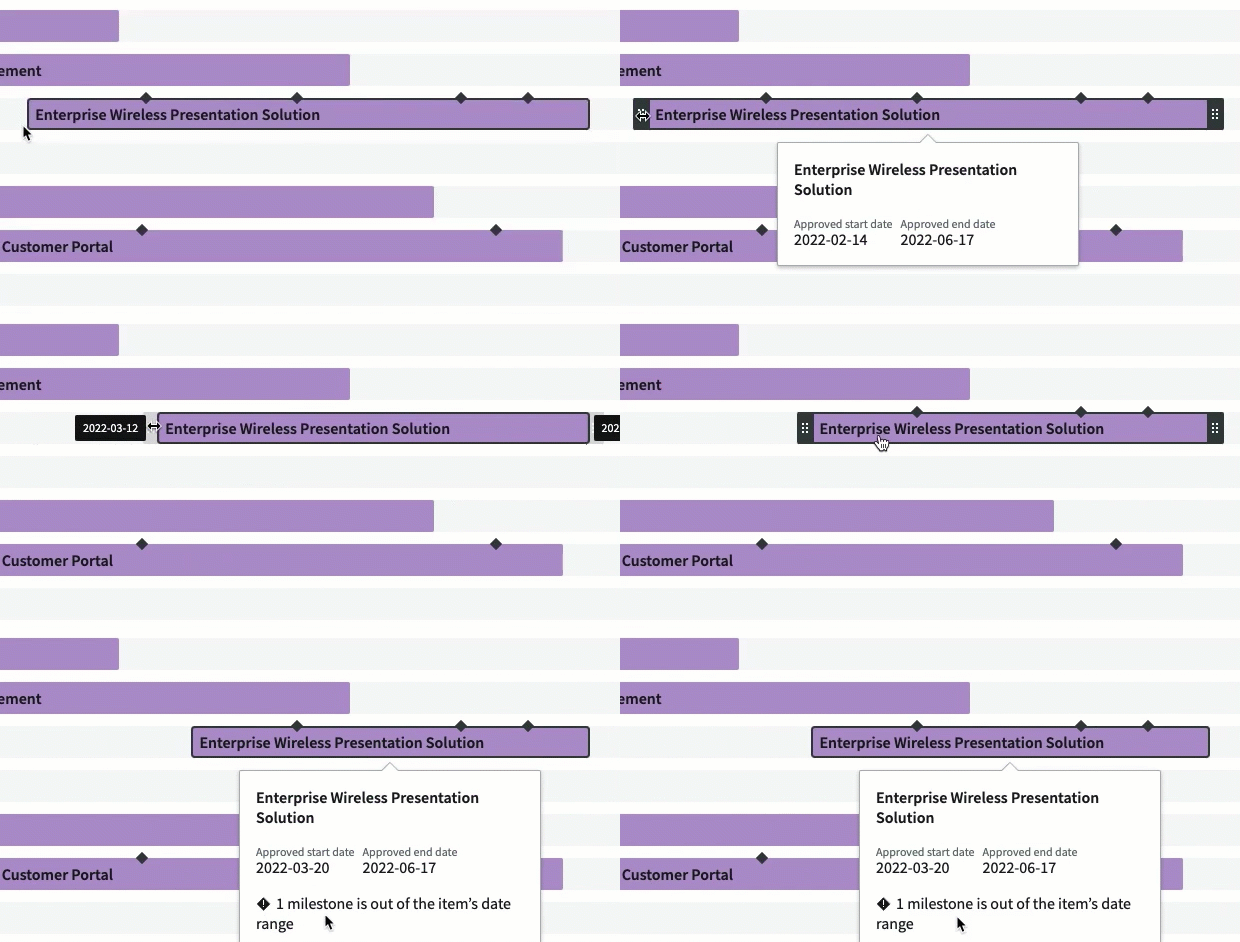
주:
로드맵 뷰에서 프로젝트 마일스톤을 업데이트할 수 없습니다. 프로젝트 마일스톤을 업데이트하면 프로젝트의 관련 비용 및 자원 계획에 영향을 미칠 수 있습니다. 따라서 PPM(프로젝트 작업 공간)을 프로젝트 포트폴리오 관리 사용하여 프로젝트 마일스톤을 업데이트하는 것이 좋습니다.