Use Playbooks
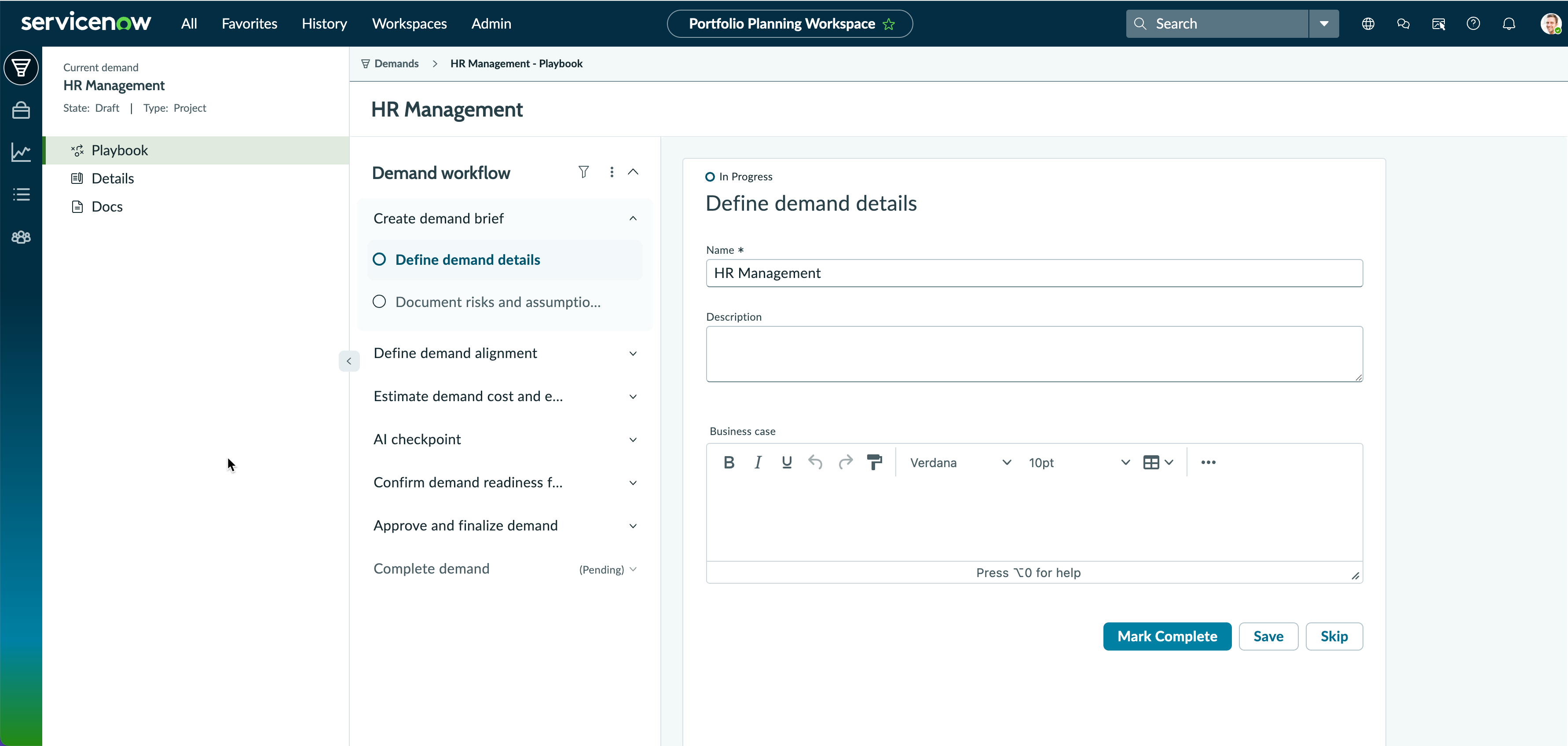
Use a playbook to guide a demand through each stage of its life-cycle, from creating the initial brief to final approval and completion. Playbooks provide step-by-step activities within each stage, ensuring that all required information is captured and governance processes are followed.
시작하기 전에
- Role required: it_demand_user, it_demand_manager
- As an administrator, ensure that either the default or custom playbooks are activated.
이 태스크 정보
A playbook defines the standard stages of a demand (for example, Initiation, Planning, Execution, Monitoring, and Closure) and includes activities or action items to complete at each stage.
주:
The playbook presents demand information in a guided, stage-based workflow. The same fields and lists are also available in the Details page of the demand record. You can update demand information
from either location, and changes made in one are reflected in the other.
This task topic follows the demand AI playbook. It’s a standard playbook comprising the following seven stages:
- Create demand brief
- Define demand alignment
- Estimate demand cost and effort
- AI checkpoint
- Confirm demand readiness for review
- Approve and finalize demand
- Complete demand
주:
Each stage consists of
activities, action items, or steps that guide the demand manager in successfully completing the demand. You can view the Playbook menu only if the demand matches the trigger condition defined for that playbook.The AI checkpoint stage is available if the AI Control Tower plugin is installed and the investment type of the demand is set to artificial intelligence.
주:
- A demand created in Next Experience for Demand Management opens in the playbook page.
- If you want to view the playbook for an existing demand from classic UI, make an edit to the demand in Next Experience for Demand Management. Then the playbook is available for the updated demand.