Live Agent Connect – Agent Appears Available but Button Becomes Greyed Out After Clicking

- Mark as New
- Bookmark
- Subscribe
- Mute
- Subscribe to RSS Feed
- Permalink
- Report Inappropriate Content
03-12-2026 03:38 AM
Hi Everyone,
I’m facing an issue with Live Agent Connect and wanted to check if anyone else has experienced something similar or has suggestions.
Issue Description
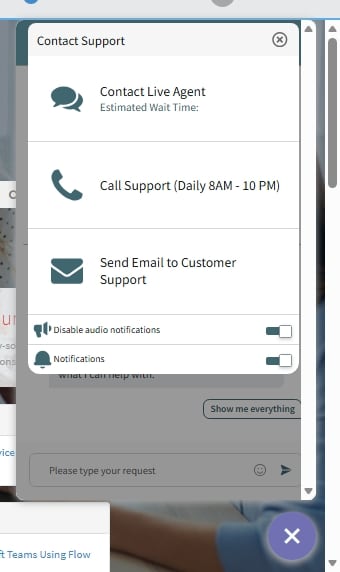
When I open the Live Agent Connect interface, it initially shows that an agent is available. However, the moment I click on the “Connect to Agent” link/button, it becomes greyed out and nothing happens afterward.
- No chat window opens
- No spinner/loading indication
- No error message is displayed
- The button stays disabled until I refresh the page
Troubleshooting Done So Far
- Tried multiple browsers (Chrome, Edge)
- Cleared cache and cookies
- Tested with different user accounts
- Verified that the agent is logged in on Connect Support
- Checked the routing configuration and queue setup
Still seeing the same behavior.
Has anyone faced this before? Is there a specific configuration or log I should check, Any pointers would be really helpful!
Thanks in advance!

- Mark as New
- Bookmark
- Subscribe
- Mute
- Subscribe to RSS Feed
- Permalink
- Report Inappropriate Content
03-12-2026 04:55 AM
Hi @AshutoshC036608,
the "Live Agent Connect interface" is a virtual agent or what exactly?
Anyways, if you try to connect to a live agent, have you verified that there's somebody in the proper workspace set as available?

Each portal can be routed to different workspace (e.g. ITSM > Service Operations Workspace, HR > HR Workspace, etc.). Ensure this is all correctly routed while testing and eventually check the AWA Queues that are done correctly.
Let me know your progress
✂-----Cutting-out-the---✦AI-noise✦---All-replies-written-and-vouched-for-by-GlideFather---
- Mark as New
- Bookmark
- Subscribe
- Mute
- Subscribe to RSS Feed
- Permalink
- Report Inappropriate Content
03-12-2026 08:38 PM
Hi @glideFather,
1.the "Live Agent Connect interface" is a virtual agent or what exactly? - it is an agent chat
2. Yes, there's somebody in the proper workspace set as available
3. Yes, I have verified the route as well
- Mark as New
- Bookmark
- Subscribe
- Mute
- Subscribe to RSS Feed
- Permalink
- Report Inappropriate Content
03-13-2026 12:55 AM
Hi @AshutoshC036608,
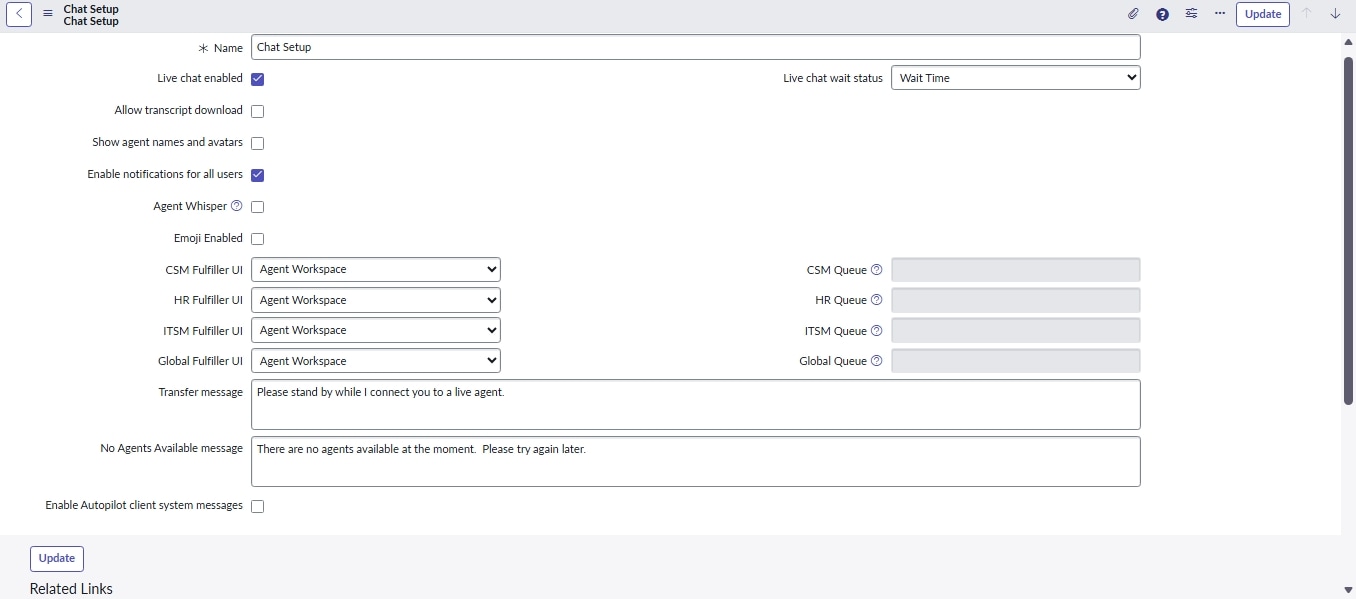
in your screenshot it mentions Agent Workspace, is that correct? You can have multiple virtual agents (e.g. one per portal) and they can be routed to different Workspace... so Agent or Service Operation Workspace - can you review that as well?
And also, your screenshot is for Chat setup, not for the Queues, check this: Advanced Work Assignment (AWA) FAQs
✂-----Cutting-out-the---✦AI-noise✦---All-replies-written-and-vouched-for-by-GlideFather---
- Mark as New
- Bookmark
- Subscribe
- Mute
- Subscribe to RSS Feed
- Permalink
- Report Inappropriate Content
03-13-2026 01:04 AM
Yes, but the agent chat queue itself is not getting triggered