flow missing form directory

- Mark as New
- Bookmark
- Subscribe
- Mute
- Subscribe to RSS Feed
- Permalink
- Report Inappropriate Content
3 weeks ago
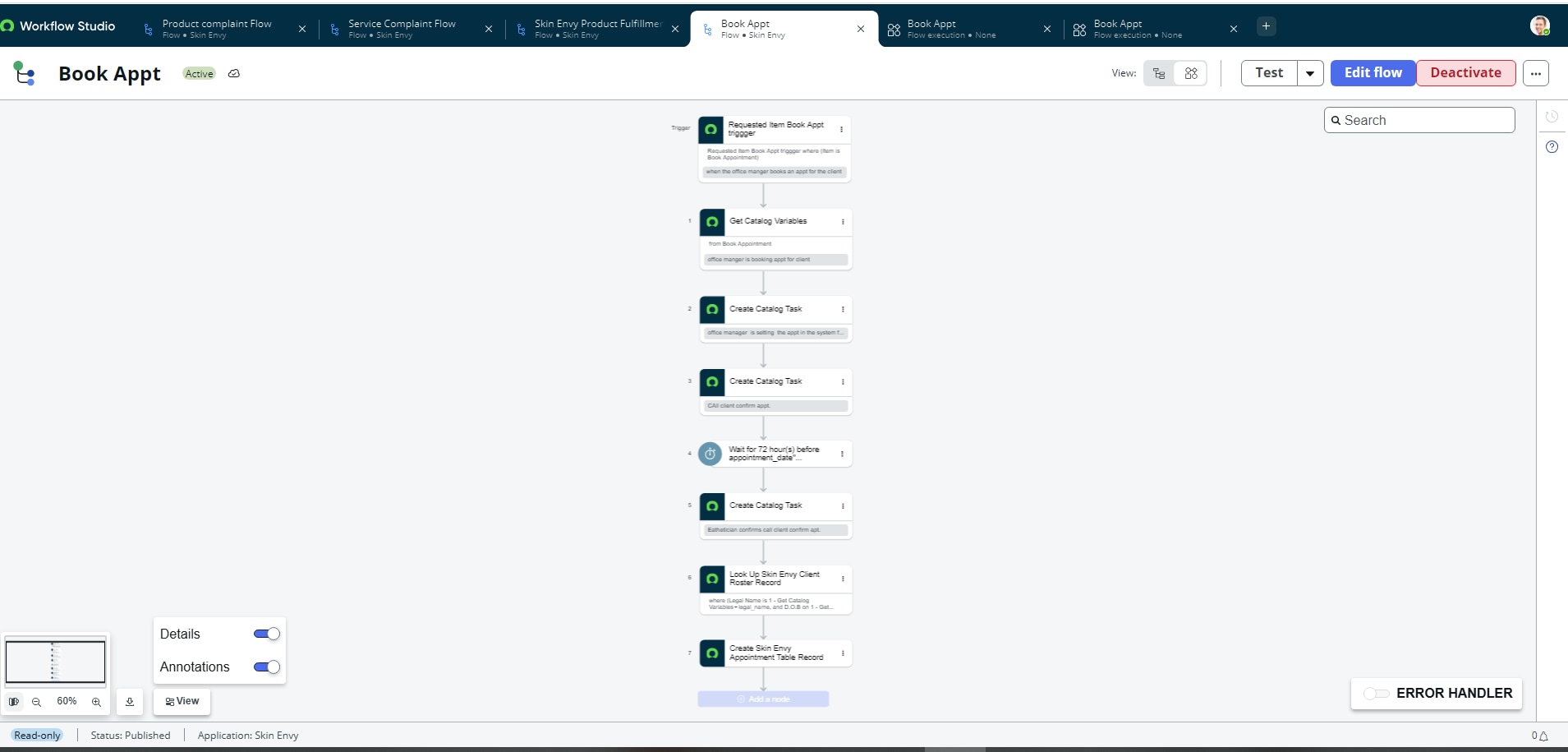
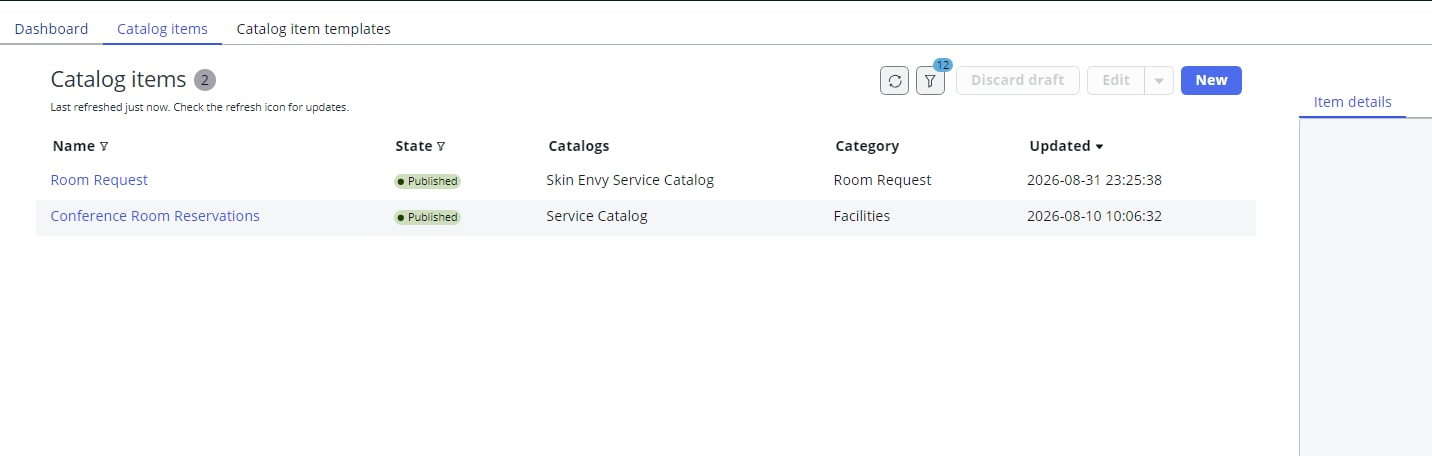
I have been trying to access a flow, and now I see the flow was put into draft. They were working, as I have screenshots showing this, and now they are in draft. I did not change anything, and now they are not visible. The ritm canto process and I can't see what is wrong.

- Mark as New
- Bookmark
- Subscribe
- Mute
- Subscribe to RSS Feed
- Permalink
- Report Inappropriate Content
3 weeks ago
Hi @Admin CJ
Could you please confirm whether the issue occurs only with a specific flow/subflow or if it is affecting all flows and subflows in Flow Designer?
If the issue is occurring across all flows and subflows, could you also confirm whether your instance has recently undergone any upgrades, cloning, or patching activities?
Additionally, please verify whether the Flow Designer version is up to date in your instance.
Regards
Tanushree Maiti
ServiceNow Technical Architect
LinkedIn: https://www.linkedin.com/in/tanushreemaiti
- Mark as New
- Bookmark
- Subscribe
- Mute
- Subscribe to RSS Feed
- Permalink
- Report Inappropriate Content
3 weeks ago
This is proof that they were published via Catalog builder. As an admin viewing the file , the admin was permitted the flow but should automatically have it as an snc_internal. I just added users with the admin role to see if this helps in Catalog Builder. This should not be the case, but I added. I just checked, and there was an update for Flow Designer; I gather it happened just recently, and I am currently updating the system. The room reqeust appears to be updating so I will see how this pans out as this is a bit weird. It is only happening with these two flows
- Mark as New
- Bookmark
- Subscribe
- Mute
- Subscribe to RSS Feed
- Permalink
- Report Inappropriate Content
3 weeks ago
Hi @Admin CJ ,
We faced a similar issue in my previous project after an upgrade. We raised a case with ServiceNow Support, and the recommended solution was to update the Flow Designer version to the latest available version.
In our case, the issue was occurring with all flows and subflows.
However, in your case, if the issue is limited to only two specific flows even after updating the relevant plugin to the latest version, I would suggest trying the following troubleshooting steps:
- Clear your browser cache or check whether the issue persists in an incognito window.
- Clear the instance cache using cache.do.
- Test the issue using a different admin user.
If the issue still persists after trying these steps, I would recommend raising a case with ServiceNow Support for further investigation.
Regards
Tanushree Maiti
ServiceNow Technical Architect
LinkedIn: https://www.linkedin.com/in/tanushreemaiti
- Mark as New
- Bookmark
- Subscribe
- Mute
- Subscribe to RSS Feed
- Permalink
- Report Inappropriate Content
3 weeks ago
still not working please read query below
- Mark as New
- Bookmark
- Subscribe
- Mute
- Subscribe to RSS Feed
- Permalink
- Report Inappropriate Content
3 weeks ago
If the issue is occurring across all flows and subflows, could you also confirm whether your instance has recently undergone any upgrades, cloning, or patching activities?
Answer: I just upgraded this right now and still no visibilty