any one help me in testing. how i can do this?

- Mark as New
- Bookmark
- Subscribe
- Mute
- Subscribe to RSS Feed
- Permalink
- Report Inappropriate Content
01-06-2026 10:28 AM
- Mark as New
- Bookmark
- Subscribe
- Mute
- Subscribe to RSS Feed
- Permalink
- Report Inappropriate Content
01-07-2026 06:50 AM
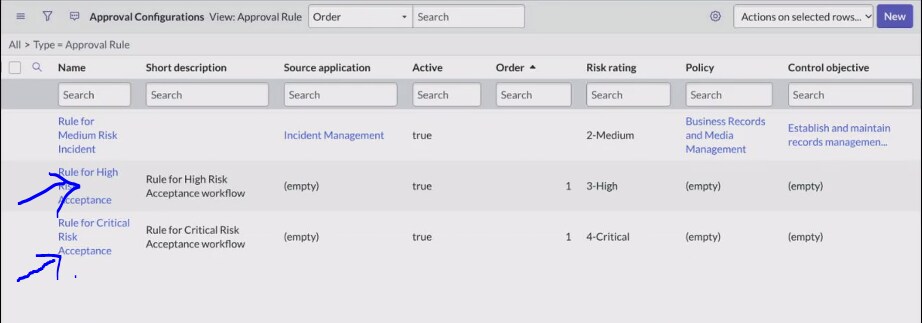
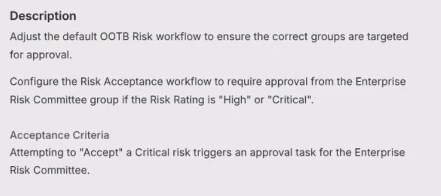
I have created two approval rules as per the defined requirements, which are visible in the attached screenshots. However, when I navigate to the Approval Configuration section to initiate testing, I am unable to locate these rules in the list.
I have verified that both rules were saved successfully and contain the correct parameters, including risk rating conditions and approver levels. Despite this, they are not appearing in the configuration view, which is preventing me from validating the workflow.
Could you please assist in identifying why these rules are not visible in the Approval Configuration section? I would appreciate guidance on any missing configurations, visibility filters, or setup steps that may be affecting this.
Thank you for your support.
Best regards,
Muhammad