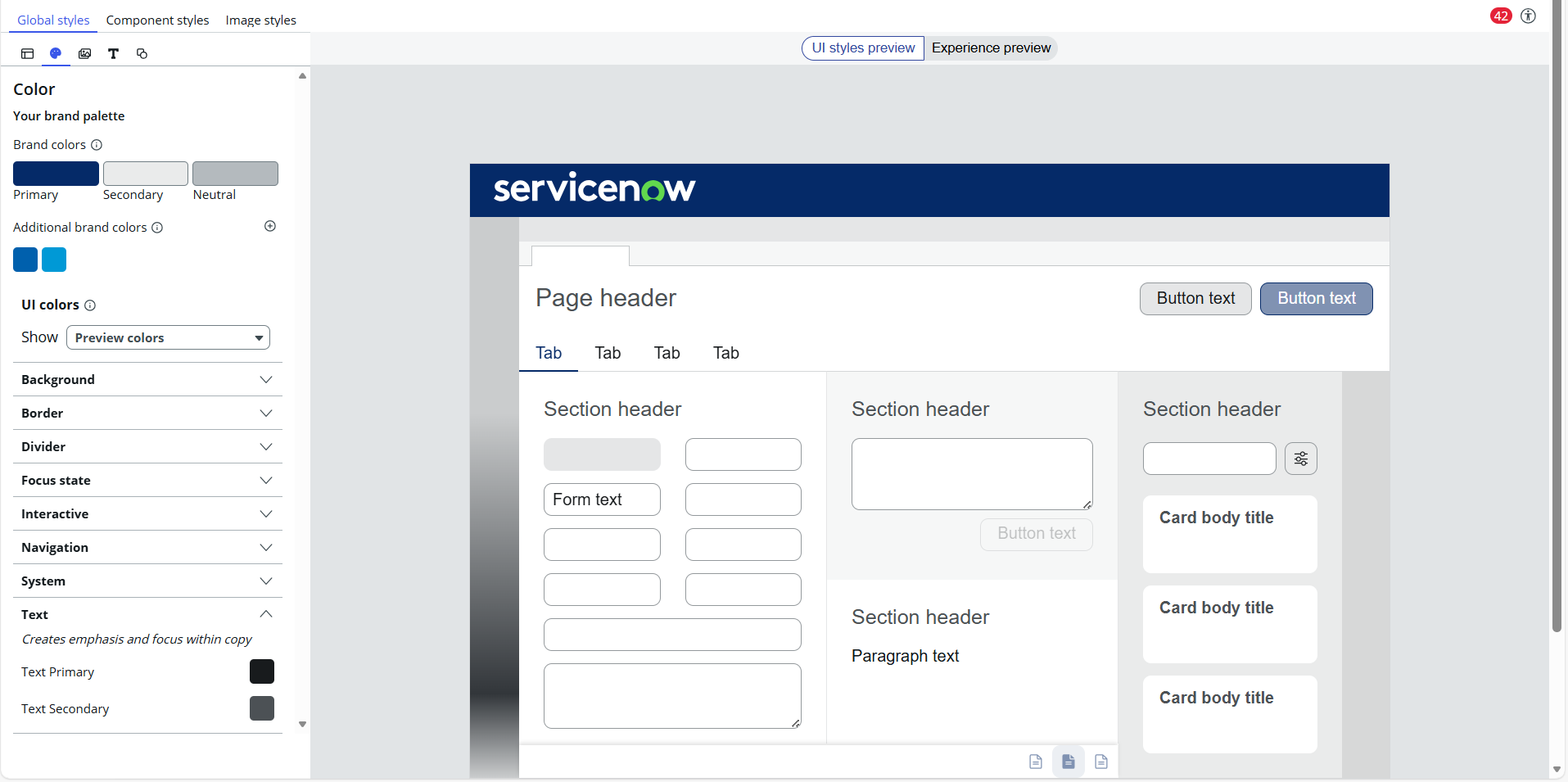
System Text Color overwrites NavBar Menu Text Color

- Mark as New
- Bookmark
- Subscribe
- Mute
- Subscribe to RSS Feed
- Permalink
- Report Inappropriate Content
01-12-2026 02:12 AM
Hello I'm trying to build a theme and I want the items in the NavBar to have white text color As you can see in the screenshot, I have set the component style text color to white, but the system text color is set to black and seems to overwrite the white. Does anybody have a solution for this within the theme builder?
- Labels:
-
Architect

- Mark as New
- Bookmark
- Subscribe
- Mute
- Subscribe to RSS Feed
- Permalink
- Report Inappropriate Content
01-13-2026 01:11 AM
Hi @luisdamboec,
what I do - maybe it can help you as well - is to change the text colour to some other e.g. shiny yellow or orange, something to be absolutely obvious. And then you will see what components are actually changed. Perhaps the thing that you try to change its colour is not defined under text colour but something else and trying to change to some "crazy" colour shall help you identify the impact of that colour update...
I don't know if it makes sense, eventually let me know..
✂-----Cutting-out-the---✦AI-noise✦---All-replies-written-and-vouched-for-by-GlideFather---
- Mark as New
- Bookmark
- Subscribe
- Mute
- Subscribe to RSS Feed
- Permalink
- Report Inappropriate Content
01-15-2026 01:25 AM
Hello,
thanks for the tip, I found out it was not the system text color and changed the actual style component.