
- Subscribe to RSS Feed
- Mark as New
- Mark as Read
- Bookmark
- Subscribe
- Printer Friendly Page
- Report Inappropriate Content
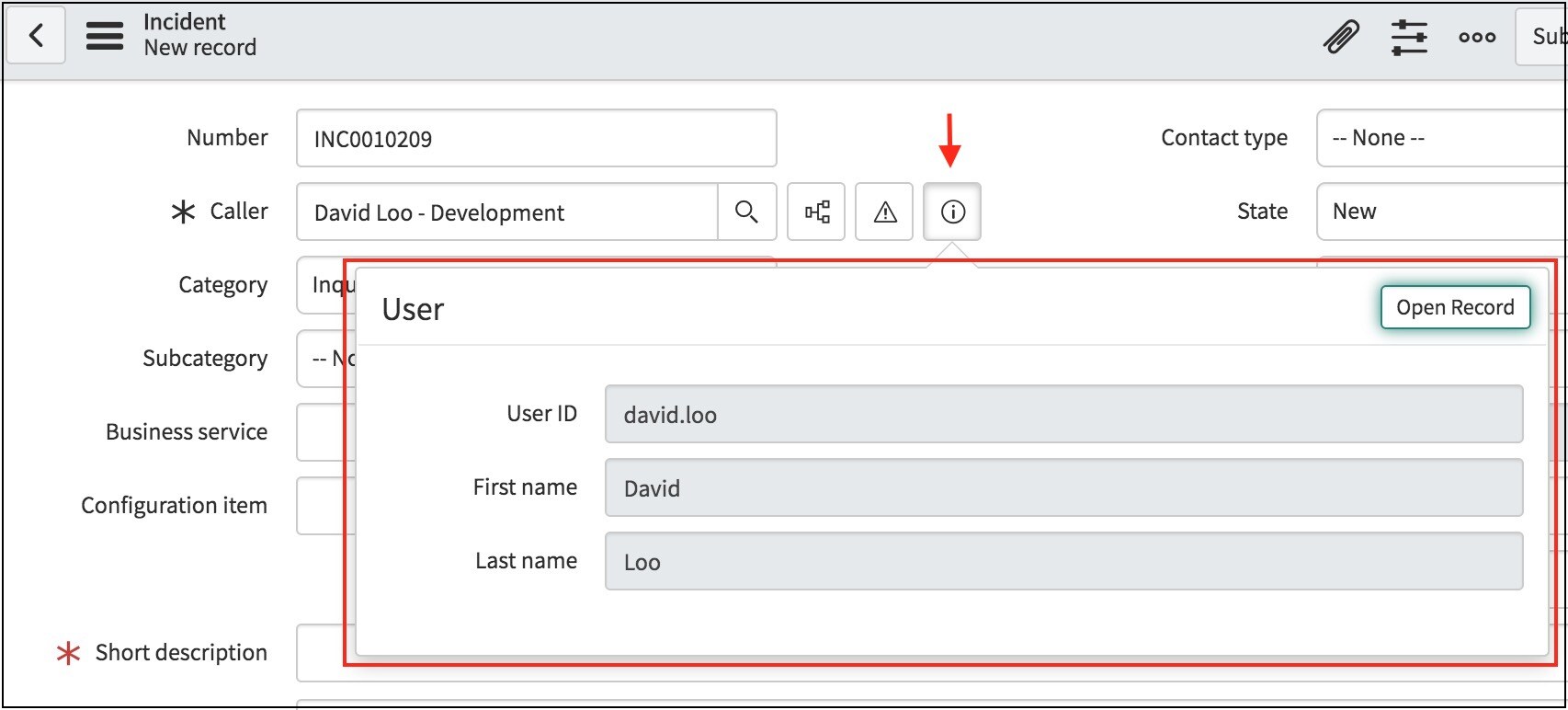
Have you ever wanted to customize the fields displayed to a user when clicking on a reference field icon (

sys_popup behaviors
The reference field popup form behaves differently depending on how you set up the sys_pop up form view.
| none (default) | By default, if a sys_popup view is not defined, the reference field popup form will display the default view of the table. |
| sys_popup |
If you have defined a sys_popup, the reference field popup form will display the fields configured in sys_popup. |
|
sys_popup,[view name] |
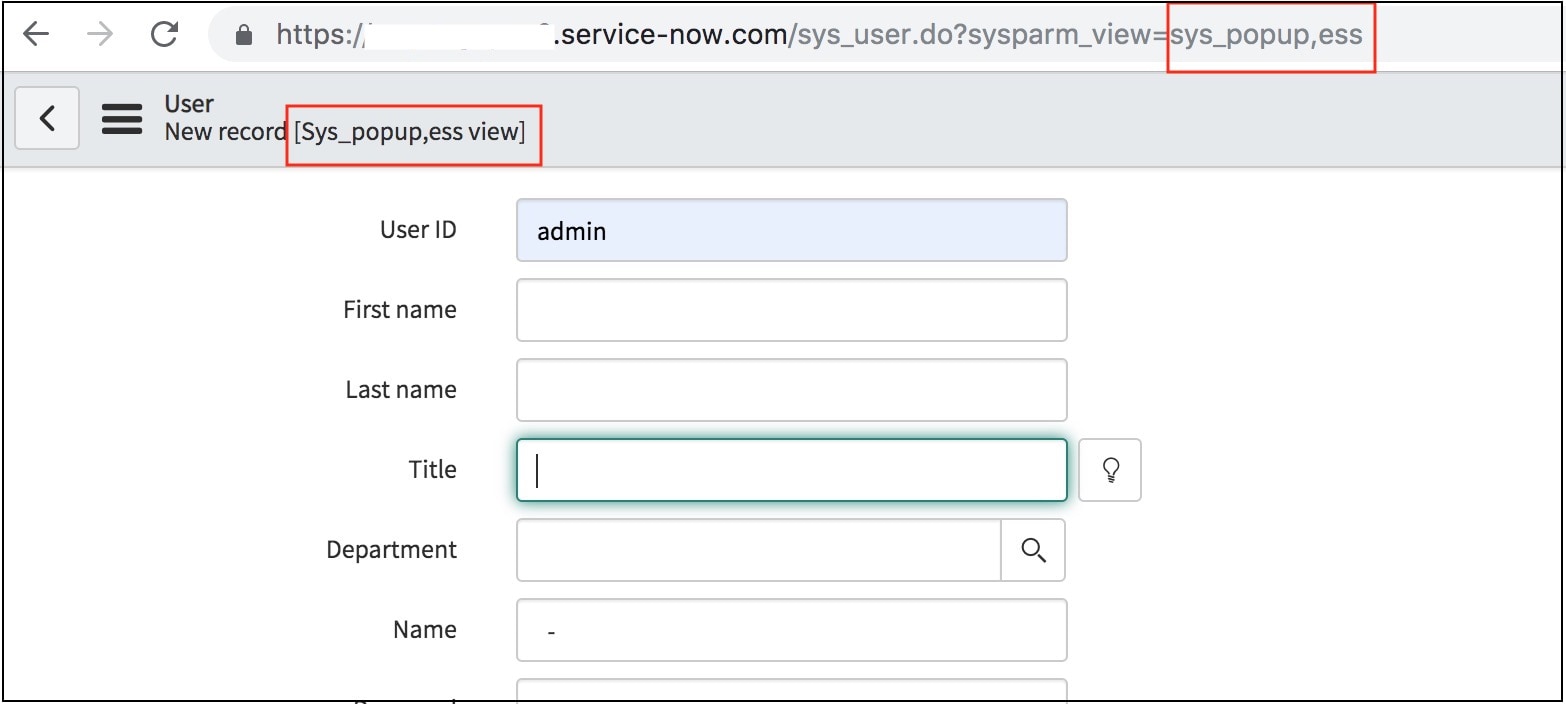
If you have defined a sys_popup,[view name] and viewing a form view called [view name], the reference field popup form will display the fields configured in sys_popup,[view name] (e.g. sys_popup,ess). If the sys_popup,[view name] does not exist and viewing a form view called [view name], then the default sys_popup view will be displayed. |
Configure a sys_popup view
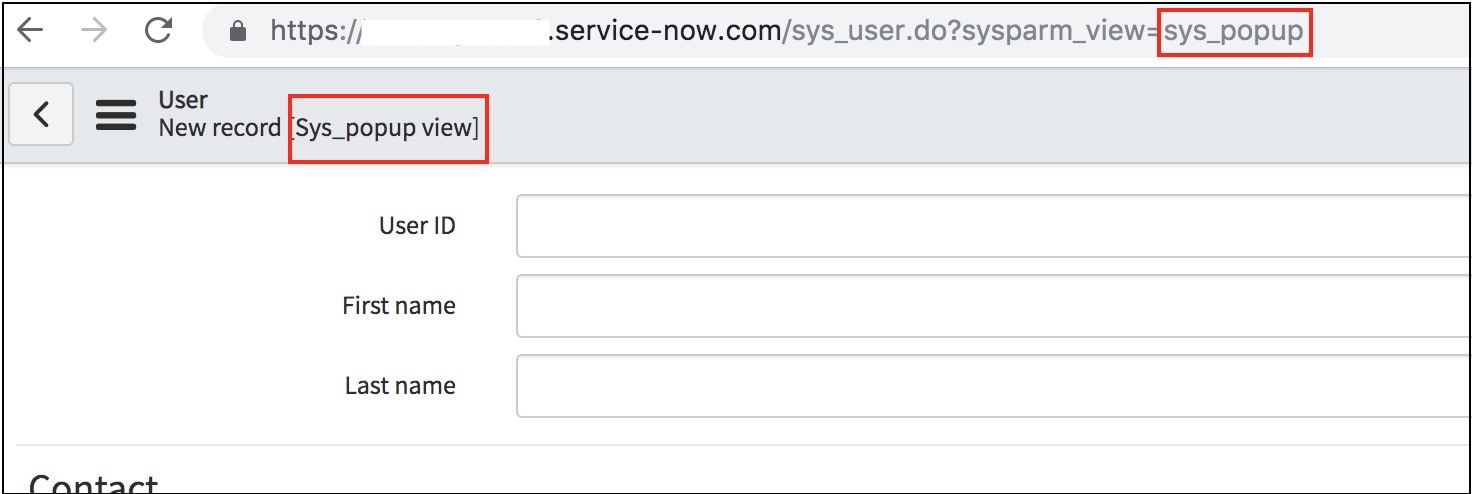
To configure a reference field popup form for a table using the default sys_popup view, navigate to the below URL format, substituting the instance name and table name. Then configure the form to add or remove fields as appropriate.
<your instance name>.service-now.com/<table name>.do?sysparm_view=sys_popup

Configure a sys_popup view for a specific form view
To configure a reference field popup form for a table using a non-default sys_popup view, navigate to the below URL format, substituting the instance name, table name, and name of view. Then configure the form to add or remove fields as appropriate.
<your instance name>.service-now.com/<table name>.do?sysparm_view=sys_popup,[view name]