
- Mark as New
- Bookmark
- Subscribe
- Mute
- Subscribe to RSS Feed
- Permalink
- Report Inappropriate Content
08-03-2023 11:38 PM
Hi,
I have asked to hide 'empty' in dashboard reports. How can I do that can I get any suggestion for that.
also, attaching image for reference.
Thanks,
Jyothi
Solved! Go to Solution.


- Mark as New
- Bookmark
- Subscribe
- Mute
- Subscribe to RSS Feed
- Permalink
- Report Inappropriate Content
08-03-2023 11:42 PM
Hi @Naga jyothi sri ,
Add the condition below:

If my answer has helped with your question, please mark my answer as accepted solution and give a thumb up.
best regards
Anders
- Mark as New
- Bookmark
- Subscribe
- Mute
- Subscribe to RSS Feed
- Permalink
- Report Inappropriate Content
08-04-2023 12:37 AM
Hi @Naga jyothi sri ,
As you are trending by closed then the condition should be that "closed is not empty"
If my answer has helped with your question, please mark my answer as accepted solution and give a thumb up.
best regards
Anders
- Mark as New
- Bookmark
- Subscribe
- Mute
- Subscribe to RSS Feed
- Permalink
- Report Inappropriate Content
08-04-2023 12:50 AM
- Mark as New
- Bookmark
- Subscribe
- Mute
- Subscribe to RSS Feed
- Permalink
- Report Inappropriate Content
08-04-2023 12:59 AM
Hi @Naga jyothi sri ,
Yes, that is correct and as it should be. According to your graph, you only have empty and 2023:

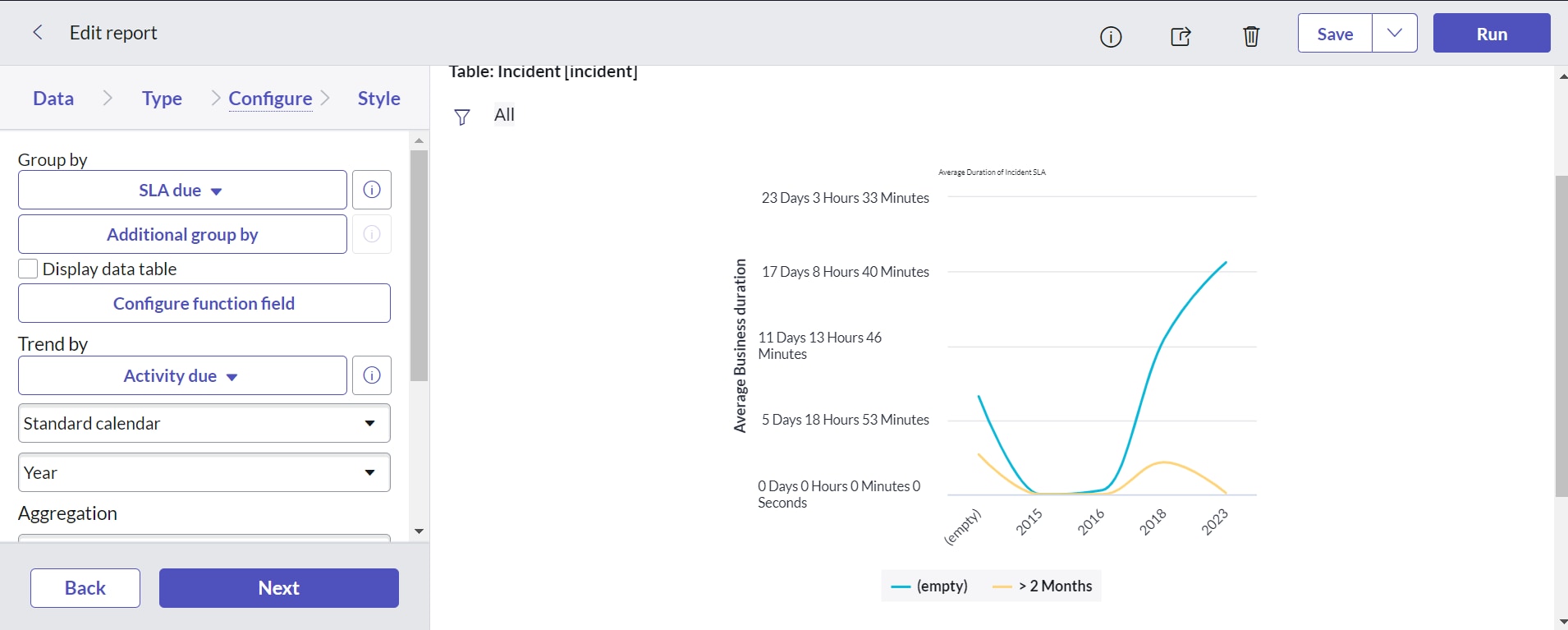
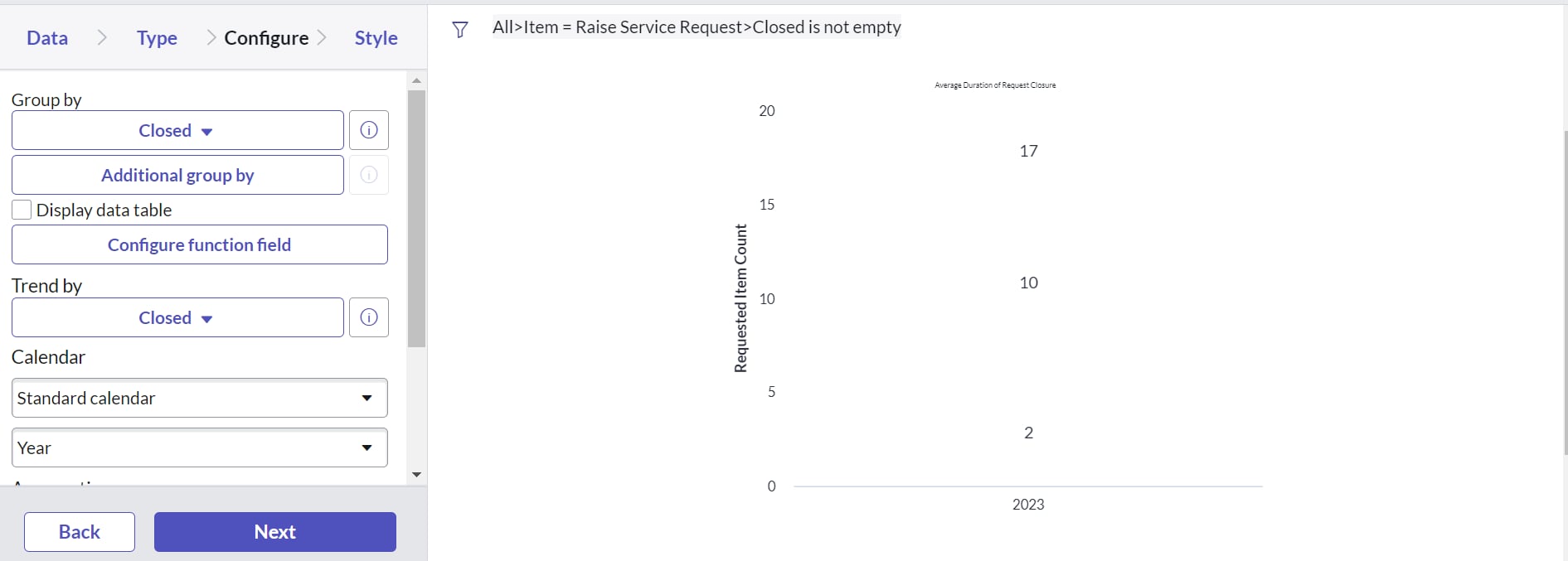
So off course, if you remove the empty, there will not be any lines, due to you only have 2023 on the X axis. If instead of year you utilize month, week or any other, you should see the lines again.
If my answer has helped with your question, please mark my answer as accepted solution and give a thumb up.
best regards
Anders
