How to connect Virtual Agent to Live Agent using AWA Queues?

- Mark as New
- Bookmark
- Subscribe
- Mute
- Subscribe to RSS Feed
- Permalink
- Report Inappropriate Content
09-14-2026 02:33 AM
Hi everyone,
I’m currently working on a ServiceNow implementation where I need to connect Virtual Agent with Live Agent.
I have already created and configured the required AWA queues, and I’m now trying to configure the handoff from Virtual Agent to a live agent.
Could someone please guide me on the correct configuration and steps required to achieve the following flow?
Virtual Agent - > Live Agent - > AWA Queue - > Available Agent
I would also like to understand:
1. How to configure the Virtual Agent handoff to Live Agent
2. How to associate the handoff with the AWA queue
3. What additional ServiceNow components or configurations are required for live-agent routing
I would appreciate any guidance or documentation on the recommended approach.
Thanks in advance!




- Mark as New
- Bookmark
- Subscribe
- Mute
- Subscribe to RSS Feed
- Permalink
- Report Inappropriate Content
2 weeks ago
You can achieve this using Virtual Agent with Agent Chat and Advanced Work Assignment (AWA). The handoff is triggered from Virtual Agent, while AWA handles routing to an available agent.
Navigate to Collaboration > Chat Setup and enable Live Chat.
Configure the fulfiller UI as Agent Workspace.
Ensure the Live Agent Support topic is active and published.
In your Virtual Agent topic, use the Transfer to Live Agent option or vaSystem.connectToAgent() to trigger the handoff.
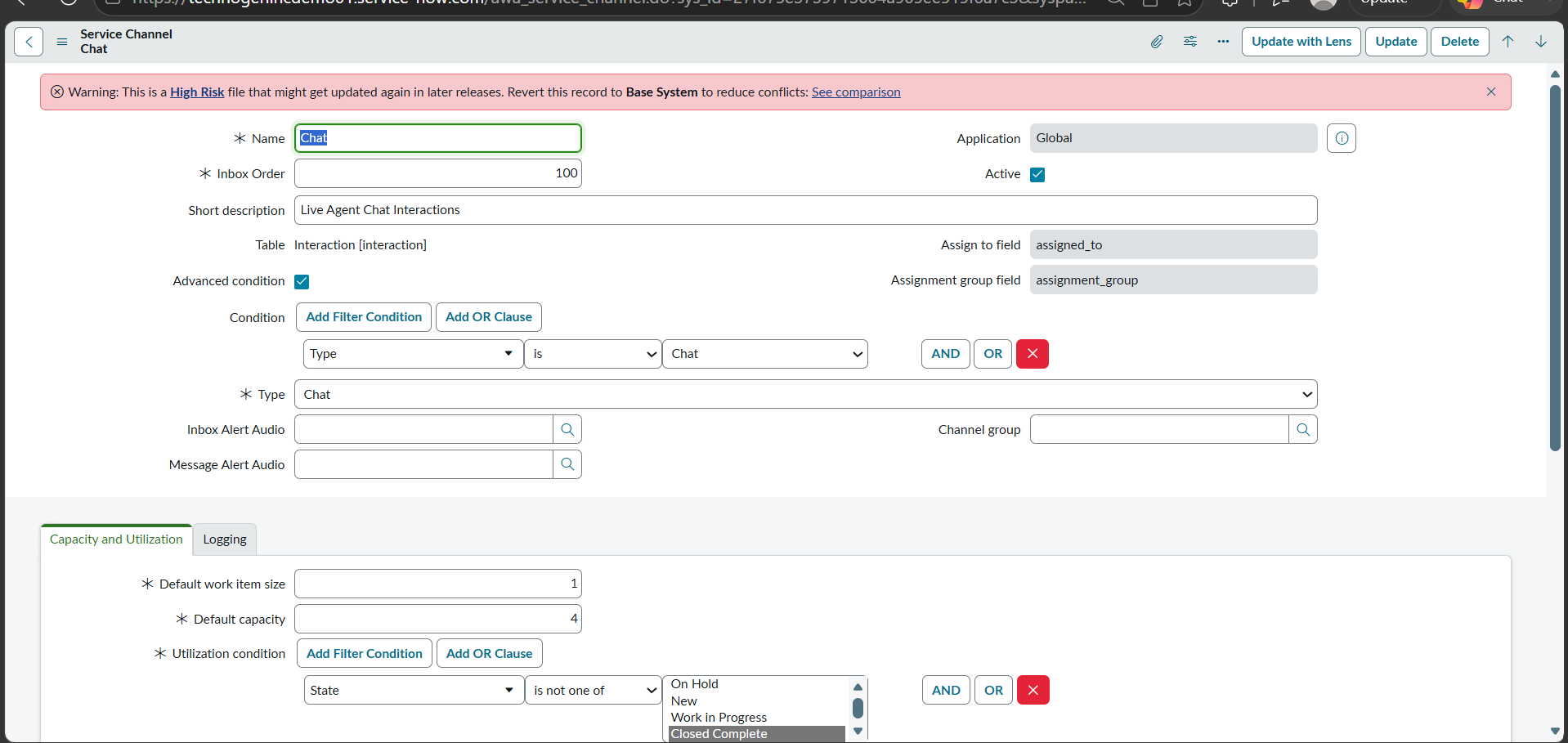
Configure the Chat Service Channel under Advanced Work Assignment > Settings > Service Channels.
Associate your AWA queues with the Chat service channel and configure routing conditions.
Add eligible agents to the required groups and ensure they have the necessary AWA roles.
You can also use vaSystem.isLiveAgentAvailable() to check agent availability before transferring.
One thing to watch is that the AWA queue conditions must match the incoming interaction. Also, ensure the queue schedule and agent availability are configured correctly.
References:
