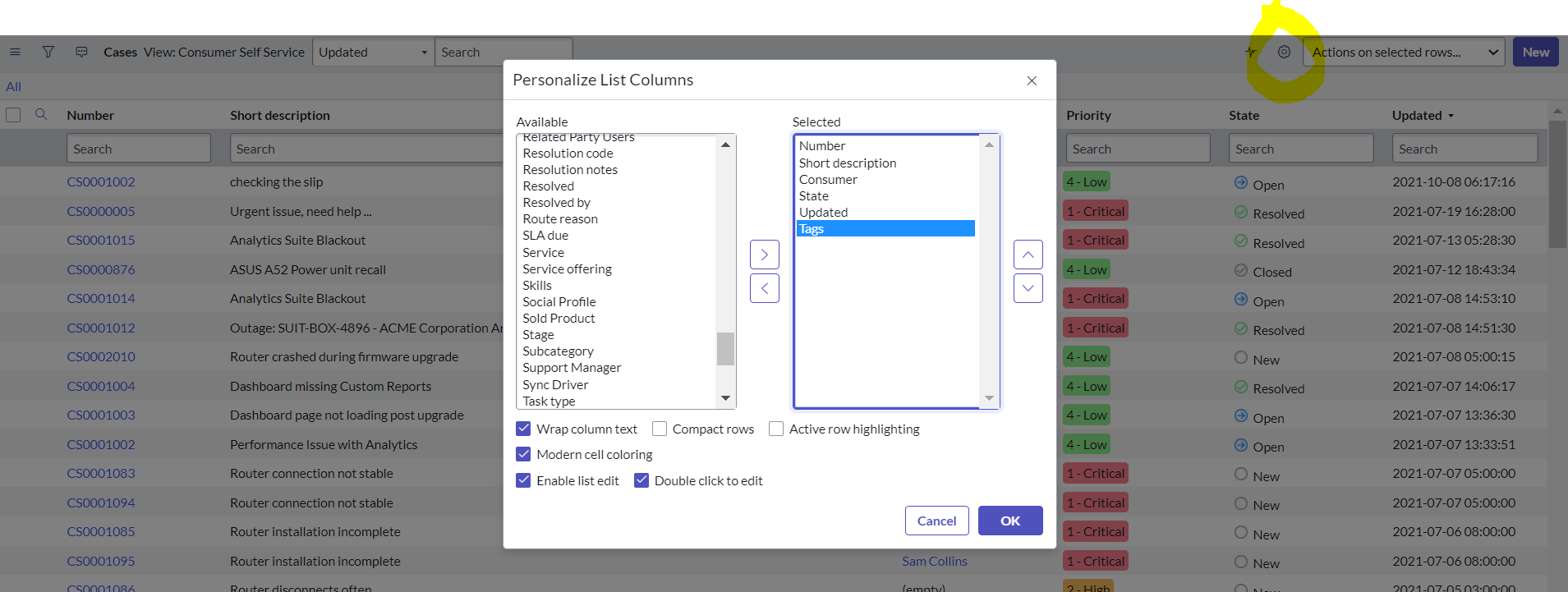
How to provide Tags on the case lists and case forms in servicenow?

- Mark as New
- Bookmark
- Subscribe
- Mute
- Subscribe to RSS Feed
- Permalink
- Report Inappropriate Content
05-13-2022 03:25 AM
As Fulfillers how can he able to provide Tags on the case lists and case forms.
1.want to see the column "Tags" in the default layouts of the case list
2.want to see the assigned Tags directly on the Case Form (default layout)
Thanks in advance.
- Labels:
-
Customer Service Management


- Mark as New
- Bookmark
- Subscribe
- Mute
- Subscribe to RSS Feed
- Permalink
- Report Inappropriate Content
05-13-2022 03:36 AM
Hi,
Have you added the tag on the list view?
Can you explain what have you tried already and what is the issue more specifically.
-Anurag
- Mark as New
- Bookmark
- Subscribe
- Mute
- Subscribe to RSS Feed
- Permalink
- Report Inappropriate Content
05-13-2022 03:46 AM
Hi,
No, I haven't tried it.I wanted to know how to make the tags available in case list liew and case form
Thanks!
- Mark as New
- Bookmark
- Subscribe
- Mute
- Subscribe to RSS Feed
- Permalink
- Report Inappropriate Content
05-13-2022 04:35 AM

- Mark as New
- Bookmark
- Subscribe
- Mute
- Subscribe to RSS Feed
- Permalink
- Report Inappropriate Content
05-13-2022 04:23 AM