- Mark as New
- Bookmark
- Subscribe
- Mute
- Subscribe to RSS Feed
- Permalink
- Report Inappropriate Content
07-15-2025 03:23 AM - edited 07-15-2025 03:24 AM
After installing the CSM Virtual Agent Conversation plugin I duplicated the create case topic block and it is not visible to end users. I want to make it visble to user having role sn_customerservice.customer and snc_external but whenever I login in the portal the topic is not visible to then I tried adding the roles everything.
Thanks in advance
Solved! Go to Solution.
- Mark as New
- Bookmark
- Subscribe
- Mute
- Subscribe to RSS Feed
- Permalink
- Report Inappropriate Content
07-21-2025 09:22 PM
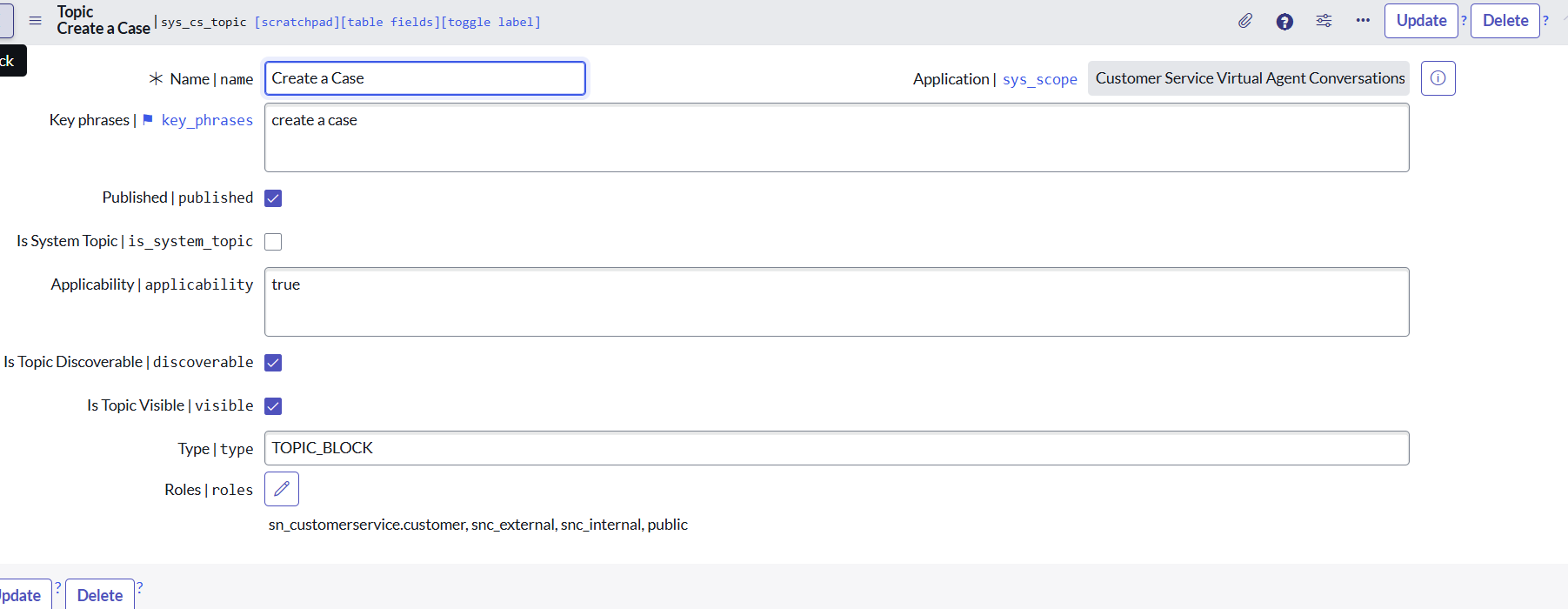
Create Case Topic block was installed OOTB with the Customer Service Virtual Agent conversation plugin and the topic block needed to be reused in a Topic. So I created a topic called "Create a Case" and in that I reused the Topic Block and added the required Roles in the properties section who can access the Topic via Virtual Agent.

- Mark as New
- Bookmark
- Subscribe
- Mute
- Subscribe to RSS Feed
- Permalink
- Report Inappropriate Content
07-15-2025 03:49 AM
@Prasun Sarkar7
Have you associated it with your NLU model?
Go to Virtual Agent > Designer > (select your Topic) > Properties >> scroll down
✂-----Cutting-out-the---✦AI-noise✦---All-replies-written-and-vouched-for-by-GlideFather---
- Mark as New
- Bookmark
- Subscribe
- Mute
- Subscribe to RSS Feed
- Permalink
- Report Inappropriate Content
07-15-2025 03:59 AM

This is the ss
- Mark as New
- Bookmark
- Subscribe
- Mute
- Subscribe to RSS Feed
- Permalink
- Report Inappropriate Content
07-15-2025 04:34 AM
@Prasun Sarkar7
What do you mean ss - self service? I don't follow...
Anyways, go to Designer, click properties:

and check this:

Eventually go to NLU Workbench, select your model and try to test it, there is "test" button for it..
✂-----Cutting-out-the---✦AI-noise✦---All-replies-written-and-vouched-for-by-GlideFather---
- Mark as New
- Bookmark
- Subscribe
- Mute
- Subscribe to RSS Feed
- Permalink
- Report Inappropriate Content
07-15-2025 04:58 AM
I am sorry for the abbrievation ss meaning screenshot. I have attached the screenshot of the properties tab