tiagomacul

Tera Sage
Options
- Post History
- Subscribe to RSS Feed
- Mark as New
- Mark as Read
- Bookmark
- Subscribe
- Printer Friendly Page
- Report Inappropriate Content
on 07-26-2022 09:42 AM
How to remove the bookmark?
How to remove a favorite?
Sometimes we need to edit a module but it's not enough when another thing could enable access to the user, ACL for example, however, it could be needed to take off/remove these bookmarks, when how could we do it?
it's not so easy as just edit a module, but it's the first step
| Image | Description |
 | 01. Search by a module that needs to update |
 | 02. Click on edit |
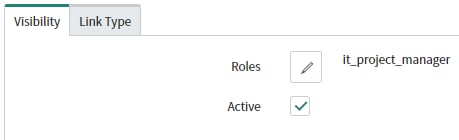
 | 03. on the Visibility tab |
 | 04. Click Edit |
 | 05. Edit roles available as need |
 | 06. Click Done |
  | 07. Click update |
Creating a script to remove favorites
| Image | Description |
 | 01.Navigate to >> System Definition > Fix Scripts |
 | 02. Click New |
 | 03. type a name of fix script |
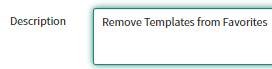
 | 04. Type a name for Description |
 | 05.Type the script |
 | 06.Click Update |
 | 07. Run Fix Script |
var grBook = new GlideRecord('sys_ui_bookmark');
grBook.addEncodedQuery('urlSTARTSWITHu_ppm_templates_list.do');
grBook.query();
while (grBook.next()) {
    var myUser = gs.getUser().getUserByID(grBook.user);
    if (!myUser.hasRole('ppm_pmo') && !myUser.hasRole('ppm_project_manager')) {
        grBook.deleteRecord();
    }
}

Fix Script official documentation
- 1,271 Views