- Post History
- Subscribe to RSS Feed
- Mark as New
- Mark as Read
- Bookmark
- Subscribe
- Printer Friendly Page
- Report Inappropriate Content
on 01-22-2022 07:23 AM
Purpose
- It helps refining the stories
- Give points to the stories
- Use the predefined refinement methods (Fibonacci, Scrum, Sequential and T-Shirt)
- Define the custom refinement methods
Usage
- Define refinements
- Add stories to be refined and use the method
- Let the users to refine the stories
- Update the points for the story
Define Refinements

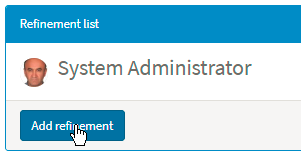
Add refinements
Role: x_xyz.admin

Once the refinement name is added, now it is ready to add stories to the refinement.
Let's add a refinement and call it "Financial Refinement"

Add Stories
Role: x_xyz.admin
Click on the refinement to add the stories to be refined.
Let's add 3 stories as follows.

These 3 stories has their own method. These methods are their calculation methods are defined.
Refine Story
Let's refine the story "STRY0010004" by clicking.

The Panels marked above are also the widgets.
Panels Details
| Panel | Description |
| Admin | Only visible to admin (x_xyz.admin) |
| Story | Shows the story details being refined |
| Cards | Points |
| Users | User list to give point |
| Stories | Story history list |
Once the admin gets to this page, it is enough just to copy the URL and share with others (Just once).

Giving Point
Role: x_xyz.player
When the other users join the page it will show up in the Users panel as below.

When the users start to give points the pictures will be updated as follows.

After everybody has give points, then only admin can show the points using the Finish Voting button in the admin panel.

Then it will display the score deviation and the result would be as follows.

Then any point can be given to the story as follows.

Updating the story point also will update the refined by list automatically.
Moving to Next Story
Once it is finished updating the story point then the admin can move to the next story defined for that Refinement.

Make global.XMLHelper Script Include "Accessible from" to "All application scope".
If you need to change the table names,roles & Portal Page names, change the script include.
PokerPlanningUtils.Table = {
    story: "x_125845_poker_pla_story",
    score: "x_125845_poker_pla_score",
    method: "x_125845_poker_pla_method",
    card: "x_125845_poker_pla_card",
    agile: "rm_story",
    refinement: "x_125845_poker_pla_refinement",
    worknote: "sys_journal_field",
    audit_delete: "sys_audit_delete",
    user: "sys_user"
};

PokerPlanningUtils.Role = {
    admin: "x_125845_poker_pla.admin",
    player: "x_125845_poker_pla.player"
};

PokerPlanningUtils.PortalPage = {
    planning: "poker_planning",
    home: "poker_planning_home",
    storyList: "poker_planning_story_list"
};
- 4,255 Views