- Post History
- Subscribe to RSS Feed
- Mark as New
- Mark as Read
- Bookmark
- Subscribe
- Printer Friendly Page
- Report Inappropriate Content
on 08-17-2022 11:09 PM
The article below explains how to share a report with a specific group or with members having a specific role but to restrict their ability to view / modify the filters added.
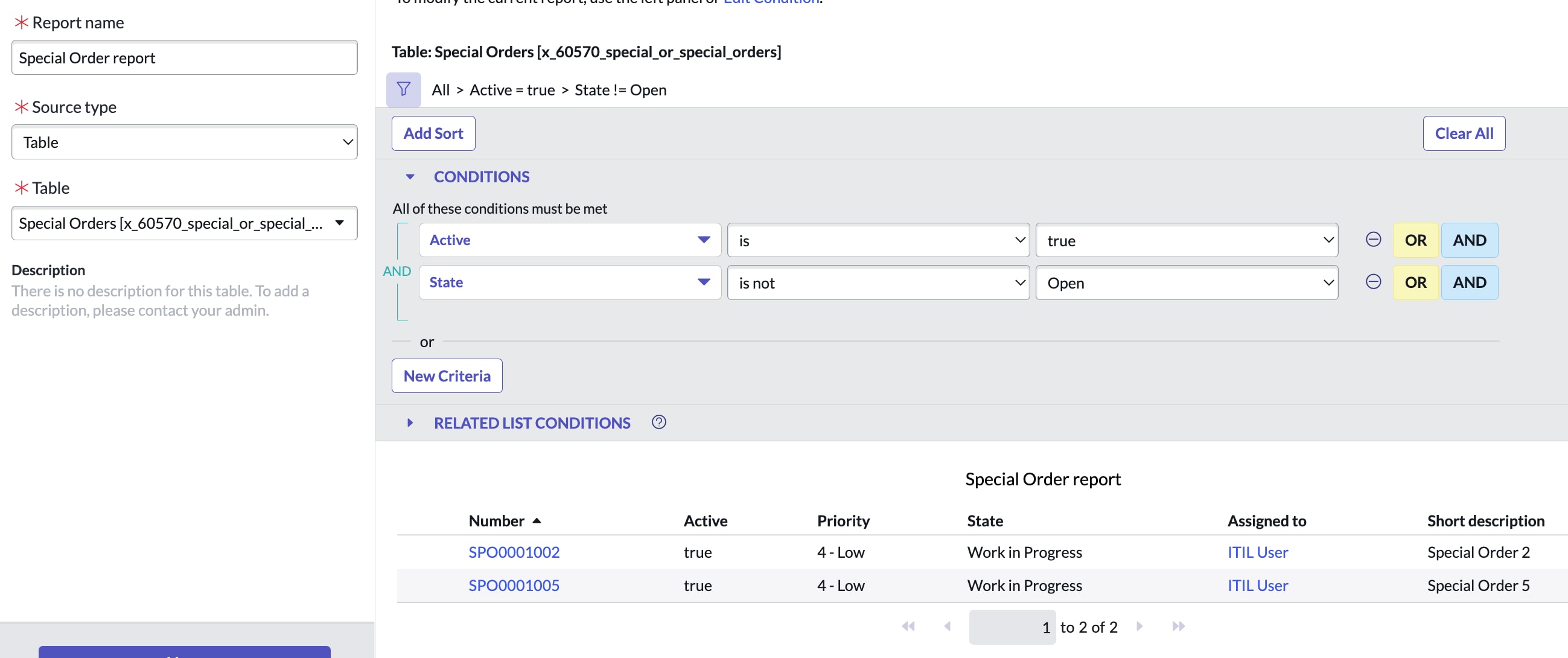
1. As an admin, create a report with a filter criteria. In the example below, I have considered a custom table "Special Orders" with filters "Active is true" and "State is not Open".
The table has 5 records in total but only 2 records match the filter criteria as can be seen below.

2. To restrict members of a specific group ("Team 86" in my example) from reporting on this table, create a "report_on" ACL.
With this ACL, members of "Team 86" will not be able to create a report on "Special Orders" but all others can. Note that this could be done for roles too instead of groups.


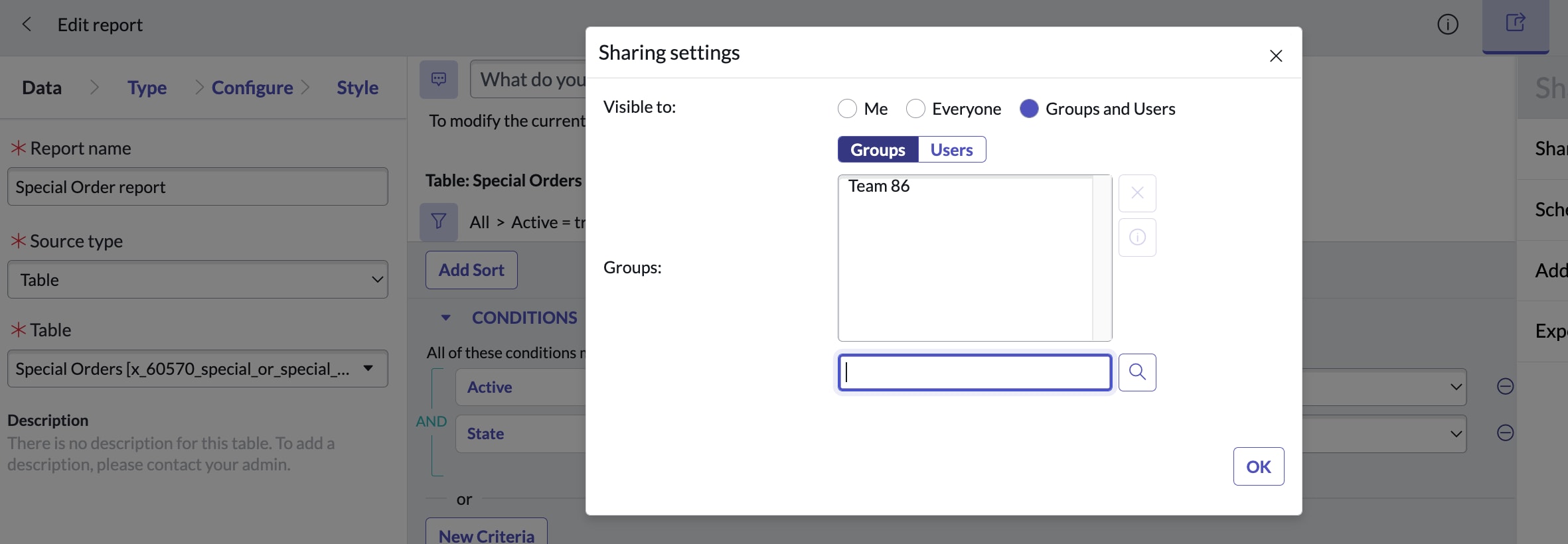
3. As an admin, share the report created in Step 1 with the group ("Team 86" in this example)

4. As a member of group "Team 86", login to the instance and view the report from "Reports > View / Run" and click tab "Group".

5. The report will be displayed listing the rows but the filter defined by admin will be hidden with message
"Security constraints prevent saving reports on table Special Orders - displaying report as read-only"

6. Please note that members of "Team 86" have read access to table "Special Orders" as otherwise no data will be displayed.
- 4,202 Views

- Mark as Read
- Mark as New
- Bookmark
- Permalink
- Report Inappropriate Content
Hi Arav,
Thanks for the above post.
Can you please post how ROW Level ACL to be applied with conditional code ?