tiagomacul

Tera Sage
Options
- Post History
- Subscribe to RSS Feed
- Mark as New
- Mark as Read
- Bookmark
- Subscribe
- Printer Friendly Page
- Report Inappropriate Content
on 07-13-2021 07:48 PM
| Image | Description |
 | 01. >> System Web Services > Scripted Web Services > Scripted REST APIs |
 | 02. New |
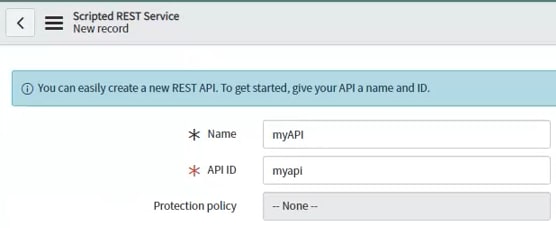
 | 03. Type the API name |
 | 04. Save |
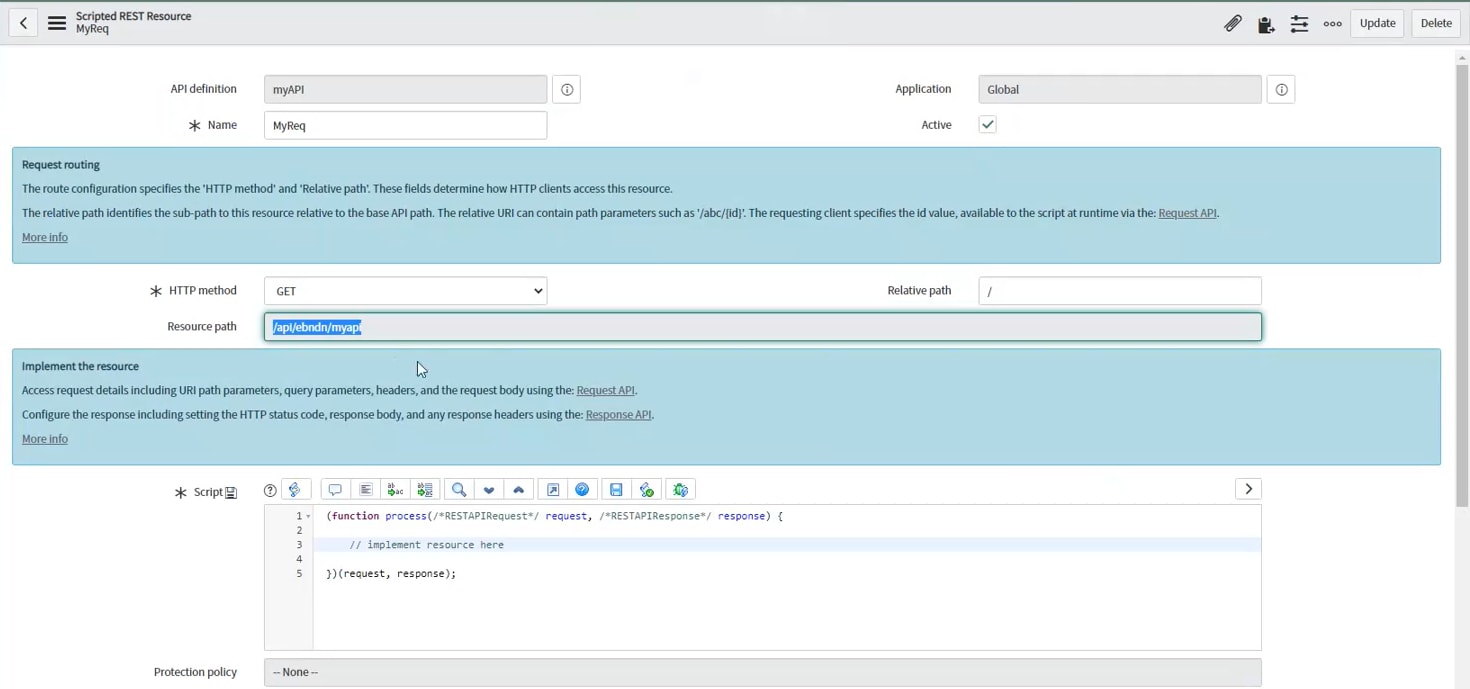
 | 05. In Resources tab click on the New button |
 | 06. You can type your code here to return something |
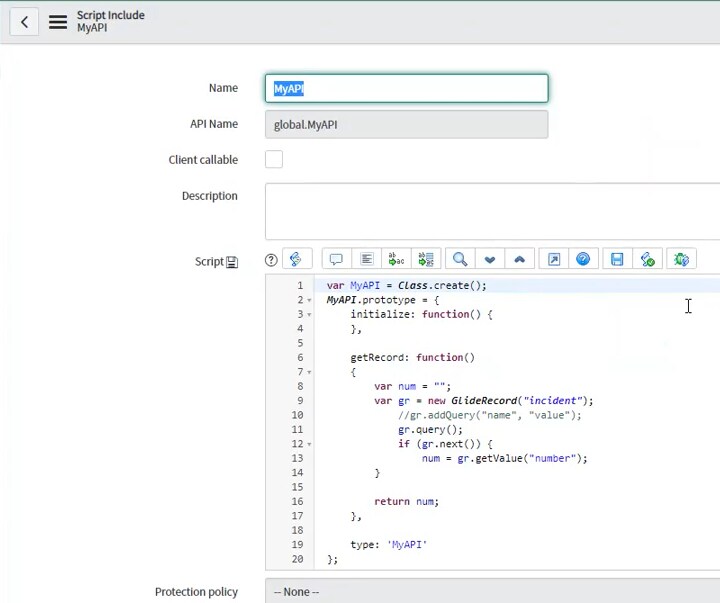
 | 07. In this sample was created a script include to returb the first record (number) on the incident table |
 |
08. After created the script include. update the scripted api calling your script include |
 | 09; So you can navigate on the API Explorer to test, find your API and try it |

Labels:
- 2,293 Views