Ankur Bawiskar

Tera Patron
Options
- Subscribe to RSS Feed
- Mark as New
- Mark as Read
- Bookmark
- Subscribe
- Printer Friendly Page
- Report Inappropriate Content
10-25-2020
08:46 AM
Many a times there is a need to use list collector variable in the Flow Designer for multiple purposes such as creating 'n' number of catalog tasks or approval records based on list collector variable value count.
So we will have to use 'For Each' Action in Flow designer.
I have seen numerous questions around this so thought of creating a blog with the steps so that it helps community members.
Limitations: There is a known issue that it cannot be done directly KB0793340
Reason -> The Get Catalog Variables action returns a list collector as a comma separated string rather than an array. So we cannot use the 'For Each' action directly in your flow.
Resolution: So here is a workaround
- Create a custom flow action that takes list collector value string as the input
- Parse the string into an array
- Then output the array to be used in the For Each Loop.
- Then call this custom action in your flow and then use the output as per your needs
Steps:
1) Create custom flow action
a) Name - List Collector Convert to Array
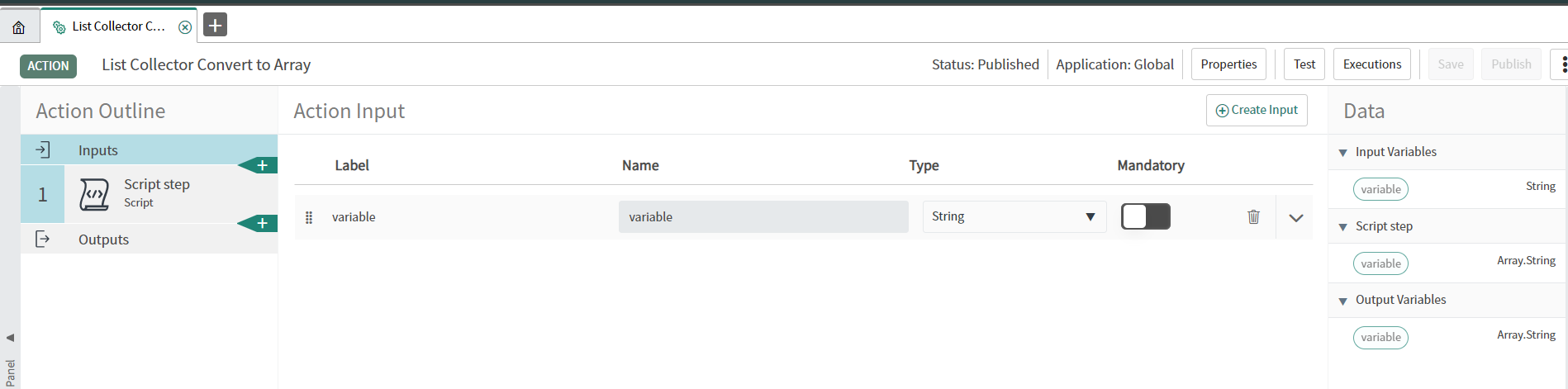
2) Define the input variable as String
3) Create Script step
a) Map the input variable to the variable being used in script step -> by selecting the data pills -> inputs variable
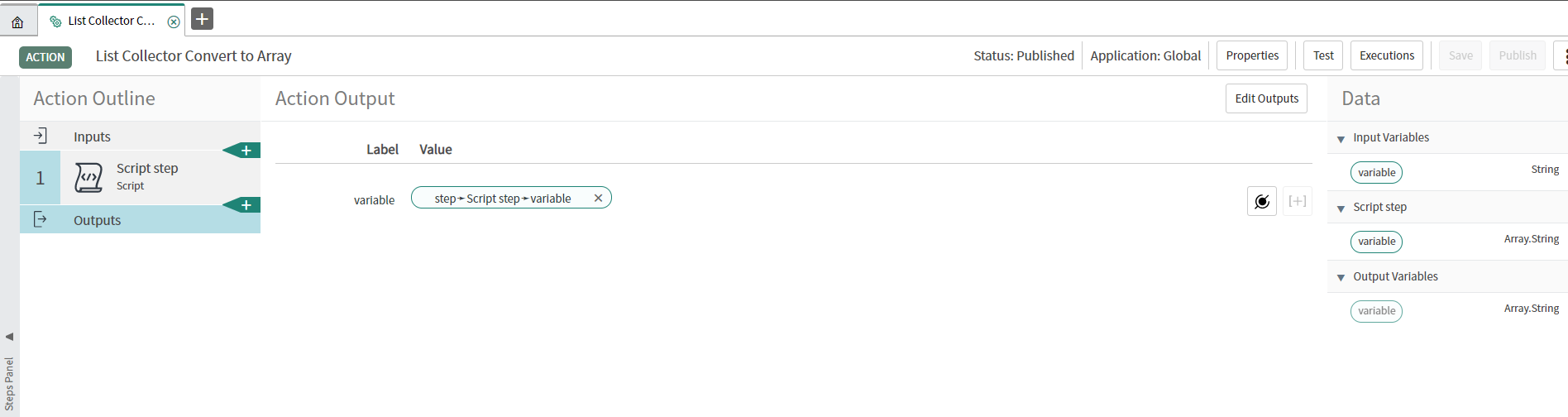
b) Create output variable of type -> Array.String
Edit: As per few members update this is not working post upgrade from Orlando to new instance
So please change the Output type as Array.Object instead of Array.String
c) Use this script: To convert String to Array of Object (Edited)
(function execute(inputs, outputs) {
// ... code ...

  outputs.variable = inputs.variable.toString().split(',');

})(inputs, outputs);
4) Define the Output
5) Publish the Action
Usecase:
- Consider you have 1 list collector variable on your catalog item referring to Users table (sys_user)
- You want to set approvers based on how many users are present in list collector. If 3 users are selected then 3 approvers or 3 catalog tasks are to be created
Steps to implement with example: Trigger - Service Catalog
I assume you must have attached the flow to your catalog item.
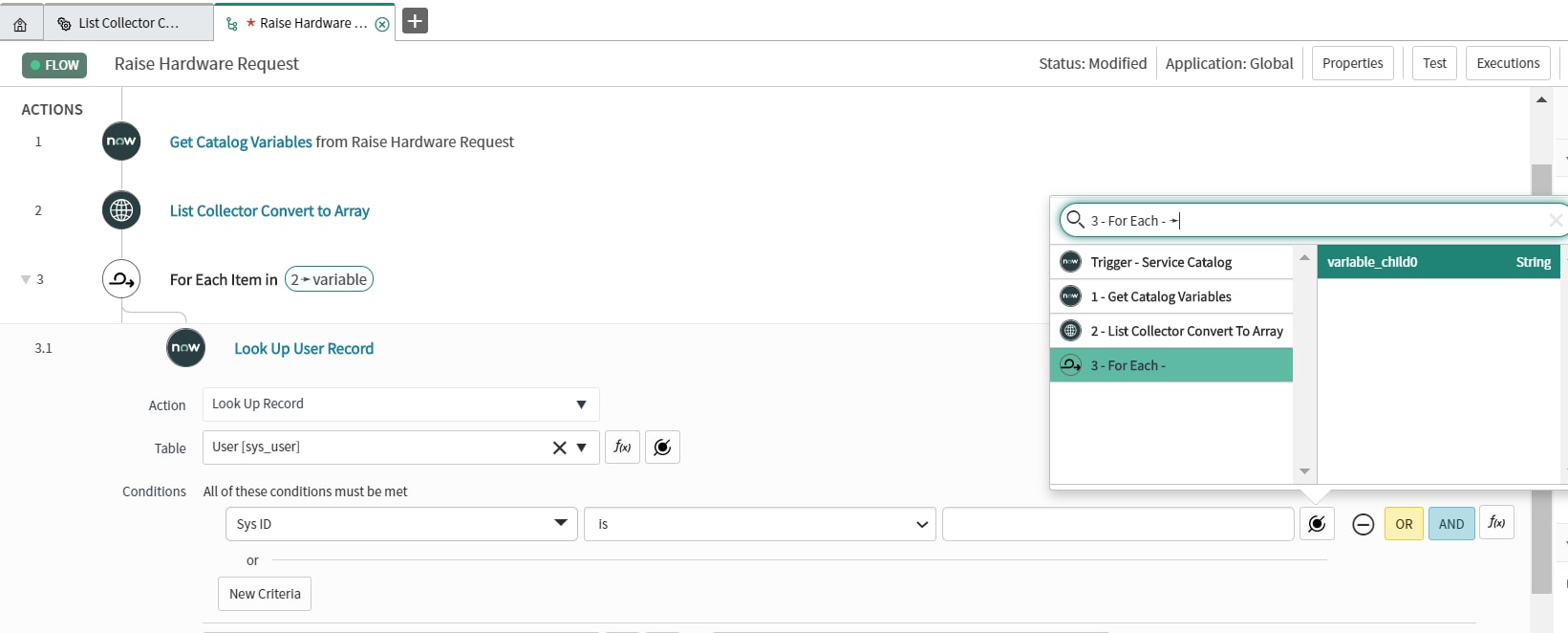
- Use the "Get Catalog Variables" Action
- Call the custom Action "List Collector Convert to Array" and pass the list collector values as input
- Do a For-Each on the result from the custom action (array of sys_ids)
3.1 Do a GlideRecord Lookup for the User based on the for-each value (sys_id)
3.2 Use the "Ask For Approval" Action as you want and set the User as Output from 3.1 step
Screenshots:
Thanks for reading the blog and do provide your inputs/suggestions if any.
Hope you find this article helpful. Don’t forget to Mark it Helpful & also Bookmark.
Thanks,
Ankur Bawiskar
Labels:
- 655,187 Views
103 Comments
You must be a registered user to add a comment. If you've already registered, sign in. Otherwise, register and sign in.