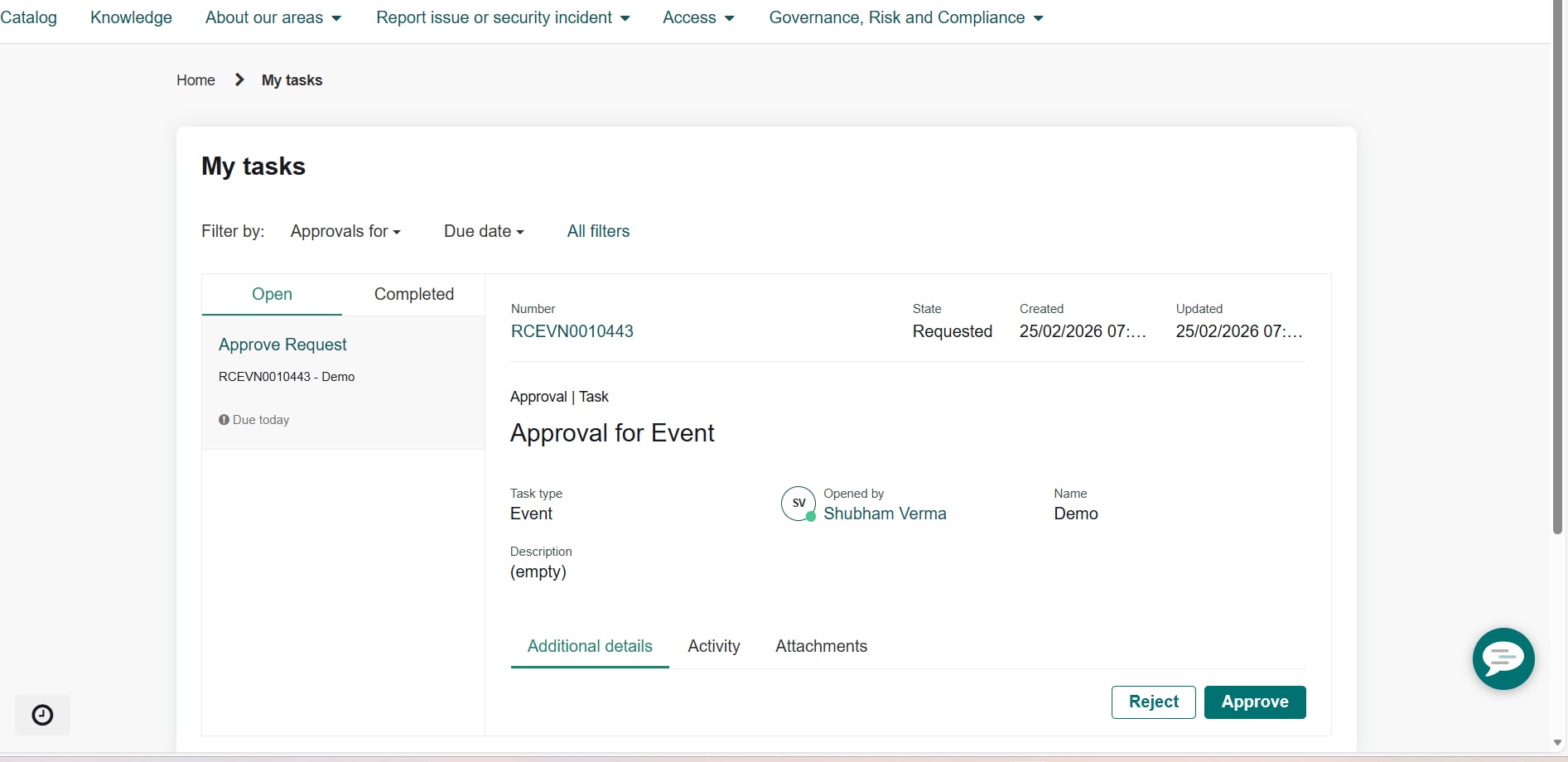
Add more fields under My Tasks for custom resolve portal

- Mark as New
- Bookmark
- Subscribe
- Mute
- Subscribe to RSS Feed
- Permalink
- Report Inappropriate Content
02-24-2026 11:19 PM
Hi,
I am working on adding more fields under my tasks i.e Approval for event.
Currently it has Task type , Event , Opened by , Name ,Description for event record.
Table name is sn_recovery_event.
It is a custom portal.I am not able to achieve this .
Thanks in advance!
- Mark as New
- Bookmark
- Subscribe
- Mute
- Subscribe to RSS Feed
- Permalink
- Report Inappropriate Content
02-25-2026 01:43 AM
Hi Shubham,
since you’re using a custom portal, the widget likely doesn't "know" to look for these extra fields yet. Here is the simplest way to get them to show up:
1. Configuration
Before editing code, see if your widget follows the standard configuration:
Navigate to Employee Service Center > To-do Configuration.
Open the record for the Recovery Event (sn_recovery_event) table.
Add Exercise Name and Exercise Scope to the Detail Page Fields list.
2. The Manual Fix (For Custom Widgets)
If the step above doesn't work, you'll need to update your widget's code.
Step A: Fetch the Data (Server Script) Find the part of your script that pulls data from the table. Add these lines to grab the fields:
- item.event_name = gr.getDisplayValue('u_exercise_name');
- item.event_scope = gr.getDisplayValue('u_exercise_scope');
Step B: Display the Data: In your HTML, display the data using the following labels (Note: wrap the variables in double curly braces in your actual code):
Event Name: item.event_name
Scope: item.event_scope
If this response helped solve your query, please mark it as Helpful or Accept as Solution.