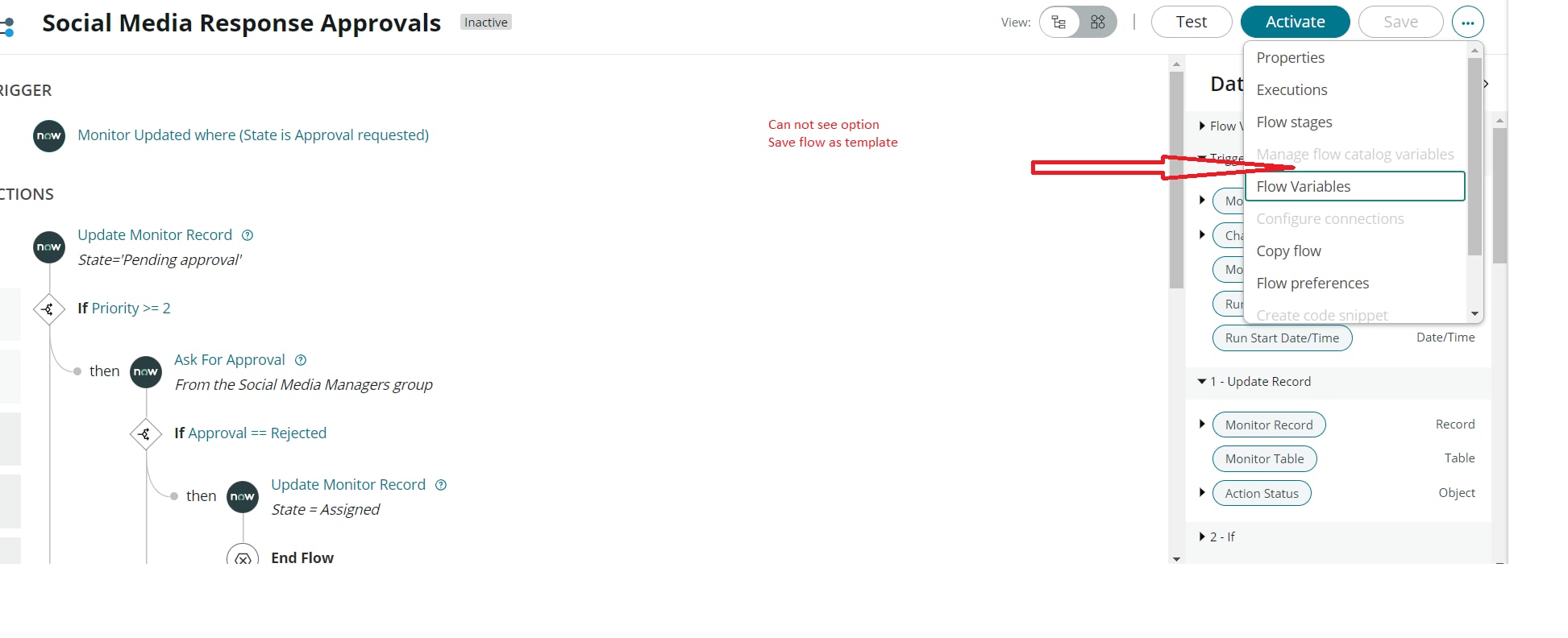
Can not see "Save flow as template" in flow designer

- Mark as New
- Bookmark
- Subscribe
- Mute
- Subscribe to RSS Feed
- Permalink
- Report Inappropriate Content
06-01-2022 05:23 PM

- 8,322 Views
- Mark as New
- Bookmark
- Subscribe
- Mute
- Subscribe to RSS Feed
- Permalink
- Report Inappropriate Content
12-11-2024 05:10 PM
I was able to correct this by going to the Form Template Builder plugin and selecting the "Repair" option from the Quick Actions menu. While on that plugin page, I received an error (below) but it didn't prevent the repair from completing successfully. I returned to the Flow Designer and the Templates tab was now available.
Error Text
Internal Server Error (500)
An error has occurred. Please refresh or contact support.
- Mark as New
- Bookmark
- Subscribe
- Mute
- Subscribe to RSS Feed
- Permalink
- Report Inappropriate Content
03-20-2024 02:41 PM
I also encountered this one, I'm in "Flow Designer: Create a Flow" course but can't see the "Save flow as template"
- Mark as New
- Bookmark
- Subscribe
- Mute
- Subscribe to RSS Feed
- Permalink
- Report Inappropriate Content
03-21-2024 03:39 AM
Hi there! After reading the product documentation for flow designer template, I learned that app engine studio must be installed in the instance for templates to be an option. After installing app engine studio in the lab instance, I was able to save the flow as a template.
- Mark as New
- Bookmark
- Subscribe
- Mute
- Subscribe to RSS Feed
- Permalink
- Report Inappropriate Content
04-15-2024 06:58 AM
Hello, Anyone got the solution of this problem?
I'm facing the same issue the save as template option is not visible in the more options drop-down, I've tried the above suggested solution and try to install the app engine studio but it's showing error, it didn't work

- Mark as New
- Bookmark
- Subscribe
- Mute
- Subscribe to RSS Feed
- Permalink
- Report Inappropriate Content
04-15-2024 07:44 AM
Not the be *that* IT person, but did you try logging out and logging back in? Can you see App engine studio in the All navigation menu?