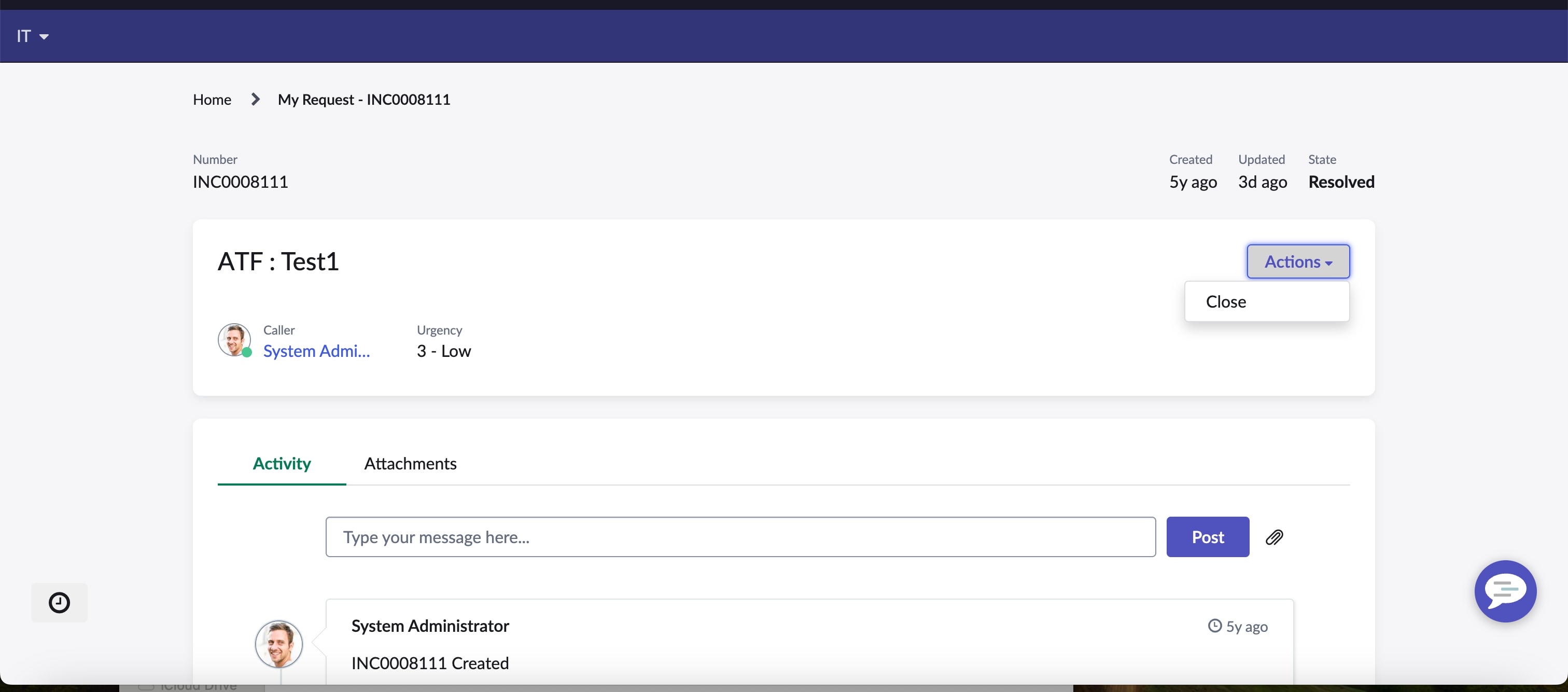
Close button on ticket page in the actions section in esc portal

- Mark as New
- Bookmark
- Subscribe
- Mute
- Subscribe to RSS Feed
- Permalink
- Report Inappropriate Content
03-01-2024 08:37 AM


- Mark as New
- Bookmark
- Subscribe
- Mute
- Subscribe to RSS Feed
- Permalink
- Report Inappropriate Content
03-01-2024 08:41 AM
Hi @Luke James
I think it is valid to show close button, as end user is the one who confirm and can close the incident once it get resolved.
Regards
Dr Atul G. - Learn N Grow Together ServiceNow Techno - Functional Trainer
LinkedIn: https://www.linkedin.com/in/dratulgrover
YouTube: https://www.youtube.com/@LearnNGrowTogetherwithAtulG
******************************************************************************************

- Mark as New
- Bookmark
- Subscribe
- Mute
- Subscribe to RSS Feed
- Permalink
- Report Inappropriate Content
03-01-2024 08:42 AM
All > Portals > Widgets
The widget is called "Standard Ticket Actions"
Once you created a clone of it and added this widget in "Standard Ticket Configuration" for your ticket page, you can adjust the code to your needs.
- Mark as New
- Bookmark
- Subscribe
- Mute
- Subscribe to RSS Feed
- Permalink
- Report Inappropriate Content
03-06-2024 02:29 AM
Thanks @Michael_Martin. I have cloned the "Standard Ticket Actions" is the visibility of that action buttons controlled in this widget though or in a script include?
Many Thanks,
Luke
- Mark as New
- Bookmark
- Subscribe
- Mute
- Subscribe to RSS Feed
- Permalink
- Report Inappropriate Content
03-06-2024 02:42 AM
Yes. For Incidents you may have an "Incident Standard Ticket Actions" Widget.
Server script approx line 37 you'll see the canResolve, canReopen, canClose function calls from