- Mark as New
- Bookmark
- Subscribe
- Mute
- Subscribe to RSS Feed
- Permalink
- Report Inappropriate Content
09-04-2022 08:02 PM

- Mark as New
- Bookmark
- Subscribe
- Mute
- Subscribe to RSS Feed
- Permalink
- Report Inappropriate Content
09-05-2022 02:10 AM
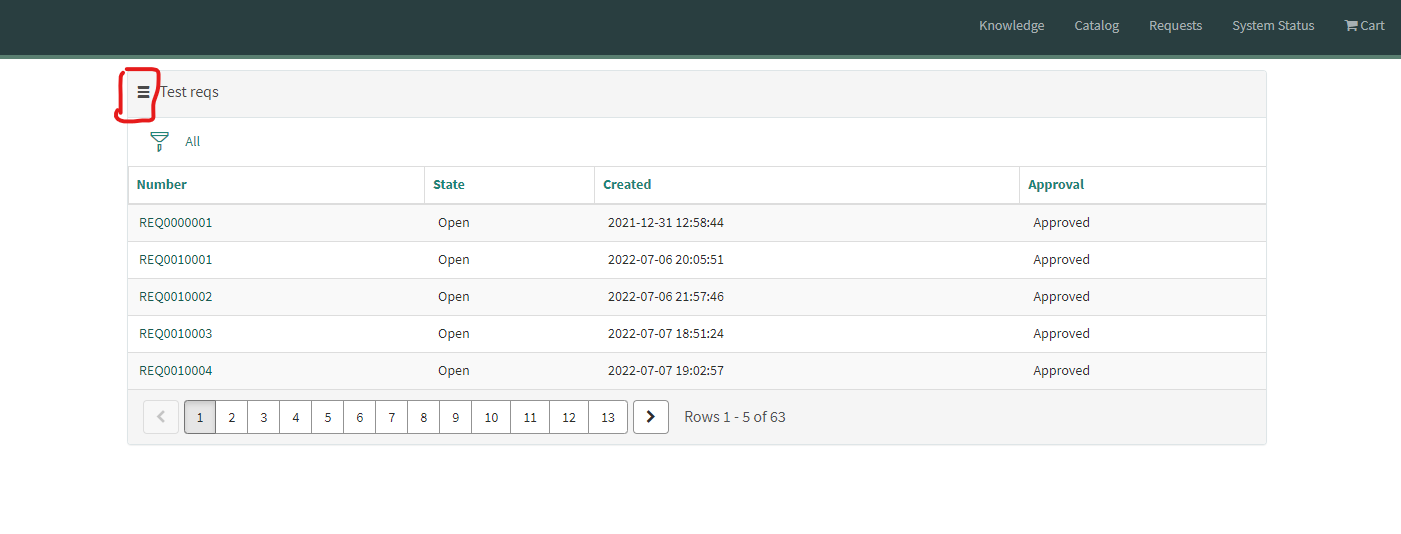
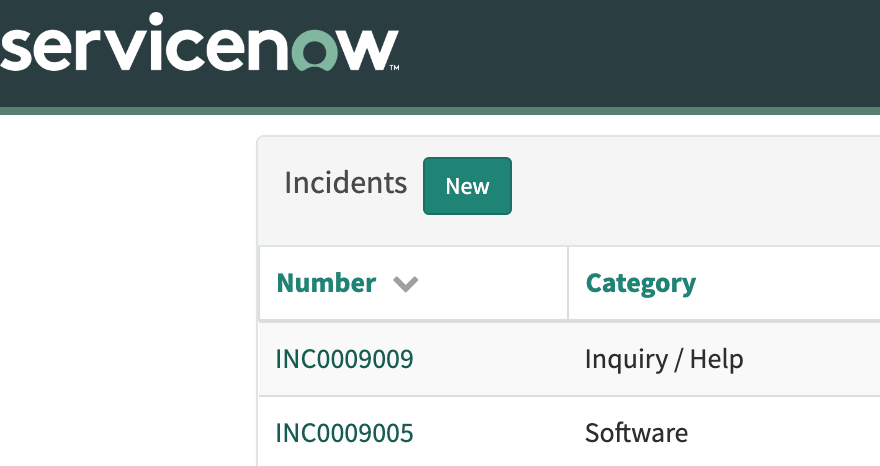
You can do it per-page where data table widgets are used (shown below). If you want to affect all data table widgets across the platform you can instead use a CSS dependency (open the OOTB data table widget and add a new CSS dependency).
"Per-Page Way":
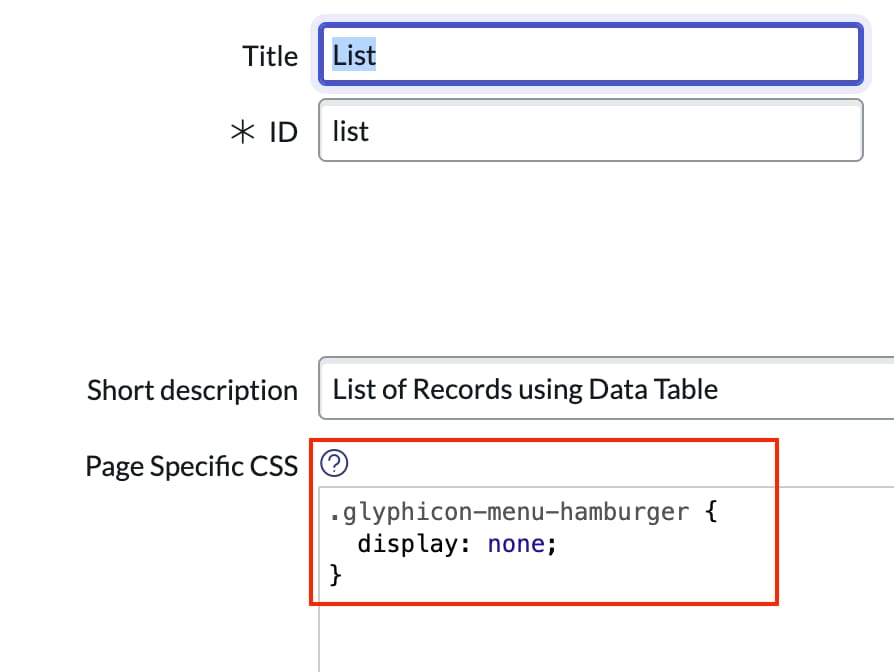
Add this to the page specific CSS:

Result:


- Mark as New
- Bookmark
- Subscribe
- Mute
- Subscribe to RSS Feed
- Permalink
- Report Inappropriate Content
09-04-2022 09:13 PM
As stated, OOB this is not possible. You would need to clone the widget and modify it to your needs
- Mark as New
- Bookmark
- Subscribe
- Mute
- Subscribe to RSS Feed
- Permalink
- Report Inappropriate Content
09-05-2022 02:11 AM
This is possible OOB, simply add a CSS dependency on the widget. No need to clone!
- Mark as New
- Bookmark
- Subscribe
- Mute
- Subscribe to RSS Feed
- Permalink
- Report Inappropriate Content
09-05-2022 02:10 AM
You can do it per-page where data table widgets are used (shown below). If you want to affect all data table widgets across the platform you can instead use a CSS dependency (open the OOTB data table widget and add a new CSS dependency).
"Per-Page Way":
Add this to the page specific CSS:
Result:
- Mark as New
- Bookmark
- Subscribe
- Mute
- Subscribe to RSS Feed
- Permalink
- Report Inappropriate Content
09-05-2022 04:13 PM
Great solution - I always forget about using CSS for this!