- Mark as New
- Bookmark
- Subscribe
- Mute
- Subscribe to RSS Feed
- Permalink
- Report Inappropriate Content
09-19-2018 01:33 PM
I created a new table (Clients) extending it from the core_company table. I want a reference field on another table pointing at the new table Clients. The pop-up view on that reference field shows the default view and not the form view I created for Clients. How do I configure this?
I've tried this and it just changed the view on the Clients table, it did nothing in the pop-up.

Solved! Go to Solution.
- 37,461 Views

- Mark as New
- Bookmark
- Subscribe
- Mute
- Subscribe to RSS Feed
- Permalink
- Report Inappropriate Content
09-24-2018 06:14 PM
hi Jenny,
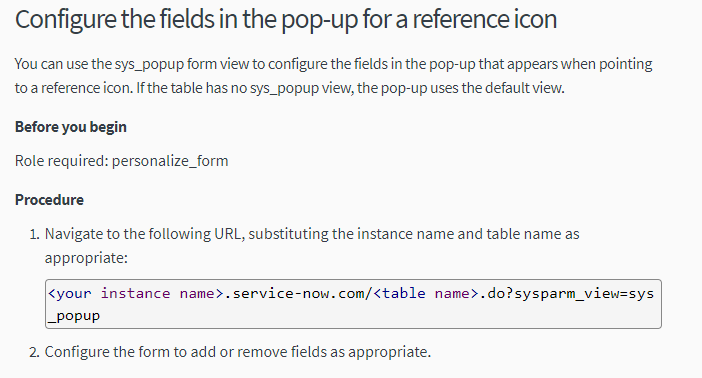
You can refer to the servicenow doc on how to create a new view and name it "sys_popup", then this new view will be used by your custom table reference field.
https://docs.servicenow.com/bundle/geneva-servicenow-platform/page/administer/navigation_and_ui/task/t_CreateAView.html
hope this helps.

- Mark as New
- Bookmark
- Subscribe
- Mute
- Subscribe to RSS Feed
- Permalink
- Report Inappropriate Content
06-19-2020 02:58 AM
Hey Bryan,
ServiceNow doesnt allow "_" in the view name so how can I still make this view?
- Mark as New
- Bookmark
- Subscribe
- Mute
- Subscribe to RSS Feed
- Permalink
- Report Inappropriate Content
05-25-2022 03:44 AM


- Mark as New
- Bookmark
- Subscribe
- Mute
- Subscribe to RSS Feed
- Permalink
- Report Inappropriate Content
08-19-2024 05:40 PM
NOTICE**** This DATA is DEMO****HOW TO MODIFY VIEW****
To modify "sys_popup view" to can modify "view" default. This modify sys_popUp view. For example:

then...on the sys_users table, modify configure>layout

now...

Fernando Urrutia | LinkedIn
Consultor Certificado en ServiceNow desde 2018
Especialista en ITSM, Mejora Continua, Soporte y Administración
Solex – Soluciones Expertas S.A.

- Mark as New
- Bookmark
- Subscribe
- Mute
- Subscribe to RSS Feed
- Permalink
- Report Inappropriate Content
04-16-2026 08:03 AM
Hello,
In "Form Builder", we can't create the "sys_popup" view because the underscore "_" is not accepted(Error: Supported characters are: alphanumeric and whitespace)
So, I used "Form Layout" to create the view, and then I was able to configure the sys_popup view in "Form Builder".
Hope this helps!