
- Mark as New
- Bookmark
- Subscribe
- Mute
- Subscribe to RSS Feed
- Permalink
- Report Inappropriate Content
03-09-2022 02:48 AM
Hello,
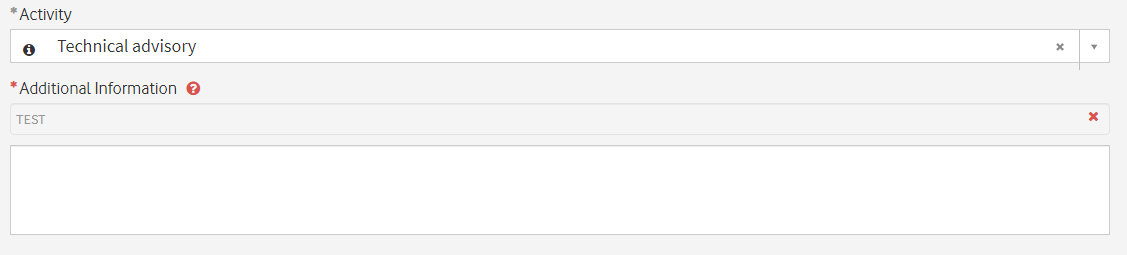
is there any way to change dynamically the help text of a variable on a catalog item on portal???
For example, based on the "Activity" field, I would like to change dynamically the help text on the "Additional Information" field.

Thank you for your assistance,
Smith.
Solved! Go to Solution.
- Labels:
-
Scripting and Coding


- Mark as New
- Bookmark
- Subscribe
- Mute
- Subscribe to RSS Feed
- Permalink
- Report Inappropriate Content
03-09-2022 03:06 AM
Hi,
Unfortunately that is not possible. All you can do is use showFieldMsg() instead in a Client script.
- Mark as New
- Bookmark
- Subscribe
- Mute
- Subscribe to RSS Feed
- Permalink
- Report Inappropriate Content
12-01-2023 02:51 AM
hi @Community Alums not working in sc_task please help

- Mark as New
- Bookmark
- Subscribe
- Mute
- Subscribe to RSS Feed
- Permalink
- Report Inappropriate Content
06-06-2023 02:41 PM - edited 06-29-2023 08:00 AM
Use g_form.getField("<fieldname>").placeholder to change the example text dynamically in a portal.
Use g_form.getControl("<fieldname>").placeholder to change the example text dynamically in the Now platform.
function onChange(control, oldValue, newValue, isLoading) {
    if (isLoading || newValue == '') {
        return;
    }

    //Works in portal
    var portal = g_form.getField("enter_another_value");
    portal.placeholder = "Please provide additional info about " + newValue;

    //Works in Now platform
    var platform = g_form.getControl("enter_another_value");
    platform.placeholder = "Please provide additional info about " + newValue;
}
- Mark as New
- Bookmark
- Subscribe
- Mute
- Subscribe to RSS Feed
- Permalink
- Report Inappropriate Content
06-29-2023 07:57 AM
@Community Alums That was amazing. Thank you!
Where is the g_form.getField() method documented, please?
- Mark as New
- Bookmark
- Subscribe
- Mute
- Subscribe to RSS Feed
- Permalink
- Report Inappropriate Content
06-29-2023 08:08 AM - edited 06-29-2023 08:10 AM
@Community Alums Good question. I can't find documentation on it. I have been using it a while but now I am weary about using it. 😬
I could not get .getControl() to work in the portal.
- Mark as New
- Bookmark
- Subscribe
- Mute
- Subscribe to RSS Feed
- Permalink
- Report Inappropriate Content
12-01-2023 02:59 AM
@Community Alums hi the code works only on portal not sc_task please help
var f = g_form.getValue('FIELD_NAME');
if (f) {
  f.help_text = 'OVERWRITE_MSG';
}
