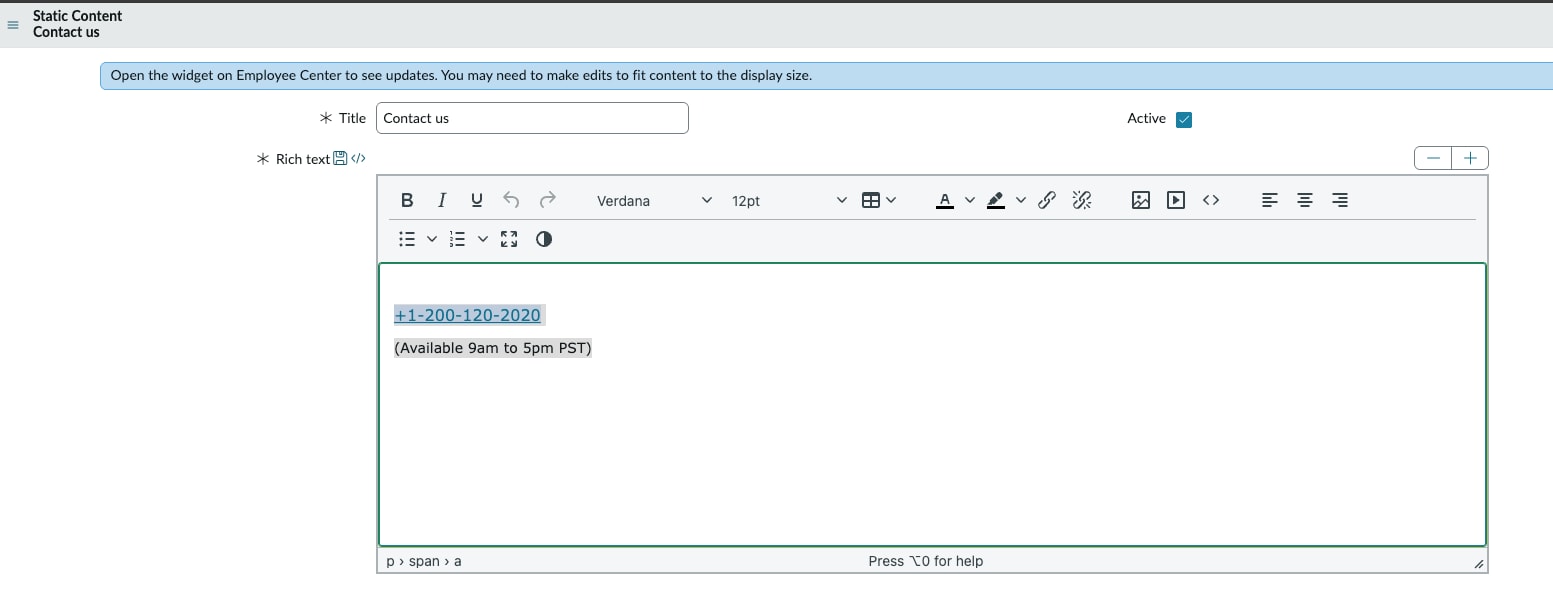
How to configure "Get Support" Widget for Employee Center Portal

Options
- Mark as New
- Bookmark
- Subscribe
- Mute
- Subscribe to RSS Feed
- Permalink
- Report Inappropriate Content
11-06-2025 10:18 AM
Hello ServiceNow Community, I came across a need to update the "Get Support" Widget on the mega menu on "/ECS" portal. Want to share you guys how I did it since they are not many documentations around this.
1. Filter Nav
2. Type "sn_ex_sp_static_content.LIST"
3. Add you content
4. Enjoy!
- 1,921 Views
2 REPLIES 2

Options
- Mark as New
- Bookmark
- Subscribe
- Mute
- Subscribe to RSS Feed
- Permalink
- Report Inappropriate Content
01-13-2026 11:50 PM
Helpful
Options
- Mark as New
- Bookmark
- Subscribe
- Mute
- Subscribe to RSS Feed
- Permalink
- Report Inappropriate Content
03-24-2026 11:05 AM
Also can further customize the widget by going to Employee Center > Get support. For example attaching a Catalog Item, Knowledge Article, Page or an External link.