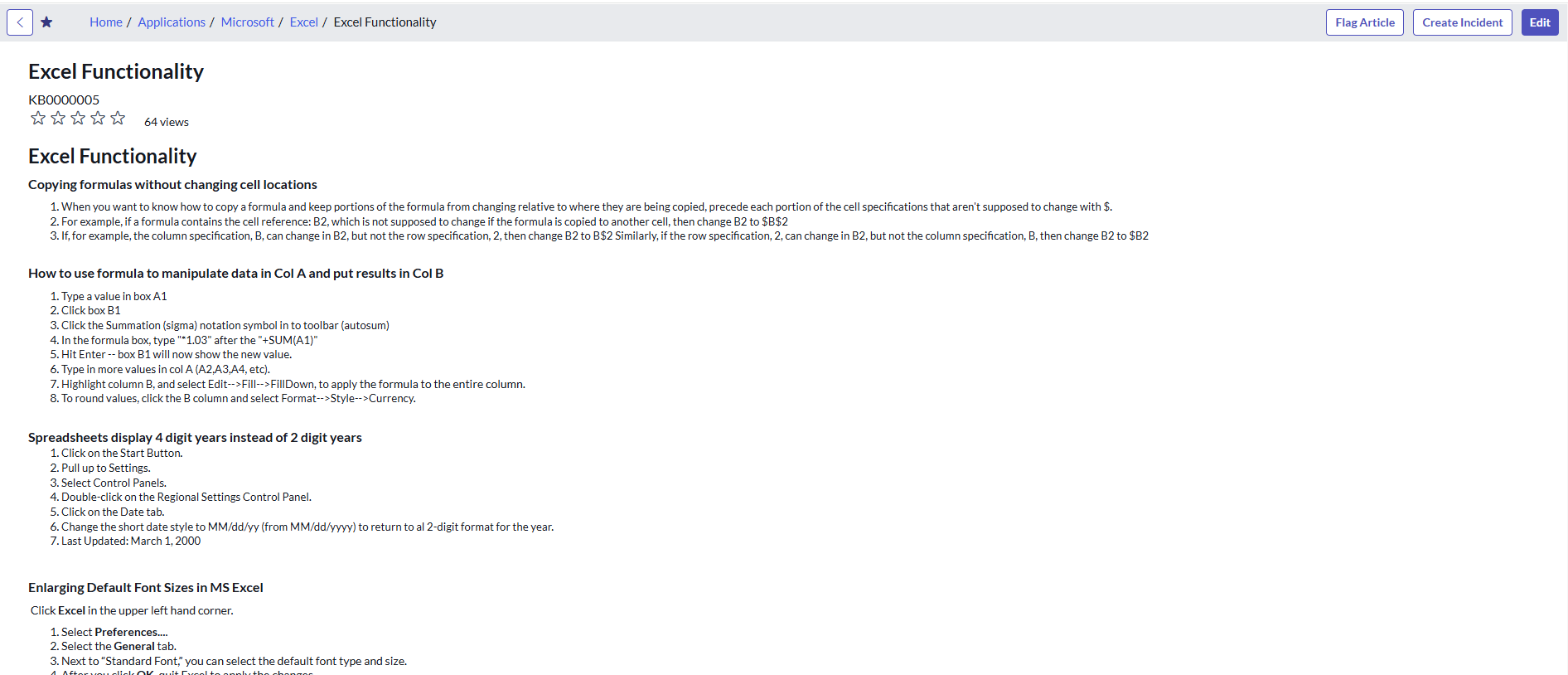
How to create custom UI actions on the KB article view page?

- Mark as New
- Bookmark
- Subscribe
- Mute
- Subscribe to RSS Feed
- Permalink
- Report Inappropriate Content
04-03-2026 04:32 AM
Hi Community,
I'm currently working on customizing the Knowledge Base in ServiceNow and had a question regarding UI Actions on the Knowledge Article view page.
Requirement:
I want to create a custom UI Action (button) that appears on the Knowledge Article view page (kb_view / Knowledge Portal view), and perform a specific action when clicked.
Any guidance, examples, or documentation links would be greatly appreciated.
Thanks in advance!
- Mark as New
- Bookmark
- Subscribe
- Mute
- Subscribe to RSS Feed
- Permalink
- Report Inappropriate Content
04-03-2026 04:34 AM
Hi @SK07
The approach depends on whether you want the button in the Native UI or the Service Portal, as they handle UI Actions differently:
1. For Native UI (kb_view.do)
Since kb_view is a UI Page and not a standard form, regular UI Actions won't always appear automatically. You have two main options:
Standard UI Action: Create a UI Action on the kb_knowledge table. To make it appear on the view page, ensure it is a Client button and use a condition like gs.getSession().isInteractive().
UI Macro Customization: If a standard UI Action doesn't appear where you want it, you may need to customize the kb_view_header_responses or kb_article_header UI Macros to hardcode a button.
2. For Service Portal (kb_article_view)
Service Portal does not support standard UI Actions out of the box. You have to:
Clone the Widget: Clone the "Knowledge Article Content" widget.
Add the Button: Add your <button> HTML to the widget's template and the logic to the Client Controller.
Server Logic: If the button needs to update a record, use c.server.update() to pass data to the Server Script.
3. For Configurable Workspace
If you are using the Knowledge Management Workspace, you don't use UI Actions; you must use UX Declarative Actions to add buttons to the action bar.
Pro-Tip: Check the KnowledgeUIActionSNC Script Include to see how ServiceNow handles the "Edit" and "Flag" buttons—it's the best reference for how they bridge these different views.

- Mark as New
- Bookmark
- Subscribe
- Mute
- Subscribe to RSS Feed
- Permalink
- Report Inappropriate Content
04-03-2026 06:46 AM
Customize the UI Macro
- Navigate to System UI → UI Pages → kb_view. Open the Jelly source and look for
<g:call>or<g:include>tags — these reference the UI Macros that render the button bar (commonly something likekb_view_article_actions). - Clone that UI Macro (never edit OOB directly). In your cloned macro, add your button:
<j:if test="${gs.hasRole('your_required_role')}">
  <button class="btn btn-default" onclick="yourCustomAction('${jvar_article_sys_id}')">
    Your Button
  </button>
</j:if>- Update the
kb_viewUI Page to reference your cloned macro instead of the original. - Add your server-side logic via a Script Include, and call it from the button using GlideAjax:
function yourCustomAction(sysId) {
  var ga = new GlideAjax('YourScriptInclude');
  ga.addParam('sysparm_name', 'yourMethod');
  ga.addParam('sysparm_article_id', sysId);
  ga.getXMLAnswer(function(response) {
    alert('Done: ' + response);
  });
}