How to create popup for specific record in list view in "Action Check Boxes"

- Mark as New
- Bookmark
- Subscribe
- Mute
- Subscribe to RSS Feed
- Permalink
- Report Inappropriate Content
12-29-2016 01:45 AM
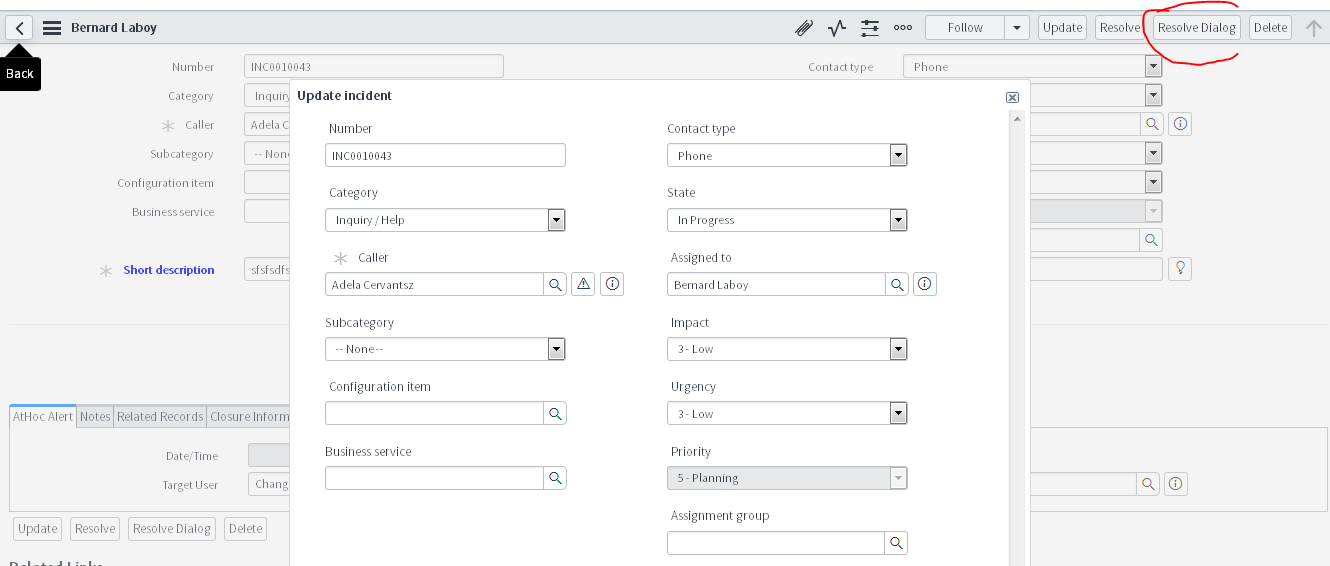
I can get the popup window for the specific data within the page through " g_form" object and "GlideDialogForm"
as like the snippet :

But I want to open the popup from the list view for the selected incident from the "Action Check Boxes",
problem is that I am unable to get the sys_id for the selected Incident in the list view, through "g_form" we can get the sys_id if we have open the incident page.
how to get the sys_id in this scenario, if I will get the sys_id in my UI Action Scripts then I think I will be able to show the incident data in popup window.

- Mark as New
- Bookmark
- Subscribe
- Mute
- Subscribe to RSS Feed
- Permalink
- Report Inappropriate Content
12-30-2016 02:46 AM
you are not calling the function
add showMyForm(); on line number 11.
- Mark as New
- Bookmark
- Subscribe
- Mute
- Subscribe to RSS Feed
- Permalink
- Report Inappropriate Content
12-30-2016 02:49 AM
i have done that already, I came to know this after posting that I didn't call the function.
But after rectifying also Menu is not showing.

- Mark as New
- Bookmark
- Subscribe
- Mute
- Subscribe to RSS Feed
- Permalink
- Report Inappropriate Content
12-29-2016 11:22 PM
It seems you are looking similar to update selected ui context menu
Create a new view of your choice and render that view.
/**
* Script executed on the Client for this menu action
*
* The following variables are available to the script:
* 'g_list' the GlideList2 that the script is running against (only valid for List context menus)
* 'g_fieldName' the name of the field that the context menu is running against (only valid for List context menus)
* 'g_sysId' the sys_id of the row or form that the script is running against
* 'rowSysId' is also set to the sys_id of the row to support legacy actions, but g_sysId is preferred
*/
runContextAction();
function runContextAction() {
var keys = g_list.getChecked();
if (keys == '') {
var msg = new GwtMessage().getMessage('There are no rows selected');
alert(msg);
return;
}
var url = new GlideURL(g_list.tableName + '_update.do');
url.addParam('sys_action', 'sysverb_multiple_update');
url.addParam('sysparm_multiple', 'true');
url.addParam('sysparm_nostack', 'yes');
url.addParam('sysparm_checked_items', 'sys_idIN' + keys);
url.addParam('sysparm_view', g_list.getView());
window.location = url.getURL();
}
- Mark as New
- Bookmark
- Subscribe
- Mute
- Subscribe to RSS Feed
- Permalink
- Report Inappropriate Content
12-29-2016 11:34 PM

- Mark as New
- Bookmark
- Subscribe
- Mute
- Subscribe to RSS Feed
- Permalink
- Report Inappropriate Content
12-29-2016 11:47 PM
You should be seeing it in the menu, Try doing instance cache.do and re-login in a new browser .
BTW in the script you are not calling the function showMyForm()