- Mark as New
- Bookmark
- Subscribe
- Mute
- Subscribe to RSS Feed
- Permalink
- Report Inappropriate Content
12-04-2025 12:09 AM
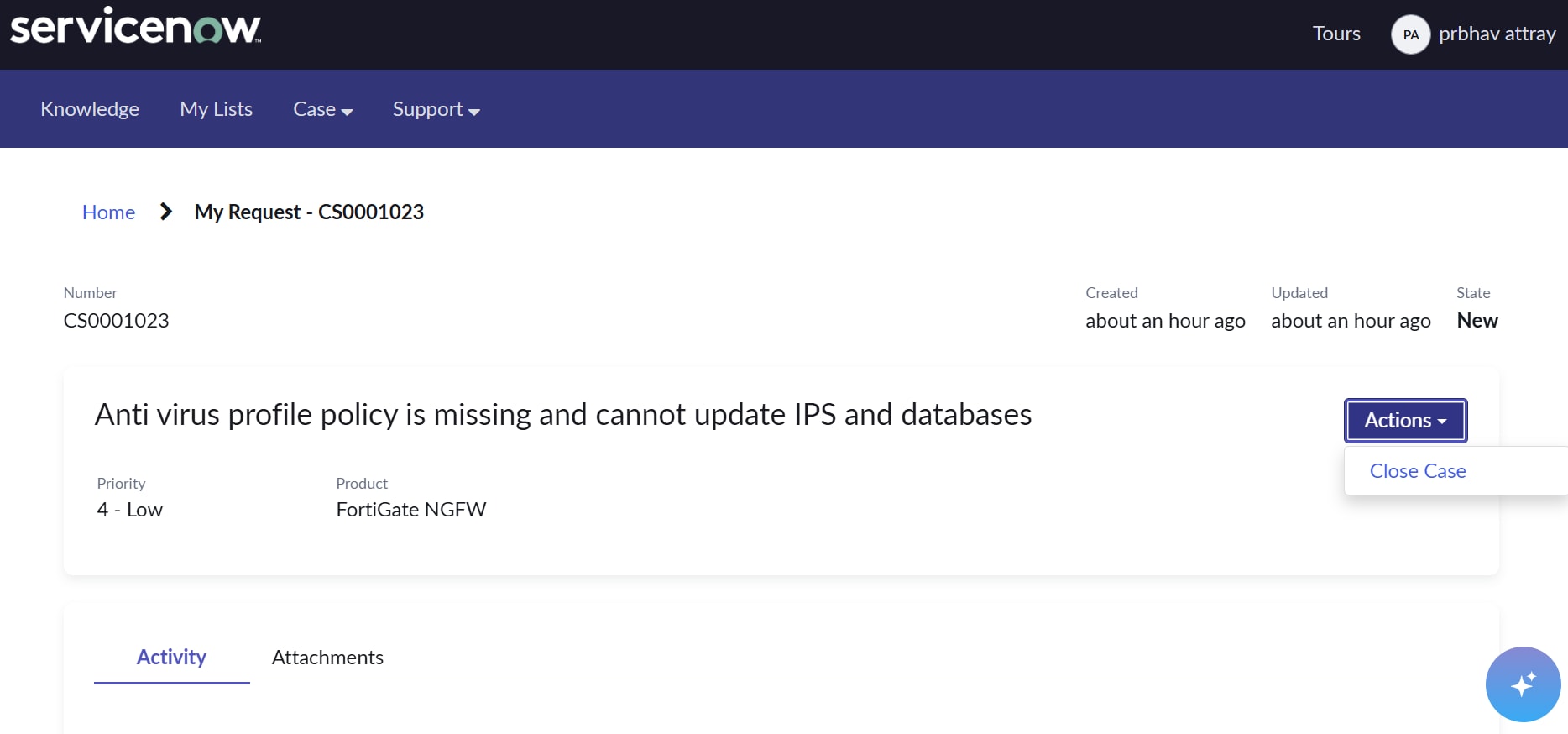
In my CSM portal when i open any created case, then on that page i see a action dropdown button clicking on which i get an option of close case, now i want to add another option here as "Escalate to live agent" and after clicking on it i want to change the assignment group of that case to another.
I have created a clone copy of "Case ticket action" OOB widget and made necessary changes for adding "Escalate to live agent" option but the problem is it is not reflecting in CSM portal i can still see only close case option. I Even tried to add my cloned widget on "csm_ticket" page that also didn't work.
Please suggest me some solution regarding this issue.
Solved! Go to Solution.
- Mark as New
- Bookmark
- Subscribe
- Mute
- Subscribe to RSS Feed
- Permalink
- Report Inappropriate Content
12-04-2025 07:30 AM
Hi @prbhav___attray ,
Your new widget needs to be added to the standard ticket configuration page. In the Action Region tab, update the Action Widget field.
Here is the ticket configuration page for Case:
https://<instance name>.service-now.com/ticket_configuration.do?sys_id=d5a8994b534a10105b51ddeeff7b1257
- Mark as New
- Bookmark
- Subscribe
- Mute
- Subscribe to RSS Feed
- Permalink
- Report Inappropriate Content
12-04-2025 07:30 AM
Hi @prbhav___attray ,
Your new widget needs to be added to the standard ticket configuration page. In the Action Region tab, update the Action Widget field.
Here is the ticket configuration page for Case:
https://<instance name>.service-now.com/ticket_configuration.do?sys_id=d5a8994b534a10105b51ddeeff7b1257
- Mark as New
- Bookmark
- Subscribe
- Mute
- Subscribe to RSS Feed
- Permalink
- Report Inappropriate Content
12-04-2025 08:28 AM
Wow, it worked thanks a lot