- Mark as New
- Bookmark
- Subscribe
- Mute
- Subscribe to RSS Feed
- Permalink
- Report Inappropriate Content
12-12-2019 04:06 PM
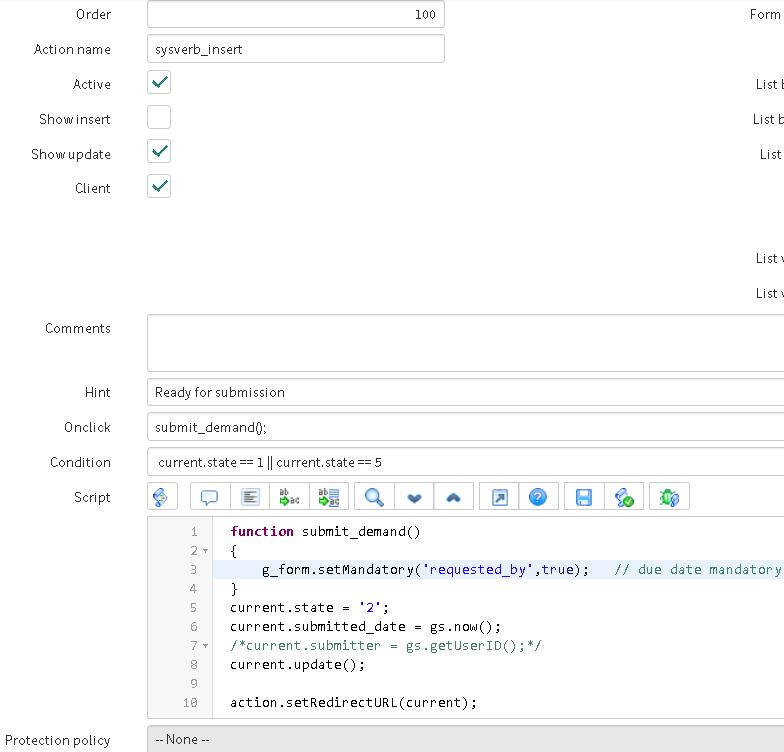
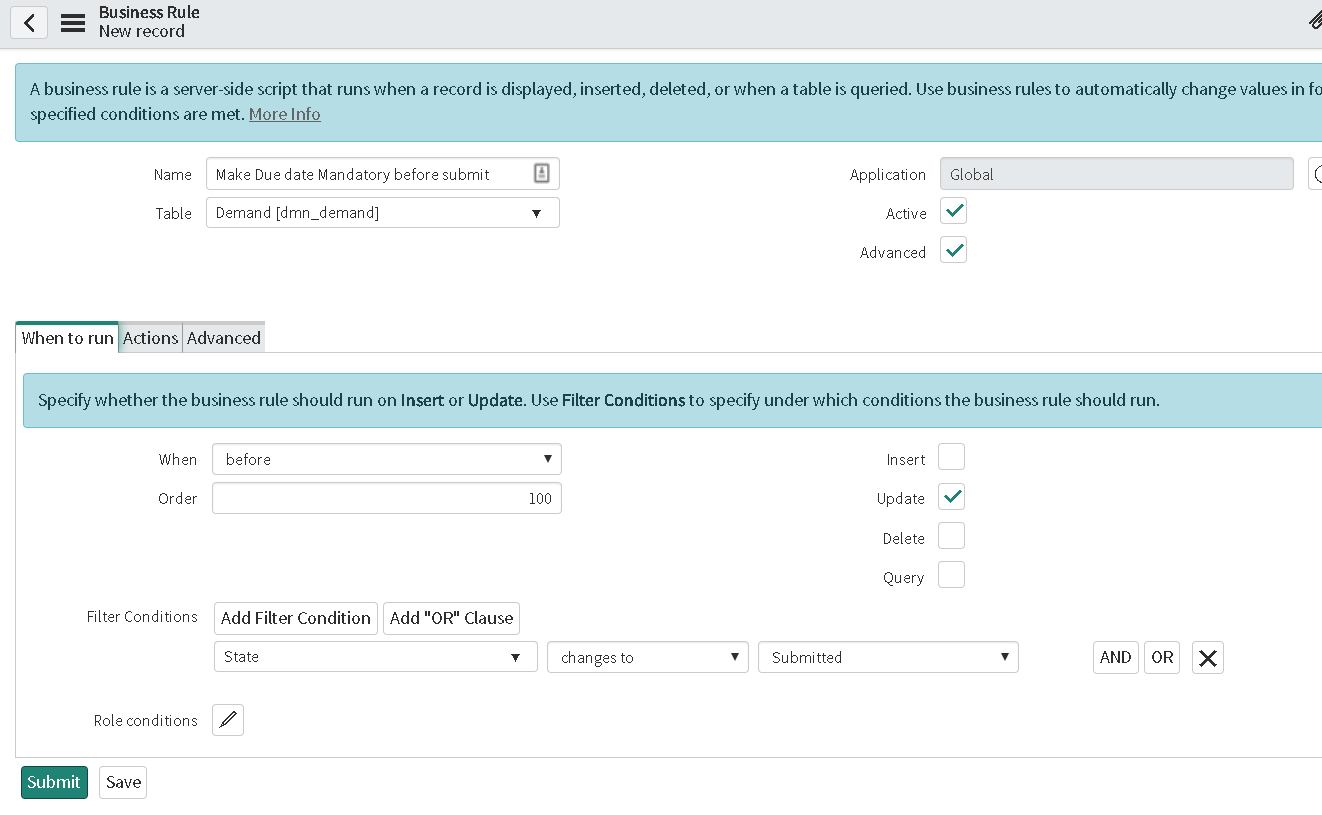
HI , I have a requirement to make due date mandatory when state changes to submitted , I am trying to implement this with Business rule and UI action , can you please help me with this
Business rule: what should i write in advance script ?

UI action : up on clicking the UI action the due date will be mandatory and if due date is provided then it should submit and change state to submitted.

Solved! Go to Solution.
- Mark as New
- Bookmark
- Subscribe
- Mute
- Subscribe to RSS Feed
- Permalink
- Report Inappropriate Content
12-12-2019 05:17 PM
Hi kam,
Unfortunately there is no way to make a field mandatory through BR.
But you can do so through UI Actions and Data Policies (or only Data Polices)
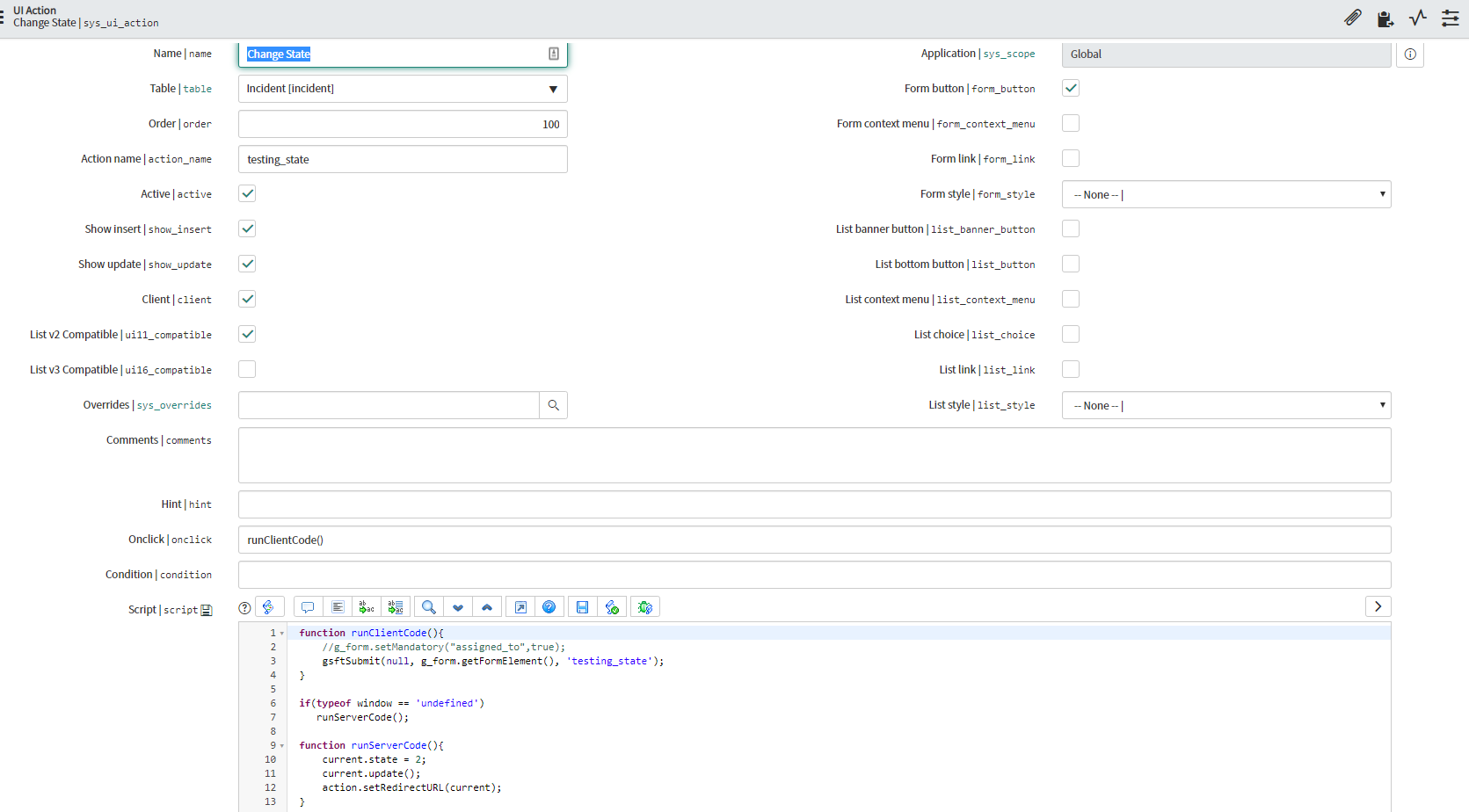
So your UI action requires some minor changes -

So if you want to make a UI Action with Client - checked then you would have to do something similar as I did to run both client and server script.
As you can see on line 2, I was initially set the assigned to mandatory but that wont be required as well if you use Data Policy.

This will ensure that in anyway whenever the state changes to In-progress (for mine example) the Assigned To will be made mandatory.
So you can use both in combination - UI Action and Data Policy or Just the Data Policy. Unfortunately there is no BR method to implement the same.
Cheers,
Sam


- Mark as New
- Bookmark
- Subscribe
- Mute
- Subscribe to RSS Feed
- Permalink
- Report Inappropriate Content
12-12-2019 07:29 PM
Hi Kam,
you cannot make field mandatory via business rule; the mandatory check is client side validation;
you can just check whether the field is populated or not in the before update business rule and show message to user and stop form submission
Mark ✅ Correct if this solves your issue and also mark 👍 Helpful if you find my response worthy based on the impact.
Thanks
Ankur
Ankur
✨ Certified Technical Architect || ✨ 10x ServiceNow MVP || ✨ ServiceNow Community Leader