- Mark as New
- Bookmark
- Subscribe
- Mute
- Subscribe to RSS Feed
- Permalink
- Report Inappropriate Content
09-13-2022 07:02 PM
Hi everyone,
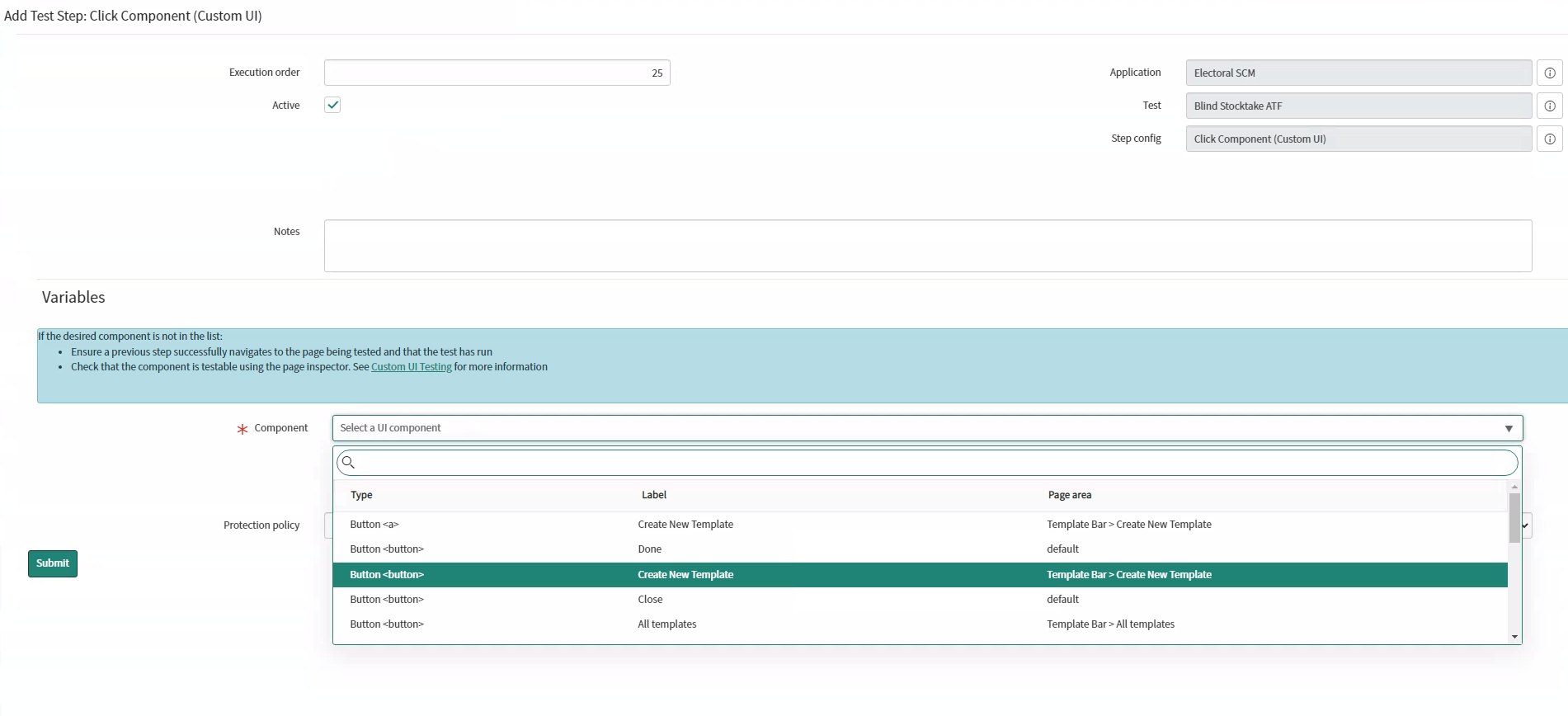
I'm trying to test the export to PDF functionality within an ATF by using the context menu, however, I am unable to find the Component in the custom UI to open the menu, I can access the menu items if I manually click the Additional actions button but I need to have it done within the ATF.
Any help would be greatly appreciated, pictures are attached regarding what I want.


Solved! Go to Solution.
- Labels:
-
Automated Test Framework


- Mark as New
- Bookmark
- Subscribe
- Mute
- Subscribe to RSS Feed
- Permalink
- Report Inappropriate Content
09-13-2022 10:00 PM
Hi,
You can try multiple times to retrieve the components.
if you cannot detect it using Custom UI then it's not possible to test using ATF.
Regards
Ankur
Ankur
✨ Certified Technical Architect || ✨ 10x ServiceNow MVP || ✨ ServiceNow Community Leader
- Mark as New
- Bookmark
- Subscribe
- Mute
- Subscribe to RSS Feed
- Permalink
- Report Inappropriate Content
09-13-2022 10:00 PM
Hi,
You can try multiple times to retrieve the components.
if you cannot detect it using Custom UI then it's not possible to test using ATF.
Regards
Ankur
Ankur
✨ Certified Technical Architect || ✨ 10x ServiceNow MVP || ✨ ServiceNow Community Leader
- Mark as New
- Bookmark
- Subscribe
- Mute
- Subscribe to RSS Feed
- Permalink
- Report Inappropriate Content
09-13-2022 10:16 PM
I've tried everything to retrieve the components, but the only way I can seem to access the context menu is to do it manually when the ATF reaches the final stage. It should definitely be clickable but it doesn't show up for whatever reason 😞
- Mark as New
- Bookmark
- Subscribe
- Mute
- Subscribe to RSS Feed
- Permalink
- Report Inappropriate Content
04-07-2026 05:58 AM
Hi! Have you found a solution yet? I'm facing the same problem.
- Mark as New
- Bookmark
- Subscribe
- Mute
- Subscribe to RSS Feed
- Permalink
- Report Inappropriate Content
07-24-2026 04:04 PM
Can you help me with that?