- Mark as New
- Bookmark
- Subscribe
- Mute
- Subscribe to RSS Feed
- Permalink
- Report Inappropriate Content
10-20-2020 05:13 AM
I have written a query to get list of demands and saved. My query is to filter demands and demand tasks. When I view/Run query I see output table.
I want list of demands which is the output of query as my API response.

Solved! Go to Solution.
- Labels:
-
Multiple Versions


- Mark as New
- Bookmark
- Subscribe
- Mute
- Subscribe to RSS Feed
- Permalink
- Report Inappropriate Content
10-21-2020 03:59 AM
no other option
You cannot use related list condition query containing RLQUERY in the API explorer sysparm_query
Regards
Ankur
Ankur
✨ Certified Technical Architect || ✨ 10x ServiceNow MVP || ✨ ServiceNow Community Leader
- Mark as New
- Bookmark
- Subscribe
- Mute
- Subscribe to RSS Feed
- Permalink
- Report Inappropriate Content
10-20-2020 05:24 AM
Hi,
Steps
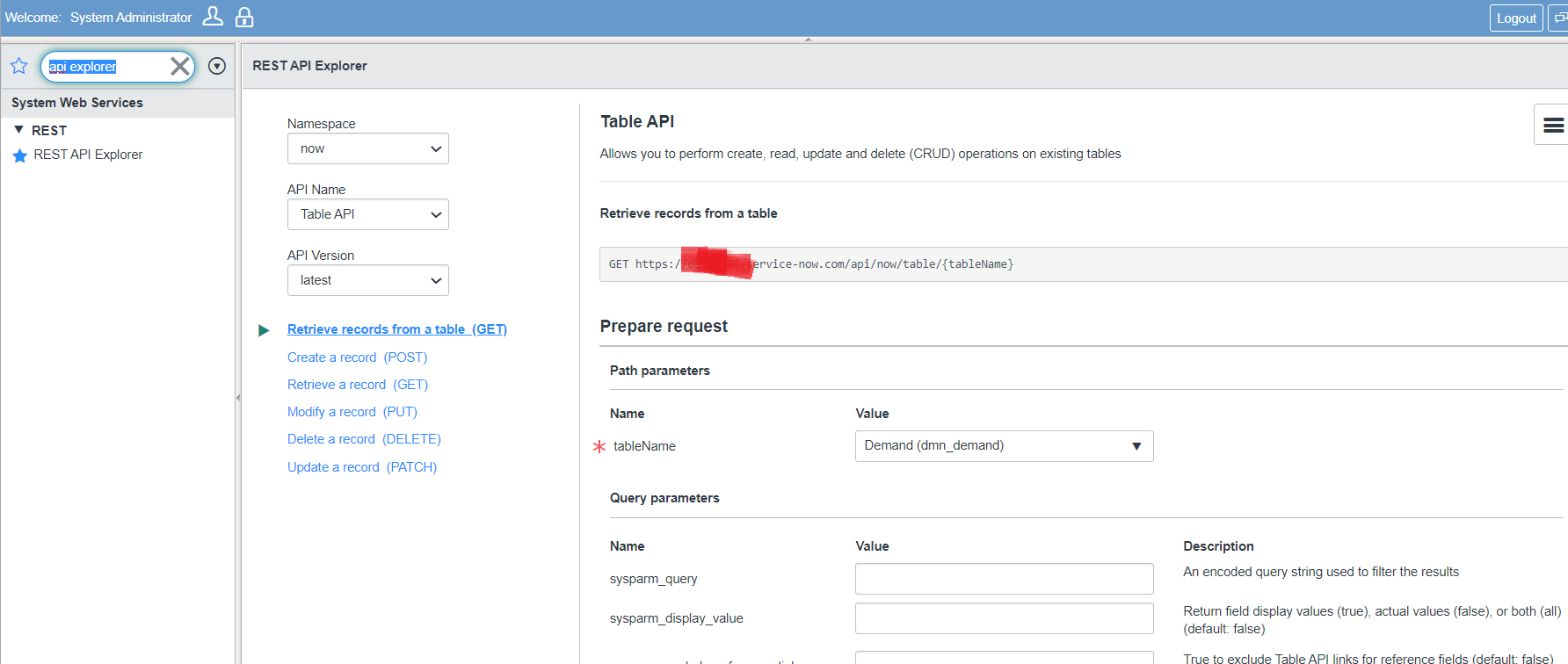
1) visit API explorer in left nav
2) Select table as "dmn_demand"
3) Copy the query and use that in sysparm_query
4) consume the endpoint
Note: I didn't test this. but I doubt the related list condition may not work

Regards
Ankur
Ankur
✨ Certified Technical Architect || ✨ 10x ServiceNow MVP || ✨ ServiceNow Community Leader
- Mark as New
- Bookmark
- Subscribe
- Mute
- Subscribe to RSS Feed
- Permalink
- Report Inappropriate Content
10-20-2020 05:52 AM
Hi Akur,
I do not have an access to API explorer, but i tried API with sys param but it is not giving the demand list.
https://SnowURL/api/now/table/sys_report/sysId?&sysparm_query=u_gate_2_approval_date>=javascript:gs.beginningOfYesterday()^RLQUERYu_demand_task.parent,>=1^assigned_to=sysid^ENDRLQUERY
- Mark as New
- Bookmark
- Subscribe
- Mute
- Subscribe to RSS Feed
- Permalink
- Report Inappropriate Content
10-20-2020 08:28 AM
even if you apply it won't get from the API explorer
I just checked and it won't work
Regards
Ankur
Ankur
✨ Certified Technical Architect || ✨ 10x ServiceNow MVP || ✨ ServiceNow Community Leader
- Mark as New
- Bookmark
- Subscribe
- Mute
- Subscribe to RSS Feed
- Permalink
- Report Inappropriate Content
10-21-2020 03:49 AM